Activity
Mon
Wed
Fri
Sun
Oct
Nov
Dec
Jan
Feb
Mar
Apr
May
Jun
Jul
Aug
Sep
What is this?
Less
More
Master The Workflow
187 members • $9/m
13 contributions to Master The Workflow

Jun 23 •
Opticals ListzZZZ - ZZZ
Hi all, Currently assisting on a picture cut in Avid Media Composer and my butt is starting to clench - which can only mean one thing... soon I will have to spend a considerable amount of time making an Optical Effects List of each reel of the film for the DI. In the past, I've dropped markers on clips that have effects - typing the effect and percentages into the marker text window, then file export. You know the drill. You also know how long this can take, especially when there's changes and updates are needed. Multiply that by each production, and you start to wonder if your pet dog has a better life. It's 2026. AI is taking over our lives. Surely there must be a better way to create Optical Lists. I've recently come across Parser IO (https://parserio.com/) — found a demo on Youtube (https://www.youtube.com/watch?v=BCHQ0bhFw_c) that explains it well. It works like a dream, but it's a bit pricey. How is the MTWF community dealing with this task? I've heard that making a sequence report in Avid is sufficient... but I haven't tried that workflow myself. @Richard Sanchez, what is your secret source? Can we expect a new Opticals tab on the Digital Codebook any time soon? Very best regards, Matt

0 likes • Jun 25
I don’t have plans to make an opticals lists in the database. I’ve always just added markers to the shots that have opticals and exported that marker list to DI. I’ve seen ParserIO’s marketing materials and it looks cool, though I haven’t tried it personally. Most opticals will get translated but the AAF. 3D Warp effects will come into Resolve, as long as they enable resizing information when importing the AAF.

Apr 13 •
Quiz access errors
Hello Lawrence and Richard, Thanks for putting this together, been enjoying the course a lot so far! When I try to start a quiz I get the following error message: Error loading questions: Failed to fetch. Has this error occurred before with other members, any ideas what might be the issue? Best, Mark
0 likes • Apr 15
We'll look into this.

Jan 16 •
Introducing myself
Hi everyone, my name is Crosby. I am from Boston, MA. I am an aspiring filmmaker who also edits. By day, I work at a hospital in the mailroom, delivering packages. At night, I work on my own films and projects. In the past I have directed my own indie feature films, and edited around eight feature films independently. I have been always intrigued about the Master The Workflow program since it came out, and I finally had the money to purchase the program. Because I'm not in California yet, I felt it was necessary to participate in this immersion program to level up my skills as an Assistant Editor, in hopes of becoming a full-fledge editor for studios and independent artists, while also creating my own works as well. I'm extremely happy and excited to participate in the program and learn from all of you.
0 likes • Mar 11
Welcome to MTW.

Feb 20 •
Quiz submission issues
Hi there, I'm having an issues with submitting my quizzes. The message "Error: invalid response from server" pops up. I've tried from a couple of different devices but the same issue occurs. It worked once (for Module 4 - lesson 1) but has failed since going back for Module 1 quizzes. I was wondering if you knew why this is happening?
0 likes • Mar 1
@Raul Hernandez we’ll look into this and report back what we find and when it’s fixed.
Feb 21 •
Flex that Frame!
Hi Edit Excelente’s! I'm prepping a new show and just wanted to ask your advice on a quick question: The assembly editor (editor has not been assigned yet) is considering using FrameFlex to crop and zoom his HD 1920x1080 dailies to match the framing leader, instead of dropping a crop/zoom/mask video effects on the timeline. Does that raise any red flags for anyone here? Best, Matt
1 like • Mar 1
I don’t like FrameFlex or Source Color at all. They tend to not refresh when used in group clips, and they’re harder to catch when I need to do VFX turnovers.
1-10 of 13
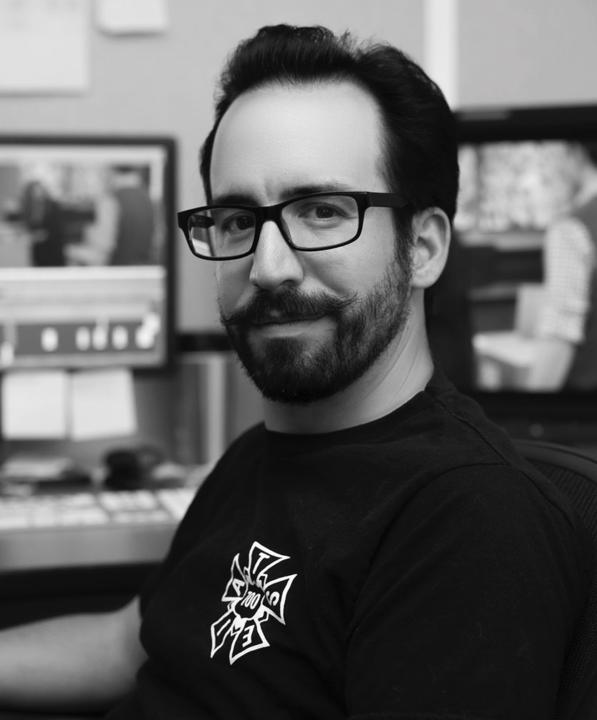
@richard-sanchez-9124
Assistant Editor since 2008, VFX Editor since 2018. Post Production Workflow enthusiast.
Active 66d ago
Joined Jun 23, 2025
Alhambra, CA
Powered by