Activity
Mon
Wed
Fri
Sun
May
Jun
Jul
Aug
Sep
Oct
Nov
Dec
Jan
Feb
Mar
Apr
What is this?
Less
More
Memberships
Mandarin Blueprint Lite
31.9k members • Free
Skill & Soul Studio
112 members • Free
Her AI Advantage
1.4k members • Free
5 contributions to Skill & Soul Studio

🔥
Mar 12 •
CustomGPT Workshop
It's officially booked in now, feel free to share with anyone you think would be interested. Day 1 – Prompt Architecture What a Custom GPT actually is The framework behind good prompts Role, rules, knowledge, constraints Designing the GPT purpose Day 2 – Build & Test Creating the Custom GPT step by step Testing responses Debugging weak outputs Iterating and refining Day 3 – Optimize & Use It Focus on real-world deployment. Topics 1. Improving Output Quality tightening instructions adding examples controlling tone and style 2. Training Your GPT adding knowledge files building reusable prompts creating workflows 3. Turning It Into a System using it daily content workflows business use cases productivity setups 4. Final Live Fix Session


4 likes • Mar 12
Will this be recorded?
🔥
Jan 28 •
Today- Created an app from a thought to app store in a few hours
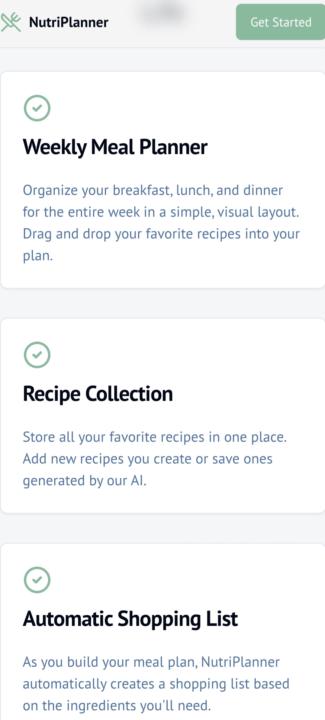
I have been playing around with vibe coding apps, the ones I have tried are - Emergent- good but doesn't follow direction well - Loveable- ok, constantly has errors - Base44- ok for beginners but if you want advanced features it gets tricky - Google AI studio- was going good until a recent update and now it changes thing on you when you don’t ask - Firebase Studio- i built an app from 1 line and it is now on Google play app store. I have found no issues with it. - Replit- has been great so far, however you need to be specific with what you want. Out of all of these I think firebase Studio is the best but unlike the others this one does not give suggestions on what to add, you need to tell it what to add.
3 likes • Jan 29
Thank you for sharing
3 likes • Jan 29
@Manda Jackson Do you have a link for firebase?

1 like • Jan 21
Good work
🔥
Dec '25 •
Week 1 – Day 2: Understanding AI Models
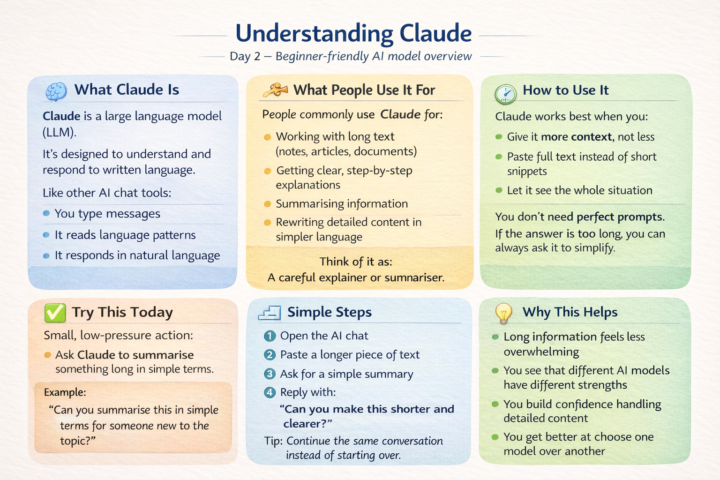
Claude What Claude actually is Claude is a large language model (LLM), similar to ChatGPT, designed to understand and respond to written language. Like other AI chat tools: - You type messages - It reads the words and patterns - It responds in natural language Claude is often noticed for being: - Calm and structured - Good with longer explanations - Comfortable handling more context at once It still works through conversation — you don’t need special commands. What people commonly use it for Most beginners use Claude when they want help with: - Long text (notes, articles, documents) - Clear, step-by-step explanations - Summarising information - Rewriting or simplifying detailed content - Thinking through something without rushing You can treat it like: - A careful explainer - A summariser - Or a guide for complex topics How to use it (important mental model) Claude works best when you: - Give it more context instead of less - Paste the full text or explain the situation clearly - Let it see the whole picture You don’t need to break things into tiny prompts.If the response is too long, you can always ask it to shorten or simplify. One small thing to try today Ask Claude to summarise something long in simple terms. Why this works: - There’s no pressure to write the “perfect” question - You can see how it handles longer information - You practise asking for clarity Example:“Can you summarise this in simple terms for someone new to the topic?” Simple step-by-step - Open the AI chat tool - Paste a longer piece of text or explanation - Ask for a simple summary - If it’s still too detailed, reply with:“Can you make this shorter and clearer?” Do not start a new chat.Just continue the conversation. Why this helps - You learn that different AI models have different strengths - Long or complex information feels less overwhelming - You build confidence working with more detail - You get better at choosing the right AI for the task
1 like • Jan 17
@Manda Jackson Perplexity sonar. I am still learning though I have noticed it elaborates a lot. Chatgpt?
1 like • Jan 17
@Manda Jackson Thank you. I'm still learning how? and what?
🔥
Dec '25 •
Week 1- Day 1: Understanding AI Models
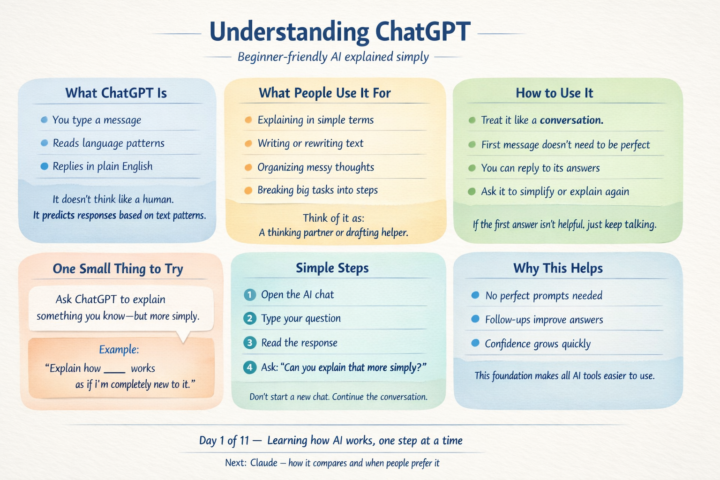
What ChatGPT actually is ChatGPT is a large language model (LLM). That means it has been trained on a large amount of text so it can understand and respond to written language. In simple terms: - You type messages - It reads the words and patterns - It responds in natural language - It does not “think” or “know things” the way a human does. - It predicts helpful responses based on language patterns. - You don’t need technical skills to use it — if you can type a message, you can use it. 🔧 What people commonly use it for Most beginners use ChatGPT for everyday things like: - Asking questions they don’t want to Google - Getting explanations in simpler language - Writing or rewriting messages, emails, or notes - Organising thoughts when their head feels cluttered - Breaking a big task into smaller steps You can treat it like: - A thinking partner - A drafting helper - Or a second set of eyes 🧭 How to use it (important mental model) ChatGPT works best as a conversation, not a one-off command. That means: - Your first message does not need to be perfect - You can respond to its answer - You can ask it to explain again, simplify, or try a different angle - You are not “doing it wrong” if the first answer isn’t great. - You just keep talking. ✅ One small thing to try today Ask ChatGPT to explain something you already understand — but more simply Why this works: - There’s no pressure to check accuracy - You can focus on how it explains things - You learn how follow-ups improve answers Example: “Explain how [something you already know] works as if I’m completely new to it.” 🪜 Simple step-by-step - Open the AI chat tool - Type your question in plain language Read the response - If it feels too complex, reply with: “Can you explain that more simply?” Do not start a new chat. - Just continue the conversation. 💡 Why this helps - You learn that AI responds to clarity, not clever wording - You get comfortable using follow-ups - You build confidence without needing “prompt skills” - This is the foundation for using any AI model.
1 like • Jan 17
@Manda Jackson Thank you
1-5 of 5

Active 6d ago
Joined Jan 17, 2026