Activity
Mon
Wed
Fri
Sun
Aug
Sep
Oct
Nov
Dec
Jan
Feb
Mar
Apr
May
Jun
Jul
What is this?
Less
More
Owned by Manda
Learn simple, AI tools and systems that help you work smarter, stay calm, and grow with ease.
Steal my prompts, make them your own, and create things people will swear took you hours. Your shortcut to better images, digital products & bots
Memberships
The Fluent Sarcasm Club
9 members • $10/month
AI Marketing Factory
68 members • Free
977 contributions to Skill & Soul Studio
🔥
11h •
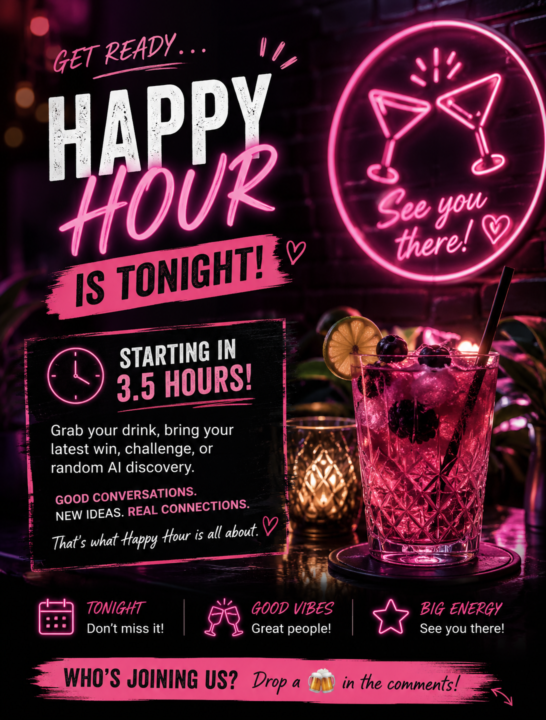
HAPPY HOUR IS TONIGHT!
Only 3½ hours to go! ⏰ Grab your favourite drink, bring your latest win, challenge, or random AI discovery, and come hang out with the community. No presentations. No pressure. Just good conversations, new ideas, and a chance to connect with people who actually get what you're building. 📅 Tonight 9pm AEST ⏰ Starting in 3½ hours Who's joining us tonight? Drop a 🍻 in the comments and let us know you're coming!
🔥
2 likes • 5h
@Nick Lewis the link is in the calendar but also in between the wite something and chats parts. I do them the same day of the week and time twice a month 🙃
🔥
0 likes • 5h
@Suzie Kemper
🔥
19h •
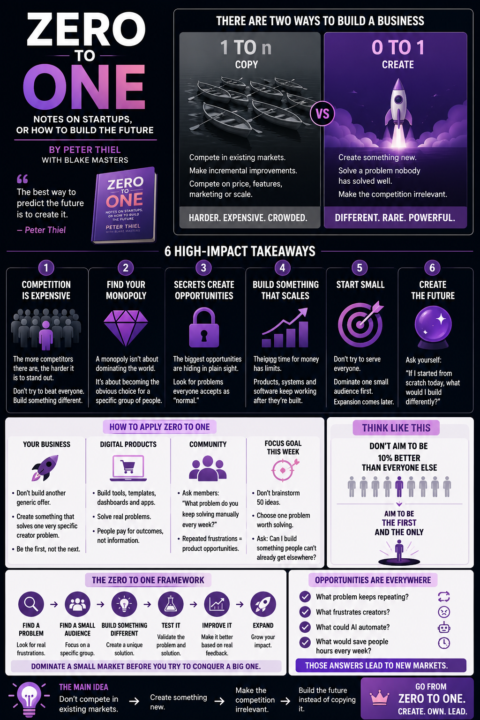
Stop Trying to Be Better. Be Different.
One of the biggest lessons from Zero to One is that competing isn't always the smartest strategy. If you're building the same product as everyone else, you're forced to compete on price, features, or who shouts the loudest. A much better question is: What problem can I solve that nobody is solving well? That's where opportunities live. Instead of creating another generic course, template, or prompt pack, look for the frustrations people mention over and over again. Those repeated frustrations are often the foundation of your next product. Don't aim to make a 10% better version of something that already exists. Build the first version of something people wish existed. That's how you move from one of many to the obvious choice.
🔥
1 like • 8h
@Adelina Rosa
🔥
0 likes • 5h
@Suzie Kemper

🔥
11h •
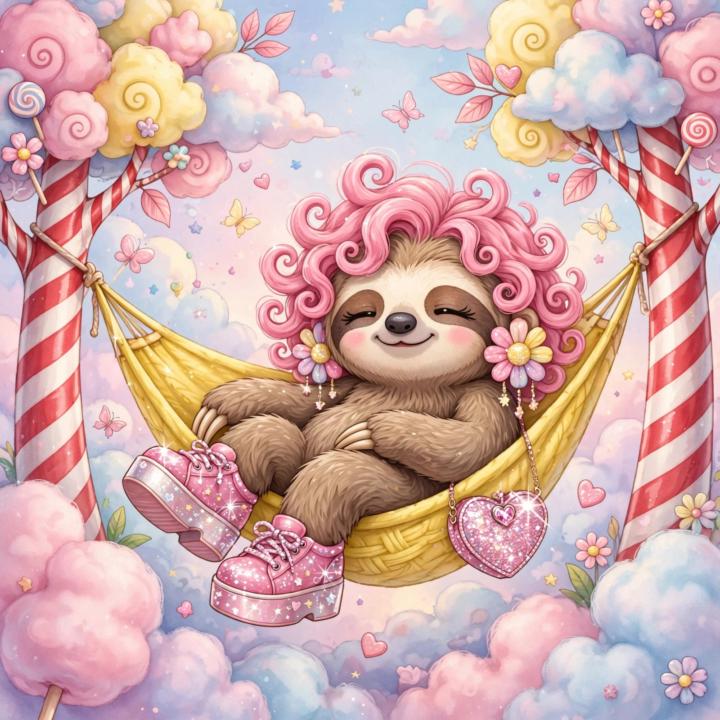
whimsical animal character prompts
--- 1. **Whimsical sloth with bubblegum-pink curls**, lounging lazily in a lemon-yellow hammock strung between two candy-striped trees. She wears sparkly platform shoes, oversized flower earrings, and a glittery heart-shaped purse, surrounded by cotton candy clouds and soft pastel skies. 2. **Daydreamy giraffe with soft teal ombré braids**, wearing a ruffled tulle skirt and rainbow-tinted sunglasses, sipping juice through a twisty straw atop a giant macaron under floating lanterns, with tiny butterflies glowing in warm peachy light. 3. **Sassy llama with a poofy rainbow mohawk and side-swept bangs**, in a cropped sequin hoodie and knee-high socks with little bows, striking a pose on a giant floating jellybean, surrounded by starry lilac mist and gentle floating sparkles. 4. **Coy elephant with wavy lavender hair tied in two sparkly buns**, wearing frilly denim overalls and glitter lip gloss, swinging from a crescent moon above a dreamy garden of tulip-shaped lights and pastel rain puddles. 5. **Cheeky penguin with feathery blue bangs and sparkled lashes**, ice skating across a frosted pink lake, wearing a fluffy pom-pom beanie and iridescent scarf, under glowing icicle chandeliers and shimmering frost-flower trees. 6. **Ballet-dancing panda with long coral-pink twin tails**, dressed in a sheer tutu with starlight embroidery, pirouetting atop a lily pad shaped like a heart in a glowing pond, lit with floating orbs and soft rose-tinted fog. 7. **Stylish raccoon with feathered green curls and rhinestone eyebrows**, wearing a leather crop jacket with neon stitchwork, popping bubblegum as she lounges on a disco ball floating in space, stars twinkling in hues of mint, apricot, and amethyst. 8. **Sleepy fox with thick, plush marigold fur and silky magenta ribbons tied in her floppy ears**, curled up in a hammock of clouds, her cheeks glowing with soft blush, surrounded by floating dandelion seeds and pastel moons. 9. **Gleeful deer with glittering sky-blue curls in a crown braid**, in a tulle party dress with fairy lights woven in, leaping through a dreamy candy forest under a confetti storm of pink petals and giggling stars.
🔥
2 likes • 11h
[attachments]
🔥
16h •
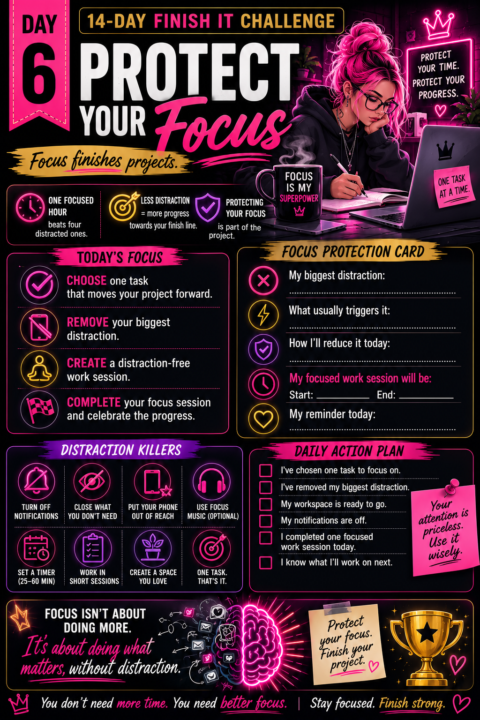
Day 6: Protect Your Focus
Momentum is a great start. Protecting it is what gets you to the finish line. Every notification. Every new idea. Every "I'll just check this for a minute." They all steal a little bit of your attention. Finishing isn't just about having enough time. It's about protecting the time you already have. Today isn't about working longer. It's about creating space to do your best work without constantly switching gears. One focused hour will usually beat four distracted ones. Once you've completed today's prompt, come back and share: 💜 What's the biggest distraction you removed today? Prompt I am doing a 14-Day Finish It Challenge. Here is everything we've completed so far: [Paste your Day 1 Project Commitment Card] [Paste your Day 2 Motivation Card] [Paste your Day 3 Finish Line Card] [Paste your Day 4 Roadblock Removal Card] [Paste your Day 5 Momentum Card] Your job is to help me protect my focus so I can finish this project. Ask me one question at a time. For each question: • Give me 5 descriptive example answers. • Include "I'm not sure yet" as an option. • Wait for my response before asking the next question. Stay focused on identifying distractions, interruptions, and habits that reduce my progress. Do not suggest changing my project. Do not increase the scope. Do not recommend productivity systems unrelated to finishing this project. Once you are at least 90% confident you've identified the biggest distractions and the best way to reduce them, stop asking questions. Complete the following Focus Protection Card using my own words wherever possible. Return it exactly in this format. # Focus Protection Card **My biggest distraction:** [...] **What usually triggers it:** [...] **How I'll reduce it today:** [...] **My focused work session will be:** [...] **My reminder today:** [...] Keep everything concise. Do not give extra advice. Do not create future challenge days. Today's goal is to protect my focus so I can make real progress.
🔥
4 likes • 15h
@Donnie Maynard Christianson yay thats a great start. I keep all my links i need in my link library and pinned notion to my task bar
17h •
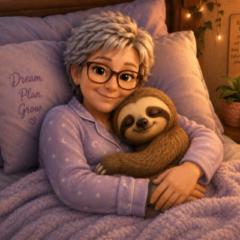
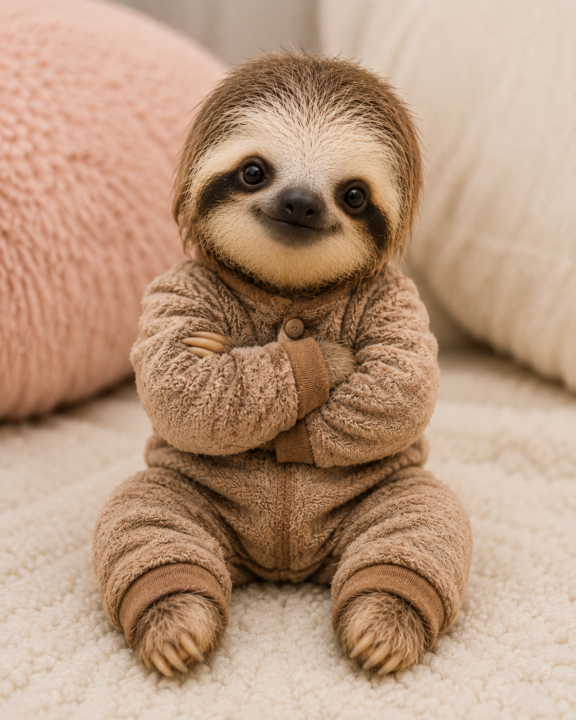
Meet the Slothingtons
I'm hoping to create a Sloth colouring book(s). The first book will be about the family as seen in the last 3 images. The images below are what might be included in the book. It is still in progress. I made the images with simple prompts and then create my first GPT to make the process a lot quicker and easier.
🔥
1 like • 16h
@Deborah Cocks i have folders inside folders lol
🔥
3 likes • 16h
@Artworqq Kevin Suber i have a fun idea for the cover
1-10 of 977
🔥
@manda-jackson
My focus is practical AI that helps you stop overthinking, get clear, and actually build the thing.
Active 5h ago
Joined Oct 11, 2025
INTJ
Kilcoy QLD Australia