Activity
Mon
Wed
Fri
Sun
Jan
Feb
Mar
Apr
May
Jun
Jul
Aug
Sep
Oct
Nov
Dec
What is this?
Less
More
Memberships
Learn Microsoft Fabric
14.4k members • Free
Fabric Dojo 织物
361 members • $30/month
5 contributions to Learn Microsoft Fabric

Dec '24 •
Metrics and Scorecards
Hi Everyone. Let me know if this has been asked and answered somewhere else. I wanted to get your thoughts on organizational metrics. Specifically: - Has anyone tried out the new Metrics feature in Fabric? - If so, what are your initial thoughts on useability and organizational readiness? - Outside of this, how else do you manage Metrics and organizational KPIs? Here is some background 1. My team are building a catalogue of enterprise reports covering everything from sales to supply chain. 2. Each report has 1 - 5 metrics that are clearly shown and that 'anchor' the report to the overall organizational performance framework 3. Each metric should ideally display its current state, trend and variance to target. We are working on the data modelling to get the right level of history to make this happen so not every metric has this right now... but that is the plan 4. The holy grail has always been to have a high-level scorecard that displays all the metrics in a condensed format for management to fly over, flag as needed and drill through to the underlying report to answer any follow-on questions 5. In previous businesses and in the early days of Power BI we used dashboards and 'reports of reports' to try solve this. They key is ensuring there is auditability and the numbers match. The data modelling using direct query to the semantic models can get pretty ugly, especially if you are working with models powering many reports. We have also tried hanging a metric report off to the side by building specific metric tables in Azure. The challenge here is that depending on your pipeline refresh schedule, the numbers may be off from the underlying reports. There is also the technical overhead of maintaining metric logic in two places 6. My team have also tried setting up scorecards. Since they were released, they have shown great promise. They have the auditability nailed. The trend is more complicated since they rely on hard snapshots in the Power BI service. This makes them vulnerable to exchange rate adjustments and if you want to change a metric definition you cannot 'back map' the historical data. I also feel they are better suited for limited focus management of specific organizational problems where time is short and the business team does not have the luxury of waiting for a full data model to be developed. Trying to get scorecards to scale across many business units, functions etc. can be daunting. Even with the newer 'hierarchies' feature in place. Finally, the scorecard subscription service here is visually a dud😆. It's just not something that an executive will engage with. 7. You can get over that last point by a bit of hack, which is to build a report of scorecards. This is visually more appealing and you can set the subscription up as usual. However, this does create a BI 'click through' rabbit hole 8. Fabric metrics shows some promise and so I am interested how others have solved this challenge
0 likes • Dec '24
@Will Needham Not yet. I plan to in 2025 and will let the team know how it goes. For now the scorecards work OK for what I would call 'focused improvement drives' around a specific area or topic (a business unit that needs improvement or perhaps some specific business KPI that needs attention across multiple regions). The metrics layer does seem like the promised solution to enterprise-wide performance tracking
0 likes • Dec '24
Thanks for sharing the above Lori. I fully agree that the real vision is to have this composite mosaic of high-level business metrics plucked directly from underlying reports and that can be shown in a summary form and where business users can 'click in' to the underlying report to answer further business questions. Scorecards and goals are close to this but just lack a few visual and enterprise grade capabilities to make this easy to manage. In addition to what you shared on another approach I will let you know what we find out with Fabric metrics

Dec '24 •
Power BI Reports - Definitions of KPIs
Was curious what is everyones experience or preferred method of showing definitions of KPIs or other items in Power BI reports. An example would be say we have a KPI like Commercial of Lifts Per Hour which definition maybe number of lifts per hour for properties that have have min 25,000 sq foot per address. We may also include the formula Number of Lifts / 24 / 60 as well. In the past typically we have hard coded (not a fan) and also leverage a db to store and pull the information, 1) To put this manually on visuals in Power BI on hover, 2) We have added buttons that would do a pop up a little window showing this information. 3) We have added separate pages that pull up this information almost like a Help or Report FAQ page. With Purview and looks to be more integrated into Fabric are there better options for a data dictionary type of information to expose on the dashboard and reports for our customers? Curious on what some people have did and what there customers like, dislike?
1 like • Dec '24
We have faced this age-old problem on our end. In the past we tried ppt / sharepoint / in the pbix (not great at all). Right now, we have Purview so we are looking to store our definitions there and see if we can link them into each report via a 'view definitions' hyperlink that is generic to the report and specific to each KPI. The choice of Purview is based off our larger approach to Data Governance. The advantage to us is that we only need to maintain the actual definitions in once place. Purview also has additional data fields for contact names on experts etc. It's pretty comprehensive. We still need to test out the user experience and whether this feels like a natural flow for a user or whether it could be a little disjointed and clunky. I'm not sure that helped answer this but hopefully gives you an idea of what others may be doing;-)

Dec '24 •
Sign in logs into Power BI Desktop
Hello all! Has anyone had any experience pulling in Azure Monitor/Log Analytics data into Power BI Desktop using the Resource Graph Connector? I can pull a list of my resources, but it's not letting me view the tables or the records within the tables. I have Global Admin access, and can view it within Azure, but not via PBI.
0 likes • Dec '24
Hi Emilia. Are you thinking of how you can use these logs to manage usage and adoption of reports, workspace activity etc and be able to build something that is a bit more tailored to your business? If so, in both my current company and my previous company we built a solution monitoring tool...with some workarounds that were able to customize to our company branding and tailor to show the things we needed. We could share how we did that if this helps

🚀
Sep '24 •
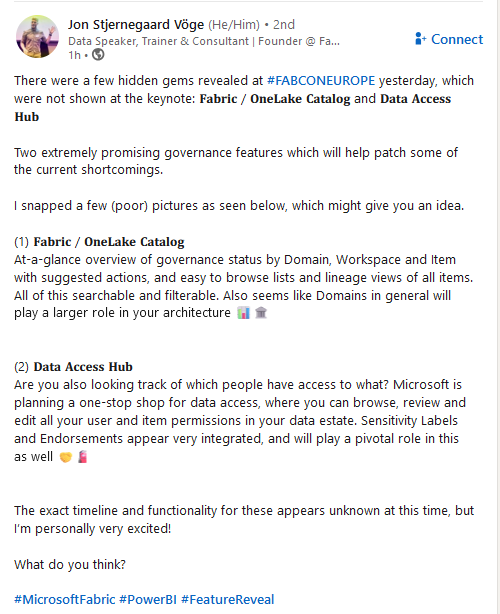
Exciting Governance features revealed (First Look, not released yet)
Just saw this post on LinkedIn from Jon Stjernegaard Vöge on some new Governance features which are currently being developed - I'm glad Microsoft are taking this direction - looks very promising. Jon's post: "There were a few hidden gems revealed at hashtag#FABCONEUROPE yesterday, which were not shown at the keynote: 𝐅𝐚𝐛𝐫𝐢𝐜 / 𝐎𝐧𝐞𝐋𝐚𝐤𝐞 𝐂𝐚𝐭𝐚𝐥𝐨𝐠 and 𝐃𝐚𝐭𝐚 𝐀𝐜𝐜𝐞𝐬𝐬 𝐇𝐮𝐛 Two extremely promising governance features which will help patch some of the current shortcomings.I snapped a few (poor) pictures as seen below, which might give you an idea. 1) 𝐅𝐚𝐛𝐫𝐢𝐜 / 𝐎𝐧𝐞𝐋𝐚𝐤𝐞 𝐂𝐚𝐭𝐚𝐥𝐨𝐠 At-a-glance overview of governance status by Domain, Workspace and Item with suggested actions, and easy to browse lists and lineage views of all items. All of this searchable and filterable. Also seems like Domains in general will play a larger role in your architecture 2) 𝐃𝐚𝐭𝐚 𝐀𝐜𝐜𝐞𝐬𝐬 𝐇𝐮𝐛 Are you also looking track of which people have access to what? Microsoft is planning a one-stop shop for data access, where you can browse, review and edit all your user and item permissions in your data estate. Sensitivity Labels and Endorsements appear very integrated, and will play a pivotal role in this as well 🤝🧯The exact timeline and functionality for these appears unknown at this time, but I’m personally very excited! What do you think?"
5 likes • Sep '24
Maybe this will be informally branded as 'Purview light' for the community of Fabric users not looking to implement Purview just yet. This could be what Microsoft are thinking. In any event, anything that helps move governance forward by removing some of the technical challenges has my vote!
🚀
Sep '24 •
NEW VIDEO: How to THRIVE as a Fabric Analytics Engineer
Happy Friday everyone! I just released a new video describing my view on Analytics Engineering, the four areas that I think are most important, and how that might be different from what you learnt from the DP-600 exam. Take a look, would love to hear your thoughts: 👉🔗 https://youtu.be/of0Q8diezZQ Enjoy your weekend!
1 like • Sep '24
Thanks for sharing this video Will. A lot of these practical lessons absolutely resonated with me. Analytics is such an interesting field to be in. The great thing is that hardly anyone ever says, “No I do not want insights into my business!”. You have very little, if any, pushback when reaching out to the business community. The initial engagement is quick and enthusiastic. On the reverse side, you need to make sure the solutions you provide can robustly scale. Without careful thought on how to make your solutions work without you actively involved, those initial wins can soon turn into a growing snowball of technical challenges. You end up like a Greek dancer trying to balance an increasing array of spinning plates on sticks.
1-5 of 5