Activity
Mon
Wed
Fri
Sun
Feb
Mar
Apr
May
Jun
Jul
Aug
Sep
Oct
Nov
Dec
Jan
What is this?
Less
More
Memberships
Creative 3D Community
6.3k members • Free
Vibe Code School
1.3k members • Free
3D-Druck Akademie!
3.4k members • Free
4 contributions to Creative 3D Community


1 like • Oct '25
Very nice!
Oct '25 •
How to create very small fillets in plasticity?
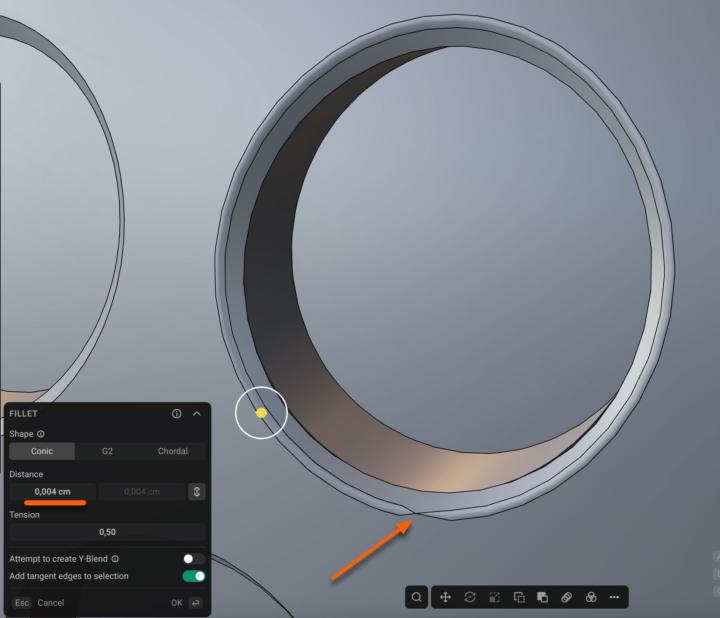
Hello there, I am currently following the apple watch tutorial. However, I'm having trouble creating the micro-fillets on the edges of the small holes. At least when I try to make them smaller than 0.004 cm. And even with a radius of 0.004 cm, some mesh issues occur. I've also tried to scale everything up by 10x in. But that didn't help either. Is there any way to increase the precision in Plasticity? Or anything else I could/should do in that situation?
1 like • Oct '25
Thanks Dirk, yes I have zoomed in a lot. And it is a solid. So no gaps at all (at least that is my understanding of a solid - I might be wrong though). I can create fillets. But only a few values work fine. For example 0,006 or 0,008. But others don't work. 🤔
1 like • Oct '25
Thank you both. :-) @Heinz Schenk : yes, I tried this trick yesterday already. But it didn't work. I re-tried it today again and this time it worked as expected. However it only worked for the hole which has no edge running through. If an edge goes through the geometry - I am not able to pipe a spline (which is joined from 2 spline segments in that case). @Vyacheslav Kudrya : Yes, that's a good idea. I also found out, that this helps a lot in certain situations. However - it did not help in this case unfortunately. Coming from 3ds max, I just thought that changing the world units from cm to mm might help to increase precision on small parts. But I guess that's not an option in Plasticity, right?
Oct '25 •
Another community member ...
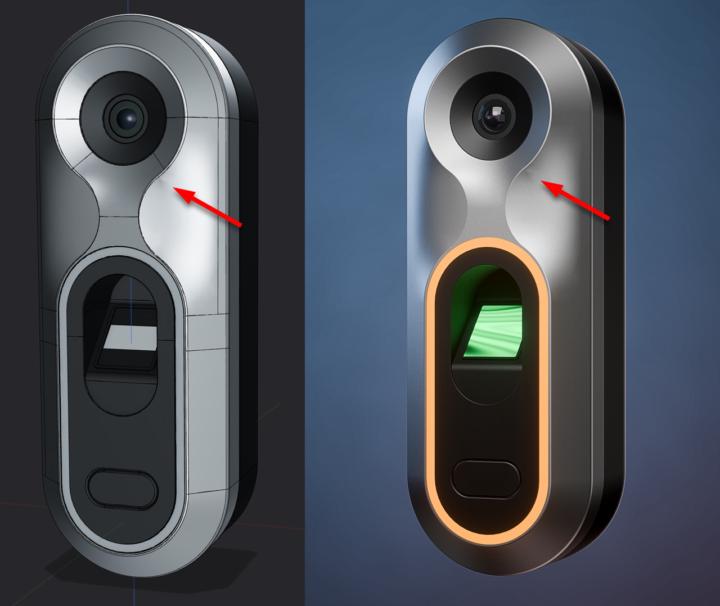
Hello everyone, 🙋♂️ I'm new here. I found out about the community through a tutorial by Nikita. I've wanted to learn Plasticity and Blender for a long time. And it looks like this is the perfect place to do so. 😃 I also have a beginner's question. I tried to follow the tutorial as closely as possible. But for some reason, one of my surfaces has a small dent. At first, I thought it might be a viewport error. But the dent is also visible in my Blender rendering. What could be causing this?
1 like • Oct '25
Thanks Jon, I have re-modeled parts of the geometry. I think it looks better now.

Oct '25 •
Learn the most powerful 3D Modeling Technique
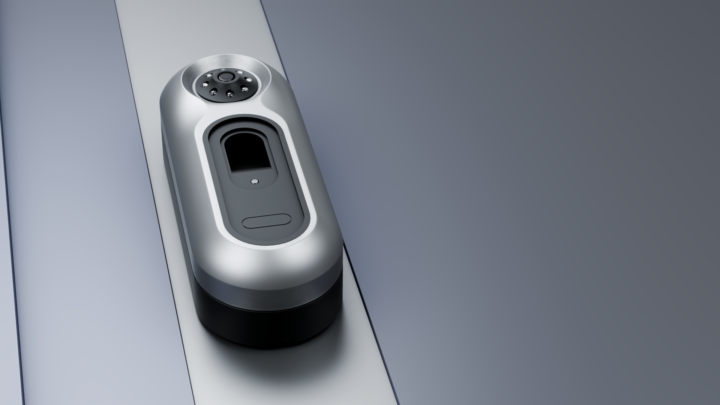
@Nikita Kapustin dropped a new surfacing video. I just finished this biometric access pad. Completed front surfacing - per video. Added Camera, Front Scanner, Back, Heatsink, screws, Mounting points.
0 likes • Oct '25
Nice tutorial. 👍
1-4 of 4

Active 5d ago
Joined Oct 4, 2025
Powered by