Activity
Mon
Wed
Fri
Sun
Jun
Jul
Aug
Sep
Oct
Nov
Dec
Jan
Feb
Mar
Apr
What is this?
Less
More
Memberships
Make Money Online Collective
499 members • Free
workwithsydney
2.6k members • Free
Magnetic Circle
921 members • $97/m
Brand Within a Brand
296 members • $10/month
Inspire.Create.Monetize
24 members • $10/month
A-Span
1.6k members • $10/m
Digital Growth Community
59.8k members • Free
Tech-Lite Business Builders
211 members • Free
AVA Collective- by SurinaJ
74 members • $147
67 contributions to Tech-Lite Business Builders

4h •
📌 Why Your Content Isn’t Converting
Let’s be honest for a minute… Most people creating content right now are speaking to the wrong person. They sit down to write a post or record a video…And they picture the person who: - barely reads - doesn’t click - never buys So what do they do? They soften everything. They shorten it. They dumb it down. They try to “keep it simple so everyone understands.” And it feels safe… But it’s also the reason nothing is converting. Here’s the truth most people don’t realise: The buyer is not the same as the lurker. The buyer: - reads the full post - watches longer videos - clicks links - actually wants to understand They’re not overwhelmed by detail…They’re looking for it. And this is where things go wrong… When you create content for the lurker: 👉 The lurker still doesn’t buy 👉 And the buyer gets bored and scrolls past So you end up with: - views but no action - likes but no sales - effort with no return Sound familiar? The shift that changes everything: Stop trying to talk to everyone. Start talking to the person who is already leaning in. The one who: - is tired of guessing - wants a clear path - is ready to actually do something Because that’s the person who buys. Now let’s bring this back to YOUR content… If your videos are: - super short with no depth - trying to please everyone - avoiding clear direction You’re training the wrong audience. But when you go a layer deeper…When you actually teach something simple and actionable… 👉 People start to trust you 👉 People start to stay 👉 People start to take action And that’s when momentum begins. If you’re ready to stop posting and hoping… Make sure you do the 3 day sprint we just completed

0 likes • 1h
[attachment]
3d •
3 Day Sprint - Day 1
Here’s what I want you to do: First Watch the Video 👉 Take a post you’ve already written 👉 Paste it into ChatGPT 👉 And use the prompt below 🧠 PROMPT: “Rewrite this post so it: - clearly calls out someone over 50 trying to make money online - explains why they are stuck (focus on confusion or lack of direction) - makes them feel understood - creates a simple ‘this is me’ moment - is clear, direct, and not complicated - ends with a soft invitation to respond or message Here is my post: [PASTE]” Then come back and paste in under this thread for me to review

0 likes • 2d
@Jenelle Livet If you’re an overworked, burnt-out mom in your 40s trying to figure out how to make money online… this might hit home. A lot of moms are not stuck because they’re lazy.They’re stuck because they’re overwhelmed. There is too much information.Too many opinions.Too many people saying “do this” and “try that.”And when you already feel mentally exhausted, all that noise just makes you freeze. So instead of moving forward, you keep researching.Saving posts.Watching videos.Starting… then stopping.Not because you do not want this badly enough — but because you do not have a clear direction. And that can make you feel like maybe it is just you. But it is not. You are not behind. You are not bad at this. You are not failing. You are likely just a tired mom carrying too much, trying to make a smart decision, and scared of wasting time, energy, or money on the wrong thing. That is why simple matters. Clear matters. A step-by-step path matters. Because when you finally know what to focus on, everything starts to feel lighter. If this sounds like you, let me know. I’d love to hear where you feel most stuck. Here’s a slightly shorter version too: If you’re a burnt-out mom in your 40s trying to make money online, you may not be stuck because you cannot do it.You may be stuck because you are overwhelmed. Too much information.Too many opinions.No clear direction. So you keep researching, overthinking, and doubting yourself… not because you are lazy, but because you are exhausted and do not want to make the wrong move. If that feels a little too familiar, you are not alone. Sometimes you do not need more information. You need less noise and a clearer path. If this is you, message me or tell me where you feel stuck.
0 likes • 2d
@Jenelle Livet Thank you🙏🙏🙏🙏🩷🩷🩷🩷
7d •
Who is using YouTube? Des Dreckett the King of the tube happening soon
In this live training, Des Dreckett from The Content Revenue Lab is going to show you exactly how to use YouTube as an evergreen traffic source for your online business - whether you sell on Etsy, Shopify, or through a community like this one. Des is looking forward to meeting you all
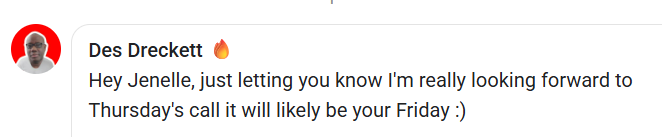
0 likes • 7d
@Jenelle Livet Meeeeee! I cant miss this! Thank you!
7d •
Big Update: Creating Images with AI Just Got WAY Easier
OpenAI has upgraded the image tool inside ChatGPT… and this one is actually useful for everyday people, not just tech experts. Try the prompts in the first comment Here’s what that means for you 👇 1. Text finally looks normalIf you’ve ever tried AI images before, the words looked messy or wrong now? You can create things like posts, quotes, and thumbnails with clear text. 2. Better quality imagesImages are sharper and fit properly for places like TikTok, Instagram, or websites. 3. More realisticFaces, lighting, and details look much more natural. Less of that “fake AI look.” 4. It follows your instructions better. You can ask for specific things and it actually listens. Example: “Create a post with a heading, image, and button” → it understands that now. 5. You can keep the same person in images. This is huge. You can create the same character again and again. Perfect if you want a “brand person” or faceless content. 6. You can edit images easilyYou can now: - Fix parts of an image - Extend it - Change sections without starting over Why this matters (in simple terms) You don’t need design skills anymore. You can now create: - Social media posts - Ads - Quotes - Simple brand images All inside ChatGPT. What I want you to take from this This isn’t about being “techy.” It’s about making content faster and easier…even if you’re starting from zero. And this is exactly the kind of thing I teach inside this community. https://openai.com/index/introducing-chatgpt-images-2-0/
1 like • 7d
I am going to play with it immediately :-). Thank you!
13d •
I need your help....
Help me to help you. Please everyone comment below what they are promoting at the moment. I am planning something awesome that will hlep you make more sales but I need to know what you are selling so I can customise it as much as possible for you . @Ted Mauro @Suzie Kemper @Teri Francois @Michelle Pieterse @Brenda Montgomery
2 likes • 13d
@Jenelle Livet Good morning,I launched my community yesterday. Promoting my UGC Clarity Lab course as a kick-off but will build and expand in community. High-ticket affiliate I am leading with is Digital Magnetic System.🩷
1 like • 8d
@Jenelle Livet I love Gloria's community! I have learnt sooooo much! Thank you for introducing her!
1-10 of 67

@michelle-pieterse-9635
Hi,I am Michelle,
I am here to learn from the best to create more flexibility in my life and be there for my child while pursuing my passions.
Active 56m ago
Joined Aug 27, 2025