
Write something

8h •
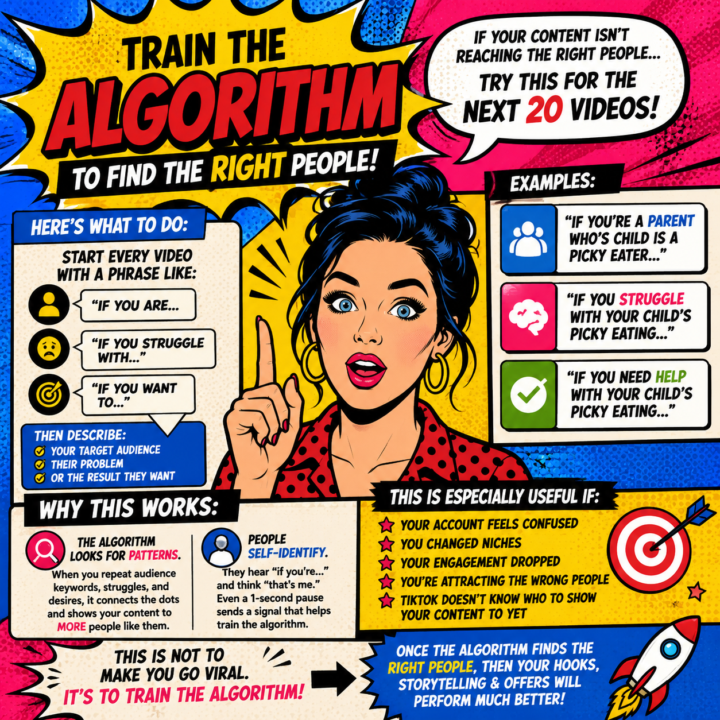
🚨 If TikTok is sending your videos to the WRONG people
try this for the next 20 videos. This is one of the simplest ways to help train the algorithm to understand WHO your content is actually for. And honestly… it works surprisingly well. Here’s what to do: For your next 20 videos, start every video with a phrase like: 👉 “If you are…” 👉 “If you struggle with…” 👉 “If you want to…” Then clearly describe: • your target audience • their problem • or the result they want Examples: ✔️ “If you’re over 50 and trying to learn digital marketing…” ✔️ “If you’ve bought online courses but still aren’t making sales…” ✔️ “If you want to make extra income online but feel overwhelmed by technology…” Why this works: The algorithm looks for patterns. When you consistently repeat the same audience keywords, struggles, and desires, the platform starts connecting the dots. It begins testing your content with MORE people who match those interests and behaviours. But there’s another important reason this works… People self-identify. The moment someone hears:“If you’re over 50…”or“If you’re struggling to make sales…” their brain instantly says:“That’s me.” Even if they only pause for a second longer, that tiny engagement signal helps train the algorithm. ⚠️ Important:This strategy is NOT designed to make videos go viral. It is designed to help the platform understand your audience. And honestly… attracting the RIGHT people is far more valuable than random views. This is especially useful if: • your account feels confused • you changed niches • your engagement dropped • you’re attracting people who would never buy from you • or TikTok simply doesn’t know who to show your videos to yet Once the algorithm starts finding the right people… THEN your stronger hooks, storytelling, and offers start performing much better. Think of this as giving the algorithm clearer directions. 🎯 @Suzie Kemper @Karina Sharp @Yolande Van Wyk @Tamsin Boshoff
24h •
If you are not making Sales in your Community this is why
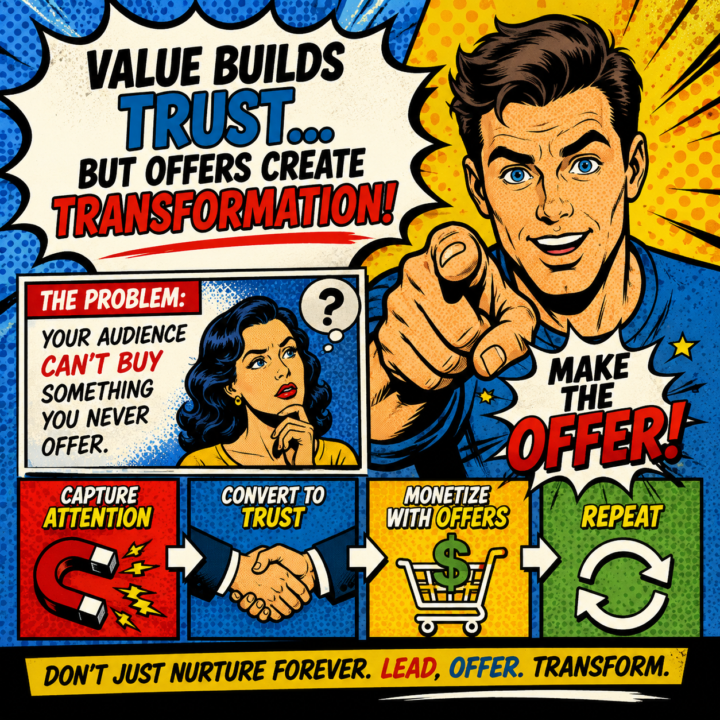
If your community isn’t making sales…there’s a good chance you’re nurturing people forever without ever making an offer. And I get it. Most people are terrified of sounding “salesy.” So they post motivation.They post value.They post inspiration.They answer questions.They cheer people on. But they never actually ask for the sale. 𝐇𝐞𝐫𝐞’𝐬 𝐭𝐡𝐞 𝐩𝐫𝐨𝐛𝐥𝐞𝐦: Your audience can’t buy something you never offer. Imagine walking into a restaurant where the waiter spends 45 minutes explaining the ingredients, telling stories about the chef, bringing out free samples… …but never hands you a menu. That’s what a lot of creators are doing right now. Value builds trust. But offers create transformation. At some point, people need direction:👇 “Here’s the next step.” “Here’s the product.” “Here’s how I can help you.” “Here’s how to get started.” This is especially important in today’s market because people are overwhelmed and exhausted by endless free content. They don’t need more nurturing forever. They need leadership. 𝐓𝐡𝐞 𝐭𝐫𝐮𝐭𝐡 𝐢𝐬: 𝐀 𝐠𝐨𝐨𝐝 𝐨𝐟𝐟𝐞𝐫 𝐢𝐬 𝐧𝐨𝐭 𝐦𝐚𝐧𝐢𝐩𝐮𝐥𝐚𝐭𝐢𝐨𝐧. A good offer is clarity. If you genuinely believe your product, coaching, course, or community can help someone…then NOT making offers consistently is actually doing them a disservice. Attention → Trust → Offer → Transformation. That’s the cycle. Not:Attention → More nurturing → More nurturing → More nurturing → Burnout. You don’t need to hammer people with hype. But you do need to confidently invite them to take the next step. Because buyers don’t just need information. They need a reason to believe…and a clear path forward. 𝐒𝐨 𝐡𝐞𝐫𝐞’𝐬 𝐭𝐡𝐞 𝐜𝐡𝐚𝐥𝐥𝐞𝐧𝐠𝐞: This week, stop hiding behind “just providing value.” Make an offer. Even a simple one. You might discover your audience was waiting for permission to move forward the entire time. 𝐏𝐨𝐬𝐭 𝐲𝐨𝐮𝐫 𝐨𝐟𝐟𝐞𝐫𝐬 𝐛𝐞𝐥𝐨𝐰 𝐬𝐨𝐦𝐞𝐨𝐧𝐞 𝐢𝐧 𝐭𝐡𝐢𝐬 𝐠𝐫𝐨𝐮𝐩 𝐦𝐢𝐠𝐡𝐭 𝐣𝐮𝐬𝐭 𝐧𝐞𝐞𝐝 𝐭𝐡𝐞𝐦
Poll
2 members have voted
3d •
What usually happens AFTER someone sees your content?
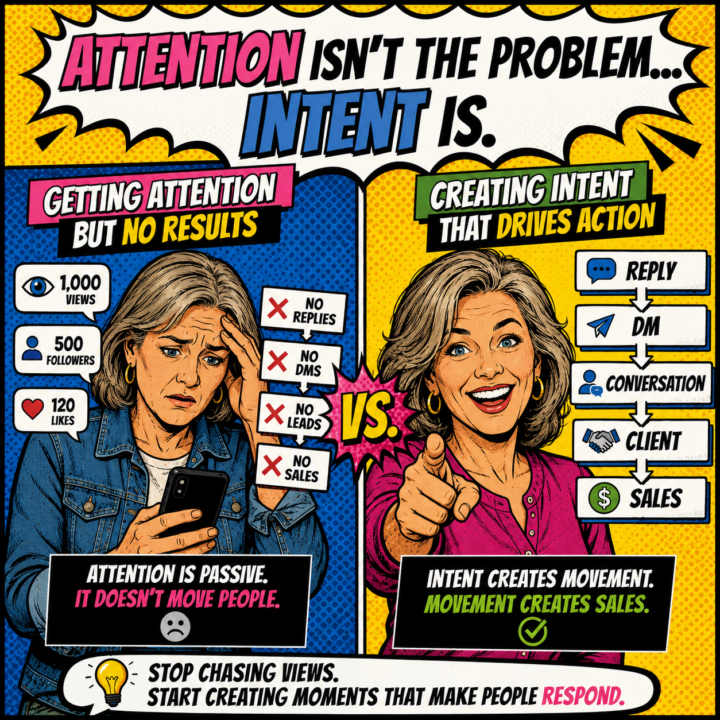
Most people in here aren’t struggling because they’re not posting. They’re struggling because nothing happens AFTER they post. You might be getting: → views → likes → even followers But still getting: No replies No DMs No Leads No sales. So it feels like “content doesn’t work.” But the real problem is this: Your content is getting attention… Without creating intent. And those are NOT the same thing. Because attention is passive. People scroll. Watch. Like. Leave. Intent is different. Intent makes someone think:“I need to talk to this person.” That’s the shift. Most creators think they have a consistency problem. They don’t. If consistency alone worked…you’d already be getting results. The issue is your content isn’t moving people emotionally. It’s not making them feel understood. It's not surfacing a real problem. It's not creating urgency to act. So even if people enjoy your content… They still do nothing. That’s why adding more CTAs usually fails too. More:“DM me” “Comment below” “Check the link” Doesn’t matter if the person isn’t already emotionally engaged. Because people don’t take action when they’re interested. They take action when they feel understood. That’s what creates conversations. And conversations are what create clients. Because content alone rarely sells. Content opens the door. Conversation moves people through it. If your content isn’t creating conversations… You’re not building a business. You’re building an audience that watches and leaves. Big difference. The creators making money aren’t just posting more. They’re creating content that makes people respond. That’s the real game. If you have no idea why your content is not doing wht you hoped why not get a Content Audit Info Here Curious… What usually happens AFTER someone sees your content?
3d •
How To Create These Psychedelic Retro Images With AI
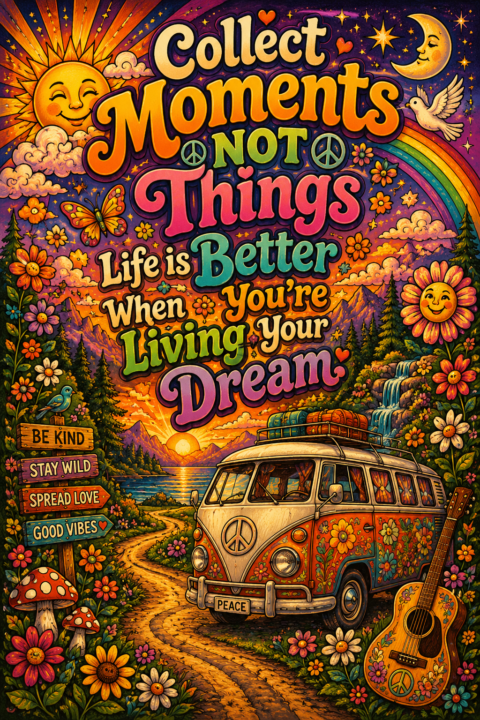
𝐘𝐨𝐮 𝐝𝐨𝐧’𝐭 𝐧𝐞𝐞𝐝 𝐭𝐨 𝐛𝐞 𝐚𝐫𝐭𝐢𝐬𝐭𝐢𝐜. 𝐘𝐨𝐮 𝐝𝐨𝐧’𝐭 𝐧𝐞𝐞𝐝 𝐭𝐨 𝐤𝐧𝐨𝐰 𝐜𝐨𝐦𝐩𝐥𝐢𝐜𝐚𝐭𝐞𝐝 𝐩𝐫𝐨𝐦𝐩𝐭 𝐞𝐧𝐠𝐢𝐧𝐞𝐞𝐫𝐢𝐧𝐠. You simply tell the AI: - what style you want - what feeling you want - what objects should appear That’s it. Simple Formula 𝟏. 𝐏𝐢𝐜𝐤 𝐀 𝐒𝐭𝐲𝐥𝐞 Examples: - psychedelic hippie poster - retro 70s art - vintage peace-and-love illustration - dreamy boho artwork 𝟐. 𝐏𝐢𝐜𝐤 𝐓𝐡𝐞 𝐌𝐨𝐨𝐝 Examples: - peaceful - uplifting - magical - nostalgic - cozy - spiritual 𝟑. 𝐀𝐝𝐝 𝐎𝐛𝐣𝐞𝐜𝐭𝐬 𝐘𝐨𝐮 𝐖𝐚𝐧𝐭 𝐈𝐧𝐜𝐥𝐮𝐝𝐞𝐝 Examples: - flowers - mushrooms - rainbows - butterflies - VW combi vans - guitars - sunsets - peace signs 𝟒. 𝐀𝐝𝐝 𝐘𝐨𝐮𝐫 𝐐𝐮𝐨𝐭𝐞 Example: “Each morning brings new hope. Open your heart and welcome it.” 𝐁𝐞𝐠𝐢𝐧𝐧𝐞𝐫 𝐏𝐫𝐨𝐦𝐩𝐭 𝐄𝐱𝐚𝐦𝐩𝐥𝐞 Create a colorful psychedelic retro hippie poster with large groovy lettering that says: “Each morning brings new hope. Open your heart and welcome it.” Include flowers, mushrooms, butterflies, rainbows, peace signs, and a vintage VW combi van. Make the artwork feel uplifting, peaceful, dreamy, and nostalgic with bright 1970s hippie colors and a magical sunset atmosphere. Use decorative hand-lettered typography and detailed floral borders. Vertical poster format. 𝐓𝐡𝐞𝐧 𝐘𝐨𝐮 𝐂𝐚𝐧 𝐂𝐮𝐬𝐭𝐨𝐦𝐢𝐳𝐞 𝐈𝐭 If you want it MORE psychedelic, add: swirling rainbow patterns, cosmic lighting, trippy shapes If you want it MORE cozy, add: cottagecore details, smiling flowers, warm glowing light If you want it MORE vintage, add: faded retro textures and Woodstock-style poster vibes If you want it MORE spiritual, add: moons, glowing aura effects, meditation vibes 𝐈𝐦𝐩𝐨𝐫𝐭𝐚𝐧𝐭 𝐅𝐨𝐫 𝐁𝐞𝐠𝐢𝐧𝐧𝐞𝐫𝐬 Your first image does NOT need to be perfect. Most good AI images happen because people: - test variations - change a few words - regenerate images - slowly improve the prompt That’s normal. Even experienced creators rarely get the perfect image on the first try. The magic happens in the experimenting. And honestly?This is the fun part. POst your image in the comments
4d •
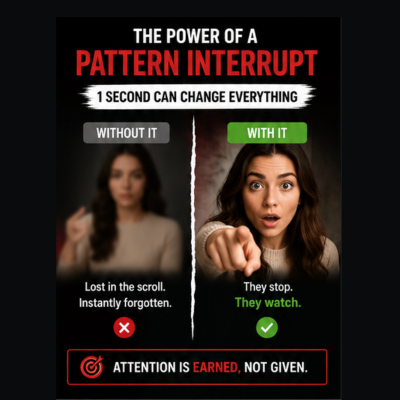
What is a Pattern Interupt and why do we need them?
If your videos aren’t getting watched…it’s probably not because you need a better camera. And it’s probably not because the algorithm “hates” you either. Most beginner videos lose attention for one simple reason: Nothing happens in the first few seconds. People scroll fast now. 𝐘𝐨𝐮𝐫 𝐨𝐩𝐞𝐧𝐢𝐧𝐠 𝐡𝐚𝐬 𝐨𝐧𝐞 𝐣𝐨𝐛: 𝐦𝐚𝐤𝐞 𝐬𝐨𝐦𝐞𝐨𝐧𝐞 𝐩𝐚𝐮𝐬𝐞 𝐥𝐨𝐧𝐠 𝐞𝐧𝐨𝐮𝐠𝐡 𝐭𝐨 𝐜𝐚𝐫𝐞. That’s why learning simple “pattern interrupts” matters. Sounds complicated…but it’s actually very beginner-friendly. 𝘈 𝘱𝘢𝘵𝘵𝘦𝘳𝘯 𝘪𝘯𝘵𝘦𝘳𝘳𝘶𝘱𝘵 𝘪𝘴 𝘫𝘶𝘴𝘵 𝘢 𝘴𝘮𝘢𝘭𝘭 𝘤𝘩𝘢𝘯𝘨𝘦 𝘵𝘩𝘢𝘵 𝘳𝘦𝘴𝘦𝘵𝘴 𝘢𝘵𝘵𝘦𝘯𝘵𝘪𝘰𝘯. Simple examples :→ Zooming in suddenly → Big bold text on screen → Changing camera angle → Showing proof immediately → Starting with a surprising sentence → Using silence for a second → Holding up an object right away → Starting with “Wait…” or “Stop scrolling…” 𝐘𝐨𝐮 𝐝𝐨 𝐍𝐎𝐓 𝐧𝐞𝐞𝐝 𝐟𝐚𝐧𝐜𝐲 𝐞𝐝𝐢𝐭𝐢𝐧𝐠. In fact, beginners often make the mistake of adding too many effects. The goal is not to make your video chaotic. The goal is to make people curious enough to keep watching. 𝐄𝐱𝐚𝐦𝐩𝐥𝐞: Instead of starting with:“Hi guys, today I’m going to show you…” Try: “This is why most people’s content gets ignored.” Or:“Most beginners are doing this backwards.” Or:“Before you post again… watch this.” See the difference? One blends in.The other creates tension and curiosity. 𝐀 𝐬𝐢𝐦𝐩𝐥𝐞 𝐬𝐭𝐫𝐮𝐜𝐭𝐮𝐫𝐞 𝐲𝐨𝐮 𝐜𝐚𝐧 𝐮𝐬𝐞: 1. Start with a quick interrupt(zoom, text, surprising line) 2. Deliver the main problem fast 3. Show proof or an example 4. Keep changing visuals every few seconds(text, screenshot, angle, B-roll) 5. End with ONE clear next step That’s it. 𝐇𝐨𝐧𝐞𝐬𝐭𝐥𝐲, 𝐬𝐨𝐦𝐞 𝐨𝐟 𝐭𝐡𝐞 𝐛𝐞𝐬𝐭-𝐩𝐞𝐫𝐟𝐨𝐫𝐦𝐢𝐧𝐠 𝐯𝐢𝐝𝐞𝐨𝐬 𝐨𝐧𝐥𝐢𝐧𝐞 𝐚𝐫𝐞 𝐬𝐭𝐢𝐥𝐥 𝐯𝐞𝐫𝐲 𝐬𝐢𝐦𝐩𝐥𝐞. Clear beats complicated. Every time. And remember:your first videos do not need to be perfect.They just need to hold attention a little longer than the last one. That’s how creators improve. One better video at a time. If you would like to implement this in your Youtube Videos this is exactly what @Des Dreckett Teaches in his community The Content Revenue Lab
1-30 of 78
powered by
Suggested communities
Powered by