Activity
Mon
Wed
Fri
Sun
Jun
Jul
Aug
Sep
Oct
Nov
Dec
Jan
Feb
Mar
Apr
What is this?
Less
More
Memberships
Creative 3D Community
6.7k members • Free
2 contributions to Creative 3D Community

2d •
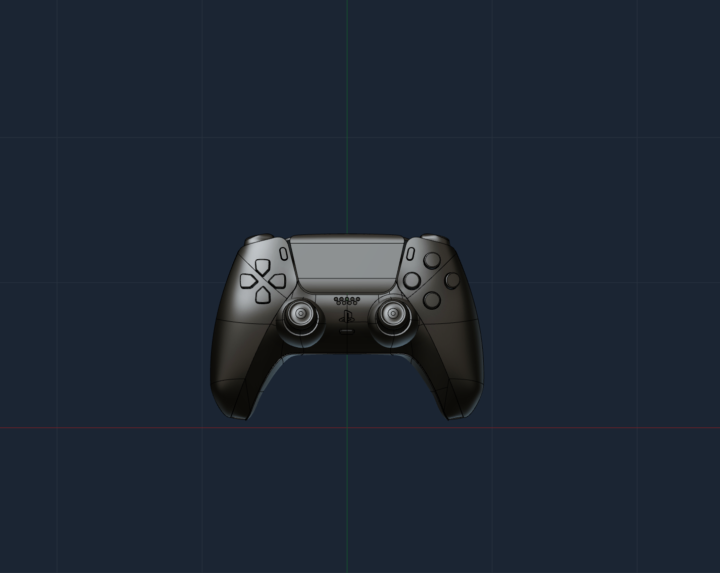
PS5 controller
Back to surface modelling again. Here is the ps5 controller all modelled in Plasticity

1 like • 1d
Wow
7d •
Problem with Tutorial MX Master 3
Hi everyone. I'm stuck on the tutorial mentioned above. I'm at step 05 – Top Surfaces, around the 26-minute mark. I can't patch the large hole. I've tried a few things already, but without success. I think I've done everything exactly as shown in the tutorial, but apparently I'm doing something wrong. Everything works fine with Nikita's file. But I don't see any difference between his file and mine. I’m still new to Plasticity and don’t have a ton of experience with surface modeling yet. I’ve attached a video where you can see the CurveCage. By the way I´m using the indy version of Plasticity. I’d really appreciate it if someone could help me out and, most importantly, explain why this isn’t working. Thanks a lot. Best regards, Matthias. Translated with DeepL.com (free version)

1 like • 7d
Thanks a lot, William. Your tips were really helpful. Now I can continue with the tutorial. I messed up on one thing, though—I don't actually have the Studio version, but the Indie version. I have no idea how I could have gotten that wrong. Best regards, Matthias.
1-2 of 2