Activity
Mon
Wed
Fri
Sun
Oct
Nov
Dec
Jan
Feb
Mar
Apr
May
Jun
Jul
Aug
Sep
What is this?
Less
More
Owned by Mathew
A free community for educators and trainers. Boost student engagement and make teaching easier with experiential learning, games, and simulations.
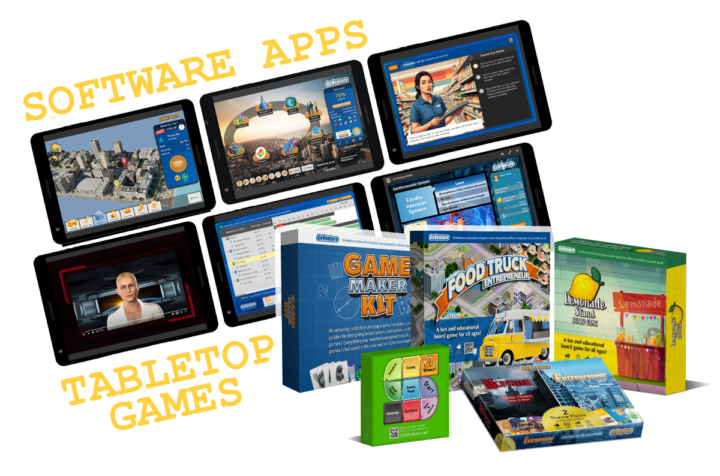
Quickly gain the skills of an entrepreneur and confidence of a business leader — by playing realistic simulations and games (or design your own).
OfferLab
9.4k members • Free
Tiny Games Club
81 members • Free
Synthesizer
46.9k members • Free
What Is Skool?
1.3k members • Free
Facilitator Club (Free)
10.1k members • Free
Skoolers
158.9k members • Free
Greek Food and Language 🍅
282 members • Free
106 contributions to businessXP

4d •
I ran an experiment
Could I teach people the fundamentals of entrepreneurship ... For free? In just 1 hour? Using recorded video? And make it effective and enjoyable? After 1,890 students enrolled and a 4.8⭐rating, I think it's a yes. The secret sauce? I play a business simulation. Best of all — you can try it yourself right here in our businessXP community — click the CLASSROOM tab
0
0

Jul 1 •
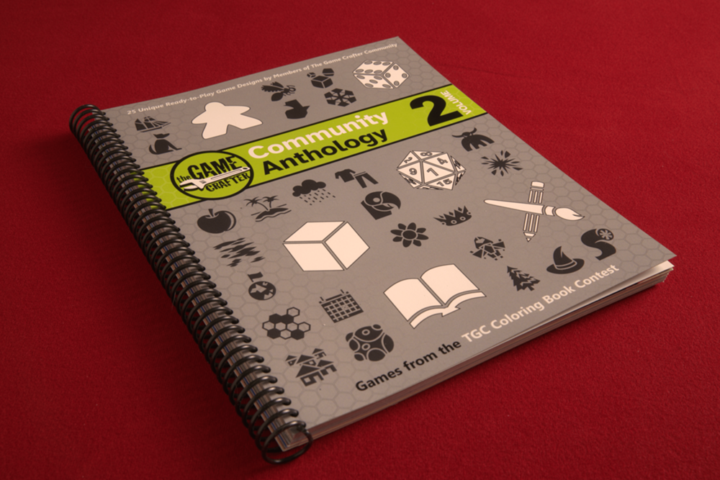
Free Book of 25 Print, Color, & Play Games
Designed by members of The Game Crafter’s vibrant community. This anthology contains 25 games where the goal is not to just play the games but have fun coloring them as well. Each game takes up only two pages, which lay flat for easy play. Attached is the free PDF. Note that the cover page seems to be incorrectly labelled. The printed book can be purchased at The Game Crafter: https://www.thegamecrafter.com/games/tgc-community-anthology-coloring-book PS: I frequently use The Game Crafter to manufacture prototypes of my board games and card games. I can order 1 or 2 games and all related parts to test out.
0
0
May 25 •
Every game is educational.
Even the ones designed purely for entertainment. Whether we’re flinging angry birds, trading with aliens, or leading a guild into battle, our brains are learning. We’re learning the rules of the game, how to interact with it, the choices we can make, the consequences of those choices, and much more. So the real question isn’t whether a game teaches — we know it does — the question is what does it teach and how useful is that learning in real life. That’s why games and simulations designed specifically for education can be so powerful. When designed well, they facilitate thinking and skill building that is directly transferable to real-world success. This is not gamification — this is experiential game-based learning.
2
0
Mar 30 •
I use 4 paid AI platforms — here’s how they compare
I use 4 paid AI platforms — here’s how they compare in my workflow (yours will differ): ChatGPT — Knows me best (persistent memory) and aligns responses to my profile. — My go-to for writing (I use a dedicated “Writing” project to maintain context). — Missing a native browser sidebar (Mac-only custom browser exists). — Agentic features are useful, but take too many clicks to get started. — The first AI I subscribed to (because it was the first out of the gate) Gemini — Strong for image generation. — Recently added a Chrome sidebar — very useful. — Lacks agentic features, so I can’t rely on it end-to-end. — Google made me pay for it via our Workspace subscription. Perplexity — First (that I used) with a browser sidebar via its custom browser, very convenient. — Seems strong at research and comparison-style queries. — Agentic features are easy to start. — But it loses context too often, so I don’t fully trust it. — New “computer” agent costs extra (haven’t tried it). — I was given 1 year free access via my cell phone provider. Claude — Desktop app can access local files, unique and useful. — Has a browser sidebar. — But I regularly hit credit limits and pauses — frustrating. — Purchased it recently to see what all the hype was about. Bottom line: I’d prefer to use just one — but for now, I'll keep jumping around to find the best tool for the job. And yes, they all make big mistakes. This is as of March 2026 — I'm sure it will all change soon.

0 likes • Mar 31
@Jordi Puxench I've used both the API and browser sidebar methods. Have had both good and bad results with both. API is the future for sure, but what's lacking right now is proper documentation for users to understand the features exposed through the API for the specific apps we are trying to work with.
0 likes • Apr 2
@Jordi Puxench Yup, I think we are talking about the same thing. The challenge I've run into is this — The functionality exposed through an API is limited by whoever created the API (usually the app creator). The person who provides user-friendly access to the API (such as a skill in Claude Cowork or a Zapier integration) chooses which API features to include in their UI. Often, this is only a smaller subset of what the full API is capable of offering. Without proper documentation, a user like me has to guess at which features are available and not available through the user-friendly interface.
Mar 16 •
Setting Up a Customer Support System
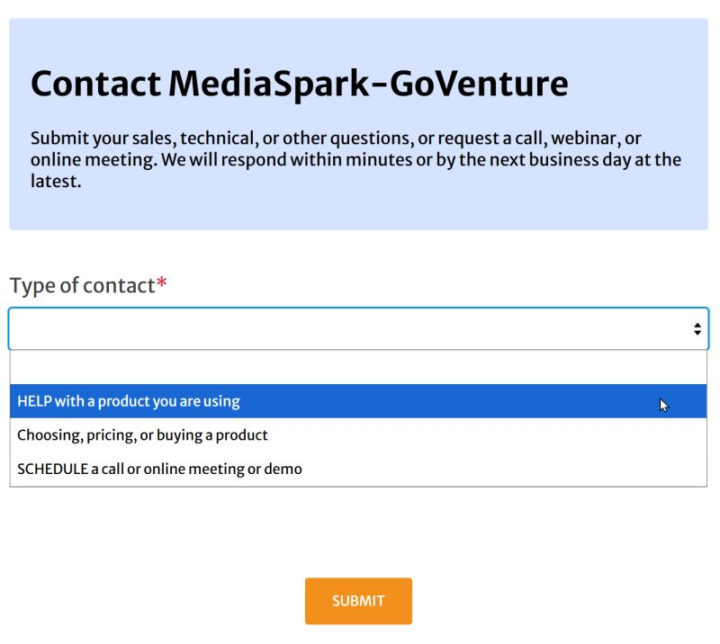
As a product designer, I’m obsessed with customer support. So much so that I set up and manage our entire support system — and monitor every request that comes into our company. That’s tens of thousands of support tickets over the years. After seeing all of that, here are a few things I recommend if you're building a support system: (1) Use a helpdesk or CRM system. If you're managing customer support from your email inbox, you're living in the caveman days. (2) Start support requests with an online form. - Forms gather the right information up front and help resolve issues faster. - They also provide redundancy since email delivery is not always reliable. - Our support form presents different fields depending on the type of request — see screenshot. (3) Build redundancy into your support email. Every request we receive is logged in three places: - A POP/IMAP mailbox - Our helpdesk/CRM system - Forwarded copies to team members If one system fails, the request still exists somewhere else. (4) Create canned responses. Most support issues repeat. Write good responses once and reuse them. (5) Use live chat internally. When multiple team members are working together, real-time communication is much faster than email. Other features you can consider include FAQs, knowledge bases, chatbots, live chat, etc., but their usefulness depends on the type of customers you serve and the support you need to provide.
2
0
1-10 of 106

@mathewgeorghiou
I create games & simulations that help you gain business skills & confidence super fast. Bio— entrepreneur, engineer, inventor, writer— Georghiou.com
Active 7h ago
Joined Jan 26, 2024
INTJ
Canada
Powered by