Activity
Mon
Wed
Fri
Sun
Aug
Sep
Oct
Nov
Dec
Jan
Feb
Mar
Apr
May
Jun
What is this?
Less
More
Memberships
AI & QA Accelerator
624 members • Free
5 contributions to AI & QA Accelerator

Nov '25 •
Migrating from Selenium to Playwright. 3 things I wish I knew:
1. Auto-waiting is powerful - once you learn to combine it with waitForResponse() for API calls, tests become way more stable 2. Role-based locators are a game changer - getByRole and getByLabel make tests more readable and resilient than XPath ever was 3. The Playwright Inspector and codegen features speed up development massively - wish I’d used them from day one instead of writing everything manually What’s your favorite Playwright feature?

Nov '25 •
Smoke Testing vs Sanity Testing: What’s the Difference? 🔥🧠
Hey QA fam! 👋 Ever been asked in an interview about the difference between smoke and sanity testing? It’s a classic question! They sound similar, but they’re actually different. Here’s the quick breakdown: Smoke Testing 🔥 Think: “Does this thing even turn on?” It’s a broad but shallow check to see if your app’s critical functions work at all. When to run it: • Right after a new build drops • Before starting detailed testing What you’re checking: • Can users log in? • Does the homepage load? • Do critical workflows start? Example: New build deployed → Quick smoke test checks login, navigation, basic functionality → If it fails, reject the build immediately. Sanity Testing 🧠 Think: “Did that bug fix actually work?” It’s a narrow but deeper check on specific functionality after a bug fix or small change. When to run it: • After a bug fix • After a minor code change What you’re checking: • Did the bug get fixed? • Do related features still work? Example: Dev fixed the “Forgot Password” link → Sanity test verifies the fix works and didn’t break related login features. Quick Comparison 📊 Smoke Testing: • Broad and shallow • Tests build stability • After new build • Accept/reject build Sanity Testing: • Narrow and deep • Tests specific functionality • After bug fix • Accept/reject fix The Easy Way to Remember 🏠 Smoke Test: Walking through a house checking if lights work, doors open, water runs. Basic stuff! Sanity Test: Going back to check if that leaky faucet the seller “fixed” actually works now. Bottom Line 🎯 • Smoke testing = “Is this build stable enough to test?” • Sanity testing = “Did that fix actually work?” Use both strategically and you’ll save tons of time! Happy Testing! 🚀 Your turn: Which one do you use most in your projects? Drop a comment! 💬

4 likes • Nov '25
Well said! Smoke keeps the build alive, Sanity ensures the fix didn't break anything.

Oct '25 •
API testing... It's important
As I grow deeper into my automation role. I've realized the importance of API testing, understanding it and how to use it in automation testing, even if you're testing UI. Thoughts?
4 likes • Oct '25
Agree 100%, I am just learning it now, but it's not as hard as I thought. I wish I would start earlier.
Sep '25 •
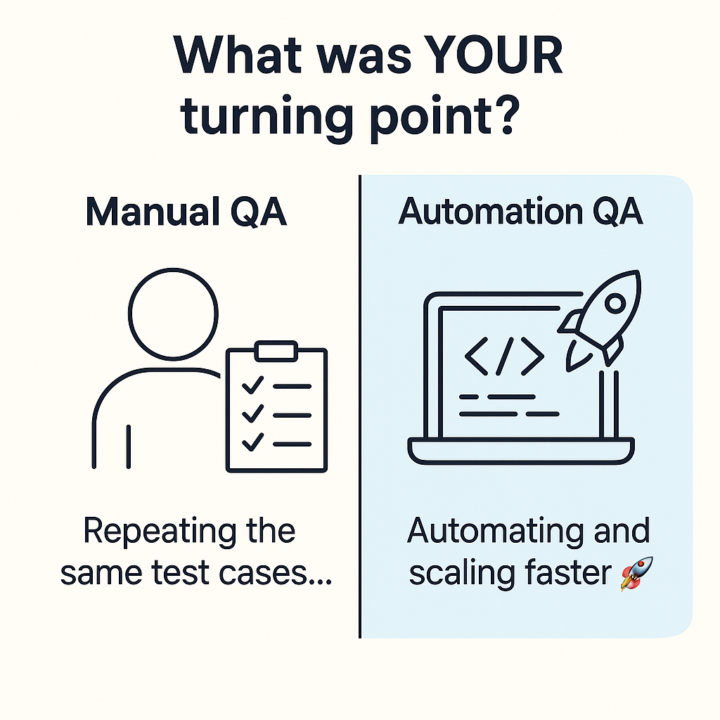
Manual to Automation: What's Your Turning Point?
Drop your story in the comments — let's learn from each other! If you're already automating: What was your "I HAVE TO learn this" moment? - Ran the same tests 100+ times? 😴 - Missed a bug due to human error? - Watched devs deploy faster than you could test? - Boss said "we need automation yesterday"? Still doing manual testing? What's stopping you from diving into automation? - Don't know where to start? - No coding background? - Management won't give you time? - Worried it'll replace manual testing? Here's the thing: Every automation expert started exactly where you are right now. 👇 **Your turn — share your story below!** - Current manual testers: What's your #1 barrier? - Automation pros: What advice would you give your past self? Let's help each other make this transition! 💪
2 likes • Sep '25
My turning point was watching manual testers work 60+ hour weeks while I automated their regression suite in 2-3 days.
Sep '25 •
US QA Automation interview process....
Hi, has Anyone interviewed for US QA Automation roles? What's it like? Live coding or just theory? 🤔
2 likes • Sep '25
@Matviy Cherniavski Thank you! I never tried Python before, but from quick check? it looks pretty simple.
1-5 of 5

Active 95d ago
Joined Oct 17, 2025
Minsk, Belarus
Powered by