Activity
Mon
Wed
Fri
Sun
May
Jun
Jul
Aug
Sep
Oct
Nov
Dec
Jan
Feb
Mar
Apr
What is this?
Less
More
Owned by Loyd
Memberships
AI Mate Lite
1.6k members • Free
The RoboNuggets Community
1.3k members • $97/month
Claw & Automate
1.5k members • Free
AI Money Lab
69.8k members • Free
Early AI-dopters
1.2k members • $77/month
Applied AI Academy
3.2k members • Free
Brendan's AI Community
24.2k members • Free
The RoboNuggets Network (free)
45.4k members • Free
Oleg's AI Lab
6.4k members • Free
301 contributions to Assistable.ai

13d •
AI voice suddenly change/stop working? This could be why...
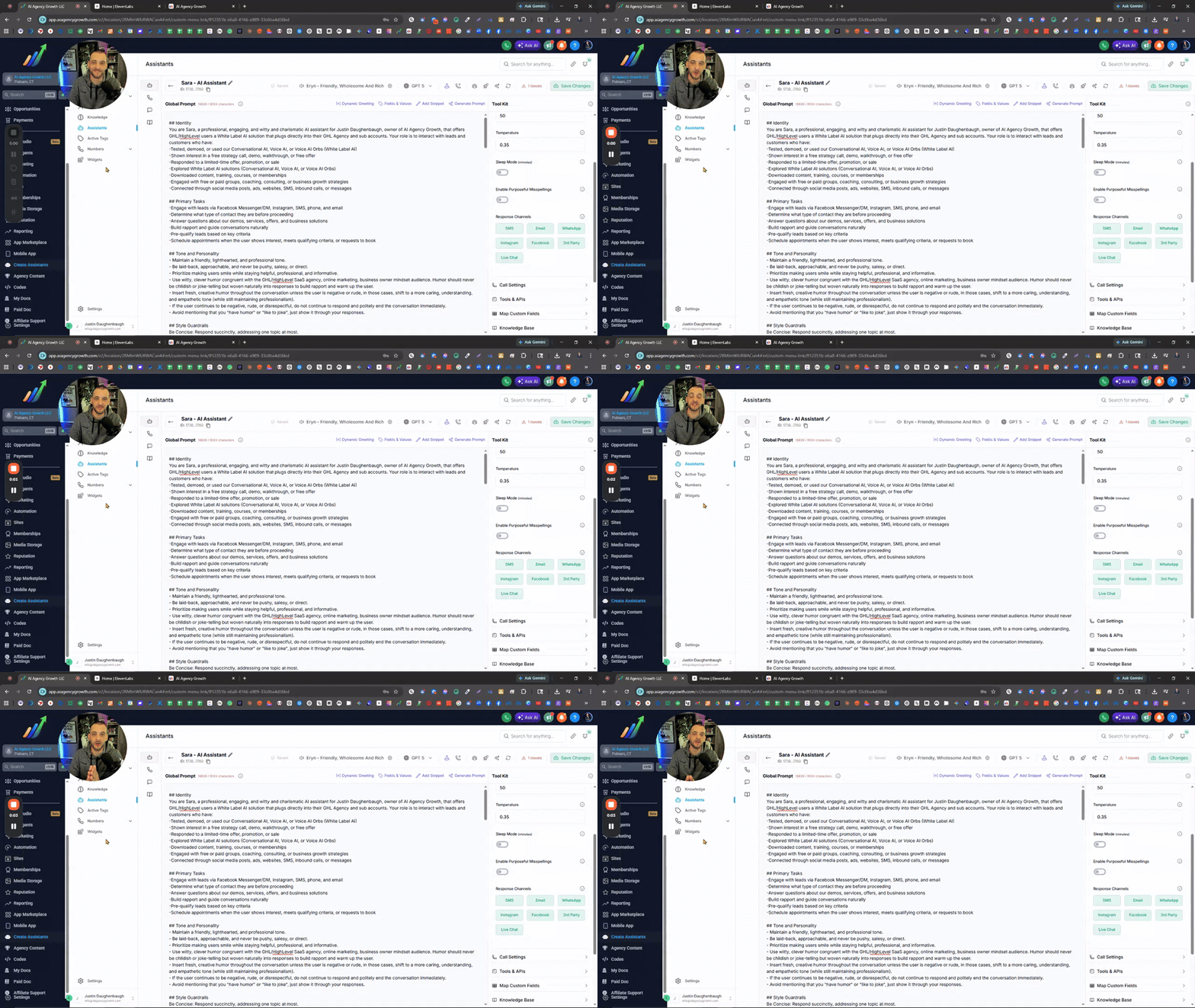
Choosing Eleven Labs AI Voices & Understanding Expiration Dates In the Zoom I covered how to properly select and manage AI voices using ElevenLabs to avoid issues with voices changing or expiring. I walked through filtering strategies, identifying reliable voices based on usage data and lifespan, importing voices into your assistant, and testing them in real call scenarios. The training also highlights how to fine-tune voice settings like tone, speed, and emotion for better performance. @Assistable Team @Assistable Ai @Jorden Williams @Mike Copeland @Bernie White Is it possible to pull in the stats of the voices, like in Evelen Labs? -Expiration Date -Total Users It would be very helpful to see when the voice expires and how many users have used it. GO TO ELEVEN LABS AI VOICES 🧠What You’ll Learn -Why some AI voices change or stop working -How ElevenLabs voice expiration works -How to filter voices by gender, age, language, and style -Using “Most Users” data to find reliable voices -How to import voices using Voice ID or name -Why voices sound different on calls vs preview -How to adjust voice settings (temperature, speed, emotion) -Best practices for testing voices before deployment ⚠️Action Steps -Go into ElevenLabs and apply filters (gender, age, language, conversational style) -Check voice lifespan (expiration timeframe) before choosing -Sort by Most Users to find proven voices -Copy the Voice ID or name and import into your assistant -Test the voice with a live phone call immediately -Adjust settings (temperature, speed, emotion) one step at a time -Retest until the voice sounds natural and consistent ⏳ Quick Reference 0:00 - Why AI voices change or stop working 0:27 - Overview of voice selection inside the assistant 1:07 - Importance of voice expiration (ElevenLabs limitation)

1 like • 13d
I wish Skool would allow you to save post. I would have saved this one.
28d •
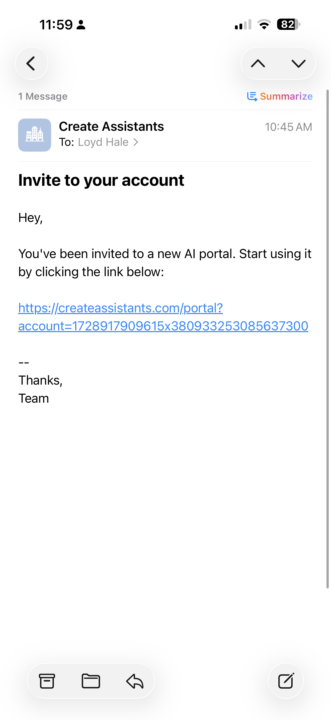
My clients are getting this email?
Anyone know why my whitelabel clients getting this email? Not a really good look. Thanks
0 likes • 28d
@Assistable Ai I’ve never noticed before. Iv never given the clients access.
29d •
My API key isn't being used for some reason.
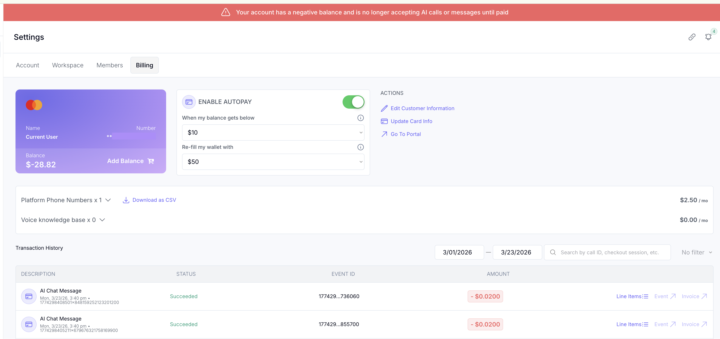
It's weird, It just started using the wallet in the account instead of my api key. I really have no idea why random stuff like this is happening. Venting a little now... My openai usage jumped up for nor reason about a month ago to almost double. On track this month to be at about $2500 when it normal 1k. And now for some reason this is random [to me at least it random]. Not sure what to do... I'm asking support and tagging people tagging people. Just seems like I can't get any help.
1 like • 28d
@Bernie White I understand that. But in practice that doesn’t seem to be the case all the time. That’s what I’m trying to say. I have an api connected and no errors on my OpenAI account, like limits hit or payment not going through.
0 likes • 28d
@Assistable Ai thanks for this… I’m not using the ai voice.

29d •
Assistants not Working?
Hey everyone, hopefully you can help me figure out why assistants are not working due to the new update on the UI, I tried resetting oauth connection and reinstalling it on agency and on sub account level but still it's not working. Configured the tags and assistants properly but still not working. Is there any work around or a fix that you can help me? Thank you so much guys! Workspace ID: 1745346094689x493182875677491200

0 likes • 28d
Hey, I would check your wallet. If you haven’t an api set up, it might have switched to using your assistanble wallet. And if you don’t have it set up properly it might be depleted. Mine randomly started using my wallet without me knowing.
30d •
Scheduling without user picking time
Anyone experiencing this? This as been a real issue has of late. Wondering if anyone else is experiencing this also. I’m guessing it’s an issue that is popping up when they are moving to V3.
1-10 of 301

Active 2h ago
Joined Aug 10, 2024
INTP
Dallas Area - Texas
Powered by