Activity
Mon
Wed
Fri
Sun
Apr
May
Jun
Jul
Aug
Sep
Oct
Nov
Dec
Jan
Feb
Mar
What is this?
Less
More
Memberships
OFM Conquest
21.2k members • Free
AI OFM Academy
488 members • Free
OFM | Fameu (free course)
9.3k members • Free
Appointment Setting Clan
6k members • Free
Vadim Sachs | OFM
715 members • Free
Modelify Academy Starter(Free)
1.1k members • Free
Free AI OFM Course
3.6k members • Free
OnlySam - OFM
2.7k members • Free
ALPHA OFM IA
10.8k members • Free
2 contributions to Free AI OFM Course
Dec '25 •
How to make an IG post (or thread) that looks realistic asf!🥵
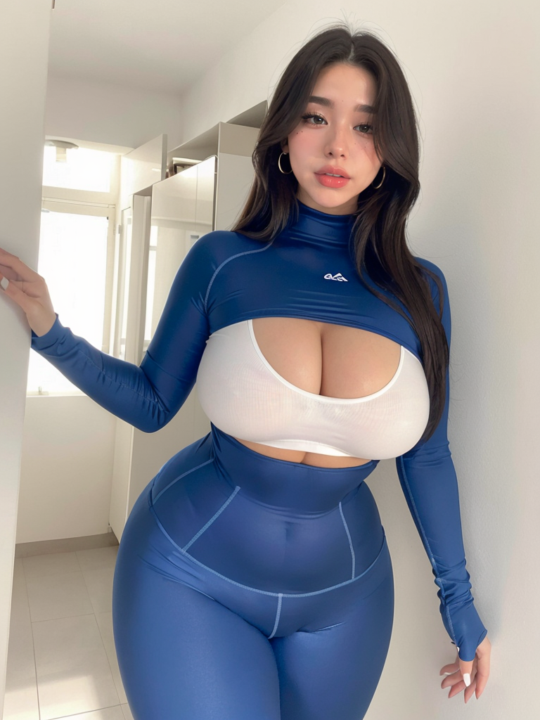
Prerequisites: First off, you need a body picture and a detailed face picture of your AI influencer (I assume you already have one). Take the example of my Chinese AI influencer below. You'll also need multiple email addresses (you're gonna understand why later). Step 1: Finding a Reference The only thing we need now is an IG post of a famous influencer to replicate. It doesn’t actually need to be famous, and it doesn't have to be from Instagram (Pinterest works too), but it needs to be eye-catching for the boys. I’m gonna use this pic from Bunnie Emmie (third image) to replicate, but I'll be replacing her with my AI influencer. Step 2: Generation Next, go to https://higgsfield.ai/image/nano_banana_2. We’re going to use Nano Banana Pro to make our replica. You can also use Lovart AI (just use something where you have access to Nano Banana Pro lvl 3 censorship—this means sexy images are allowed—but I recommend using Higgsfield). Now, upload the picture you want to replicate first, and then the picture of your AI influencer (veryy important). Then, type this prompt: Keep the lighting, location, and pose from Image 1, but replace the person with the girl from the image where she is wearing [the outfit of your AI influencer] (image 2), ensuring her facial features and body structure are preserved. Also make sure to keep the outfit from Image 1 on the replaced figure. Step 3: Variations When it’s finished, the result might be good or bad. If it’s good, you can make some variations using the Nano Banana Prompt Engineer 5.1 GPT on ChatGPT (https://chatgpt.com/g/g-68ae14451c448191837d0e108a48cf89-nano-banana-prompt-engineer). Upload the picture you just made on Higgsfield to the Nano Banana Prompt Engineer GPT and tell it what you want. Ex prompt to Nano Banana Engineer GPT: Change her pose, make her laying, front view, same influencer type pose, same body proportion, same outfit, no distortion.

0 likes • Dec '25
Yo je peux avoir ton insta pour parler?
0 likes • Dec '25
Okkk
Dec '25 •
A better tool for AI Videos!
In my previous AI vids tutorial, I mentioned a tool to make AI vids using Wan 2.2 Animate. Scrap that. I’m gonna show you a better tool—this one is better, with superior face swap and face restoration. Step 1: Get AccessFirst, log in to this website: https://www.runninghub.ai/?inviteCode=jiax64ihYou will obtain 500 free credits. I suggest making multiple accounts since you will be able to generate a vid per day with the daily 100 credits, and even more with the signup bonus. Step 2: GenerateNow go to this workflow: https://www.runninghub.ai/ai-detail/1997771191559630849/?inviteCode=jiax64ih You can start generating videos just by replacing the character with your AI influencer. Regarding Settings:If you know how to tweak the settings you see on the generator, feel free to tweak them. But if you have no idea what any of those mean, don't worry. Just add your image (your AI influencer) and the video (character to replace), and press RUN. I suggest going to my previous posts to learn the basics and how to make realistic assets! AI video tutorial: https://www.skool.com/ai-ofm-course/how-to-make-ai-videos-that-look-realistic-asf images: https://www.skool.com/ai-ofm-course/how-to-make-an-ig-post-or-thread-that-looks-realistic-asf
0 likes • Dec '25
Thx
1-2 of 2
