Activity
Mon
Wed
Fri
Sun
May
Jun
Jul
Aug
Sep
Oct
Nov
Dec
Jan
Feb
Mar
Apr
What is this?
Less
More
Owned by Katie
grow your business by discussing books in our community!
For entrepreneurs who want to reduce digital clutter, eliminate decision fatigue, and create the mental space to focus on what actually matters
Memberships
The crochet circle
399 members • Free
Linguists Society
44 members • $49/month
Skool Made Simple
25 members • Free
💞 Connect & Collab 🌠
595 members • Free
Skool Speedrun
11.9k members • $9/month
Skoolers
195.8k members • Free
The Vanlife Network
231 members • Free
Synthesizer: Free Skool Growth
40.3k members • Free
🇳🇱 Skool IRL: Amsterdam
88 members • Free
7 contributions to Skill & Soul Studio

🔥
Mar 3 •
One Tool Most People Don’t Use (But Should)
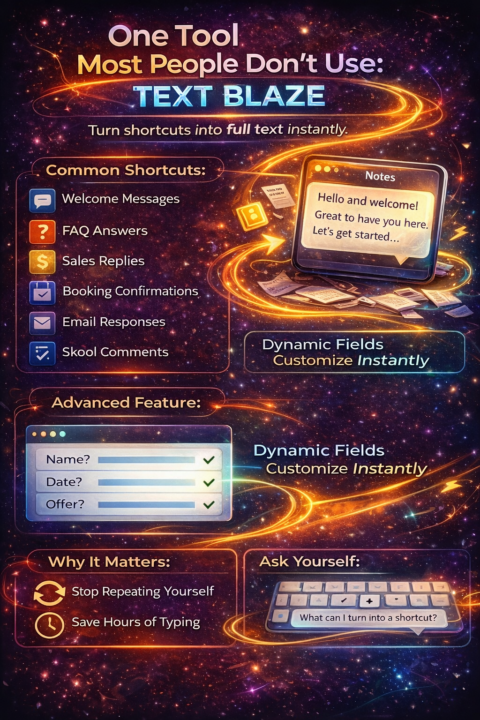
Text Blaze Text Blaze is a browser extension. It lets you create shortcuts that expand into full text automatically. Example: You type: /welcome It instantly turns into your full welcome message. No copying. No searching notes. No rewriting. Where it becomes powerful: You can create shortcuts for: Welcome messages FAQs Sales replies Booking confirmations Email responses Skool comments Application responses It works anywhere you type in a browser. Now here’s the advanced part: You can add dynamic fields. So when you trigger it, it asks: Name? Date? Offer? It customises the message instantly. Why this matters: Most people are repeating themselves manually. If you write the same thing more than twice, it should be a shortcut. This isn’t “AI magic.” It’s quiet efficiency. Simple tool. Massive time saver. What do you type repeatedly every week that could become a shortcut?

2 likes • Mar 5
Ooooh, I haven't heard of this specific one yet! I use the keyboard shortcut things a lot, also have many custom set up , but in the browser and with custom fields, that's next level! 🔥
🔥
Feb 24 •
Skills
I know a lot of our members here have some seriously valuable skills. Everyone has strengths. Everyone has gaps. That’s normal. I’d love to hear from you. What are you good at? What comes easily to you? And on the flip side What do you need help with? What are you trying to learn or figure out right now? Drop it in the comments. You might be surprised how many people here can support each other.
2 likes • Feb 26
@Beth Young there are some great tips in this thread! which part of networking do you struggle with? :)
2 likes • Feb 27
@Beth Young I've been there as well and with each platform you have to figure out the rules and how best to connect with people. What I do know about LinkedIn is that it can be really valuable to comment on other people's post (kind of like on skool) and to start sharing your own posts. Not many people actually consistently post on LinkedIn, so it's a great platform for more reach. the question is though.. is your ideal client on LinkedIn? :)
🔥
Feb 24 •
NotebookLM Explained
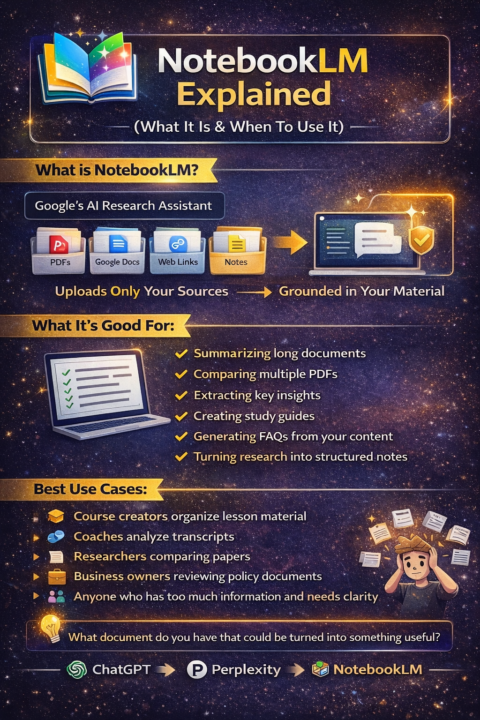
NotebookLM is Google’s AI research assistant. But it’s not just another chatbot. It works differently. Instead of asking it random questions from the internet, you upload your own sources. PDFs. Google Docs. Web links. Notes. Then it answers based only on what you gave it. That’s the key difference. It’s grounded in your material. What NotebookLM is good for: Summarising long documents Comparing multiple PDFs Extracting key insights Creating study guides Generating FAQs from your own content Turning research into structured notes It’s strong when you already have information. It’s not designed for open-ended creative brainstorming. Think of it like this: ChatGPT = idea generator Perplexity = research scout NotebookLM = research organiser Best use cases: Course creators organising lesson material Coaches analysing transcripts Researchers comparing papers Business owners reviewing policy documents Anyone who has too much information and needs clarity When NOT to use it: If you don’t have source material If you want creative writing If you want marketing copy It shines when structure matters more than creativity. Simple question: What document do you have sitting around that could be turned into something useful?
2 likes • Feb 25
@Manda Jackson my problem is, chatGPT and Claude already do a good enough job, when do you take the time to test a new tool.. with NotebookLM it feels like learning the tool won't have enough benefits haha
2 likes • Feb 25
@Manda Jackson hmmm, that's interesting! I might look into that! :)
🔥
Feb 25 •
How to Choose the Right Image AI for the Job
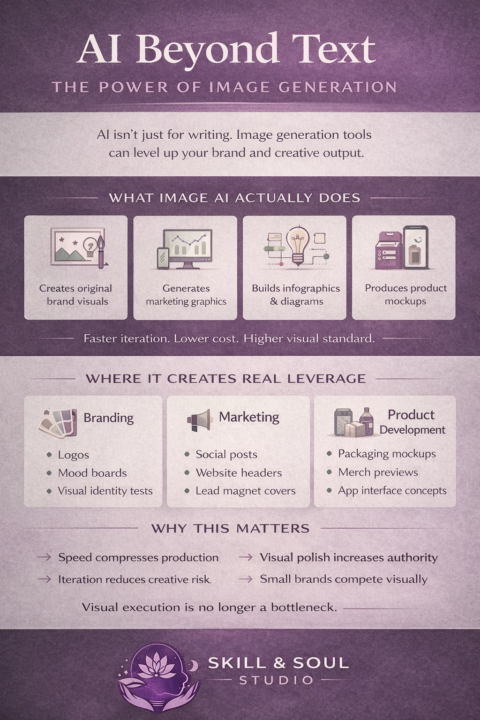
Image Generation AI Is Bigger Than Three Tools Most conversations stop at Midjourney. The ecosystem is wider and more specialised. Let’s break it down properly. 1. Creative / Artistic Generators Best for strong visual identity, stylised outputs, brand mood. Midjourney High aesthetic quality. Strong artistic feel. Excellent for brand visuals. Leonardo AI More control over styles and assets. Popular for game art and brand kits. Playground AI Accessible interface. Good balance between artistic and practical outputs. BlueWillow Simpler Midjourney alternative. Beginner friendly. 2. Structured & Commercial Generators Better for marketing, product visuals, clarity. DALL·E Clean outputs. Good object accuracy. Useful for infographics and banners. Adobe Firefly Commercially safe. Integrates into Photoshop and Illustrator workflows. Canva AI Image Generator Direct inside Canva. Ideal for fast marketing visuals without leaving platform. Microsoft Designer AI Optimised for social and ad creatives. 3. Open Source & Customisable Engines For builders who want control. Stable Diffusion Open source base model. Highly flexible. Can train on your own style. Automatic1111 Popular Stable Diffusion interface with deep controls. ComfyUI Node-based visual workflow for advanced users. InvokeAI Structured UI for professional workflows. These are not beginner tools. These are system tools. 4. Photo Realism & Editing Focused AI Runway Image generation plus editing and background removal. Clipdrop Background removal, relighting, image cleanup. Remini Photo enhancement and restoration. Magnific AI Upscaling with enhanced detail. These are production enhancers, not just generators. 5. Niche & Emerging Tools Ideogram Strong at generating text inside images accurately. Krea AI Real time image generation and refinement. NightCafe Community driven with multiple model options. Artbreeder Blending and evolving character designs. Strategic Layer Not all image tools are equal. Some are:
3 likes • Feb 25
What is your personal workflow? :) what I struggle with is text consistency on images.. I mostly create images wherever and then add text in canva but it would be so nice to have that done for me too.
2 likes • Feb 25
@Manda Jackson that's great!
🔥
Feb 24 •
AI Tools Explained
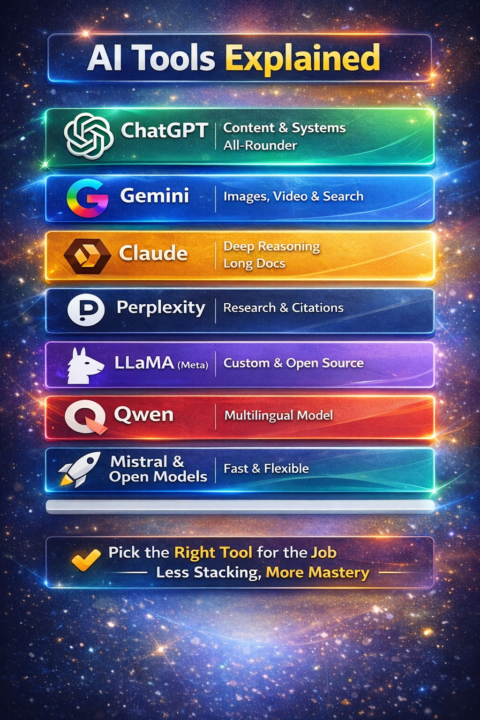
There are a lot of AI tools out there. ChatGPT. Gemini. Claude. Perplexity. LLaMA. Qwen. Mistral. And more. They are not the same. They are different tools for different jobs. Here’s the simple breakdown: ChatGPT- Great all-rounder. Content, systems, prompts, teaching. Gemini- Strong with images, video, and Google search integration. Claude - Deep reasoning. Long documents. Thoughtful tone. Perplexity-Fast research. Citations. Source links. LLaMA (Meta)- Open model. Customisable. More technical setup required. Qwen -Strong multilingual model. Broad capability, less mainstream ecosystem. Mistral and other open models Fast, flexible, often free. Less polished interface. Simple rule: You don’t need all of them. You need the right one for the job. Content and systems → ChatGPT Research → Perplexity Deep thinking → Claude Visual + multimodal → Gemini Custom builds → LLaMA or other open models Less stacking. More mastery. Which one do you actually use most right now?
2 likes • Feb 24
@Manda Jackson yesss!
1 like • Feb 24
@Manda Jackson I started like that. Then I realised many people have gone before me and lately I'm using the available GPTs a lot, just exploring them, finding some great ones as well! haha
1-7 of 7

@katie-roth-4885
helping entrepreneurs grow their business without drowning in digital clutter or decision fatigue
Active 40m ago
Joined Feb 20, 2026