Activity
Mon
Wed
Fri
Sun
Apr
May
Jun
Jul
Aug
Sep
Oct
Nov
Dec
Jan
Feb
Mar
What is this?
Less
More
Memberships
1 contribution to UpHex Ads Lab

Oct '25 •
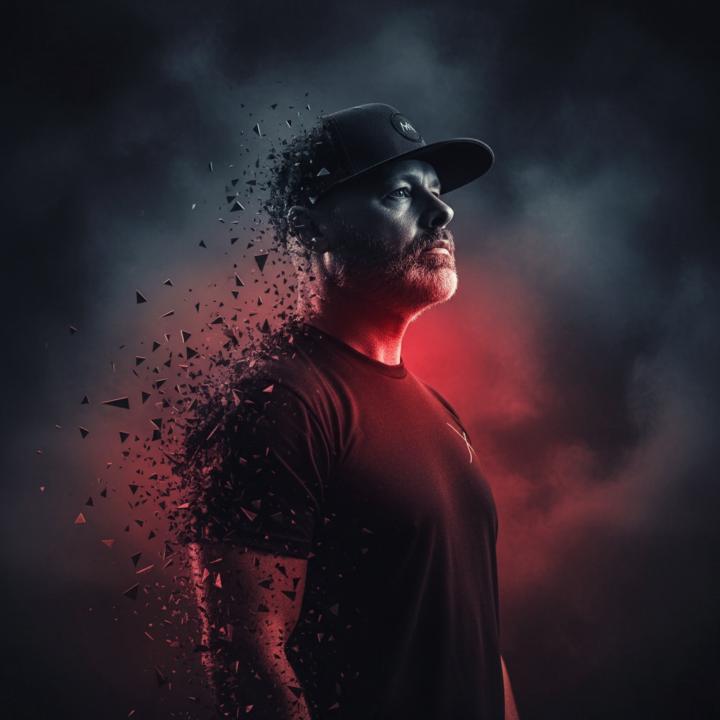
How to make this image of yourself in UpHex.
Step 1: Go to Uppie AI Step 2: Go to Image Generator and upload a pic of YOU pointing somewhere. Step 3: Use this prompt: "A dramatic, stylized portrait of myself (uploaded image) from the chest up, with my head turned to the right, looking upwards. My face and neck are sculpted with strong shadows and highlights, creating a chiseled appearance. A vibrant red light emanates from beneath his chin and neck, casting a strong red glow on his lower face and throat, contrasting with the cool, dark tones elsewhere. His body appears to be dissolving or fragmenting into numerous small, dark, sharp-edged particles that scatter around him, creating a dynamic, almost explosive effect. The background is dark and smoky, adding to the intense atmosphere. The overall impression is one of power, intensity, and a slightly otherworldly presence, with a stark contrast between light and shadow and a striking use of color. Step 4: Share in the thread below. Have fun. BTW... UpHex uses Nano Banana as out default image tool. ALSO... VEO 3 is available in UpHex... You could actually turn this into a video too! Sam P.S. Part 2 of this post... I'll give you an Image to video prompt!

2 likes • Oct '25
Lol I can never get mine to look like me 😂
1-1 of 1

Active 1d ago
Joined Sep 26, 2025
Powered by