Activity
Mon
Wed
Fri
Sun
Jan
Feb
Mar
Apr
May
Jun
Jul
Aug
Sep
Oct
Nov
Dec
What is this?
Less
More
Memberships
Creative 3D Community
6.2k members • Free
123 contributions to Creative 3D Community
14d •
Gear Design
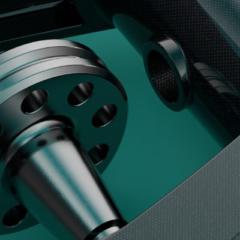
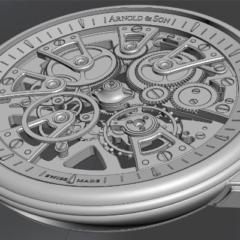
If you are interested in a parametric approach in gear design, grab your favorite CAD software and follow along. I created this tutorial. After watching this, you'll be able to design and 3D print your own gears, use them in prototypes and real-world designs, and even install them in your machines. https://youtu.be/dxsku8n_CpE
1 like • 14d
Very useful, thx Luigi!
Oct 28 •
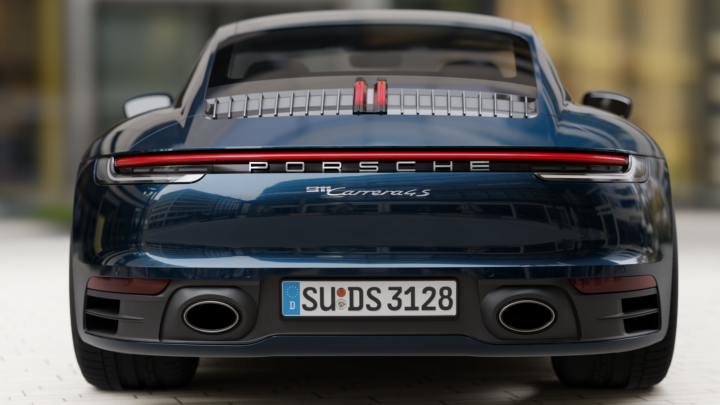
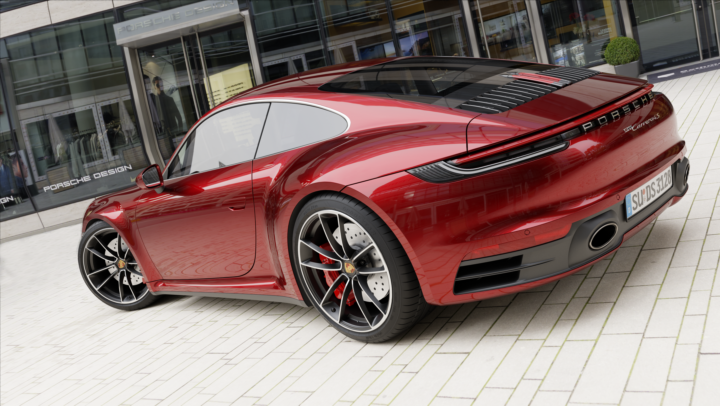
Nikitas Porsche first set of Renderings
I would like to share with you my first batch of renderings of Nikita's Porsche. With the new Porsche, I went to Schadowplatz in Düsseldorf to buy a suitable Porsche Design glasses... ;)
0 likes • 28d
thx a lot Jörg! 🙏
0 likes • 17d
@Rob Juda Thank you very much Rob 🙏

22d •
Xurbs or Indie?
I have a question about Xurbs, do you suggest to buy the Studio Version, i am stil in Trial mode and have to choose soon. Thank you for you advice!
1 like • 21d
agrree with Vyacheslav, buy the Studio Licence! I am new here and did my fist two tutorials, only experience in SubD modeling, but i can say after my first learnings here, you do not need X urbs, but it helps a lot…from there to go to Class A is easier as to try first with Software as Alias and Rhino achieving good Surfaces, it helps to umderstand the modeling techniques…buy Studio!
0 likes • 21d
@Florent Thouret me the same !

1 like • 21d
One thing is clear, you have the most steep learning curve here. I am glad to see how your skills are growing and what you are able to do in this short time here! Stay growing! Following you! You have a lot of potential, not only because of your willpower!
Jul 21 •
Porsche Carrera 992 Tutorial
Today i start with the amazing Porsche Tutorial. First i can say, Nikita explains it in a very very good way. I know not one Tutorial outthere, that breaks down the steps, how to work and what strategy to follow. It is easy to understand and really great. "TUTORIAL 100% done!"
1 like • Nov 20
@Ahmed Malik I highly recommend the Studio license, especially if you want to model vehicles. The Square command is an XNurbs command. With it, you can create absolute clean shapes. This shapes are way mor controllable and can be aligned to other surfaces with clean G0, G1,G2 and G3 transitions. Its near the modeling techniques in way more expansive tools like Alias. As basic you create clean curves and build a clean Surface with same single span result as your curves are. With this you can sculpt and match surfaces with clean transitions. I suggest to watch the Youtube Channel of Kuechmeister Swagger (Link: https://youtube.com/@kuechmeister?si=PEcL3P9utgoO0xJM) He is the only Creator (he has Patreon also) who explain the near by Class A Modeling techniques with Plasticity. So i recommend to do Nikitas Tutorials first and then to learn more about clean Automotive modeling with Plasticity go and learn from Kuechmeister Swagger. I did first the Porsche Tutorial, now i am modeling my first Car with this techniques an workflow learned from Nikita, and then i will practice for myselfe with Kuechmeisters amazing Audi Etron Tutorial…thats the path i am on….oh and excuse my bad english ;)))
0 likes • 28d
Thank you very much Jörg, yes it took me a while to work on it. BTW, this is a great Tutorial!
1-10 of 123
Active 4d ago
Joined Nov 28, 2025
Germany
Powered by