Activity
Mon
Wed
Fri
Sun
Sep
Oct
Nov
Dec
Jan
Feb
Mar
Apr
May
Jun
Jul
Aug
What is this?
Less
More
Owned by Dione
Build AI tools that fit your real life. Free workshops, real implementation, and all the snark. Home of your AI Dream Team
Free community for monthly no-spend challenges, with year-round accountability and a group that gets it. Join when you're ready.
AI BookPreneurs (FREE)
3.4k members • Free
Event & Collab Growth Co
544 members • Free
The RoboNuggets Network (free)
66.6k members • Free
Skoolgrades - Grow Your Skool
18 members • Free
Qigong & Self Mastery
367 members • Free
AI Creative Studio
116 members • Free
AI Systems for Human Content
9k members • Free
White Label Offers (PLR)
584 members • Free
The Ads Corner
281 members • $27/month
6 contributions to ChatGPT Users

Jun 15 •
Custom GPTs vs saved prompts: which one do you actually need?
A question I keep seeing from business owners here: should I build a Custom GPT, or is a good saved prompt enough? The honest answer is that most people reach for a Custom GPT too early, when a saved prompt would do the same job with a lot less faff. Here is the simple way to decide. Use a saved prompt when the task is a one-off shape you repeat. Things like "turn these notes into a follow-up email" or "summarise this article in five bullets". You paste the prompt, drop in your content, and you are done. Keep these in a notes file or a doc so you are not rewriting them from scratch every time. Build a Custom GPT when you need the same instructions, tone, and reference material applied again and again, especially if other people on your team will use it too. A Custom GPT lets you bake in the role, the rules, and any files it should always refer to. Good examples: a support assistant that already knows your refund policy, or one that writes in your brand voice every single time. Rough rule of thumb: if you would have to paste the same background into the chat more than a few times a week, it is worth turning into a Custom GPT. If not, a saved prompt is faster to set up and easier to tweak when you change your mind. What are you leaning on more right now, Custom GPTs or a prompt library?

🔥
9 likes • Jun 15
@Betsy Moll Projects are like dedicated workspaces. The instructions, files, and chats stay together in that project. Custom GPTs are reusable assistants. You build them once and can use them across multiple projects and conversations. Projects are where the work happens for a lot of people. Custom GPTs are the specialists you bring into the work. Hope that made sense. Let me know.
🔥
2 likes • Jun 16
@Julie Helmer Thank you!
Jun 1 •
Write Super Fast Detailed Prompts
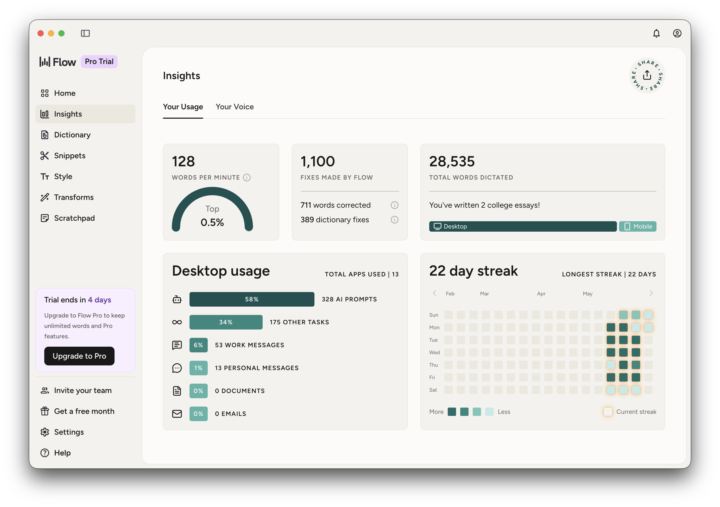
I've been experimenting for the last three weeks with Wispr Flow and I have to be honest I don't think I could do without it now. As you can see from the attached screen shots, I use it a hell of a lot for writing prompts and I find it way better than either Claude's microphone or ChatGPT's microphone. It's particularly good at recognising technical words to do with hosting or domain names, things that normally would drive you crazy because after you've done speech-to-text you have to go back through and then edit it all correctly. As you can see from the attached screenshot it looks like I might be doing too much work and my poor friends don't get to hear from me too often. 😄 Anyway if you want to write detailed prompts extremely quickly and with minimal editing (I'm talking almost never), then I highly recommend trying out Wispr Flow. Cheers Jason
🔥
3 likes • Jun 3
@Jason West The accuracy, it's not what it used to be using google's free service. I am going to upgrade to -and now I can't remember the name -but I think it starts with a d.
🔥
3 likes • Jun 3
@Jason West That's it! Deepgram. Both accuracy AND punctuation. Far too much cleanup.

🔥
Mar 2 •
ChatGPT
Is everyone still loving ChatGPT or have you migrated elsewhere? I still use it daily but have noticed it crashing more and more... or lagging. It's becoming frustrating!

🔥
4 likes • Mar 3
@Julie Helmer Exactly this.
🔥
Jan 6 •
Finally!!
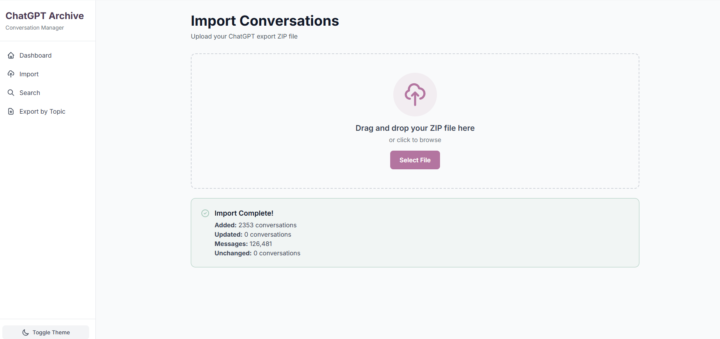
UPDATE: Imported Claude convos yesterday, Jan 13. 🥳 Years later (and with the help of Claude Code), I now have a way to import, search, index, tag, etc. my conversations. Woohoo!! Time to add to the UI now that the parsing works. LFG!!
🔥
0 likes • Jan 14
@Damien Rothstein I am now able to search and find data buried in my convetsations. It's a personal search tool, not a sync service. That's the whole flow.
🔥
0 likes • Jan 15
@Damien Rothstein I can also now download my Claude conversations. Brought those in yesterday. Beyond search, it extracts and indexes every decision marker, action item, URL, code block, and date mentioned across all conversations. Auto-tags by topic. Tracks what I haven't reviewed (via saved search Sessions). Exports to multiple formats. Integrates AI summarization. And handles 10,000+ conversations locally with sub-100ms search times. It's a personal knowledge base, not just a search box. Also, the ChatGPT search is awful. It's basic keyword matching with no operators, no date filtering, and zero tagging. It shows you a list of conversation titles and maybe the last two or three lines.

Dec '25 •
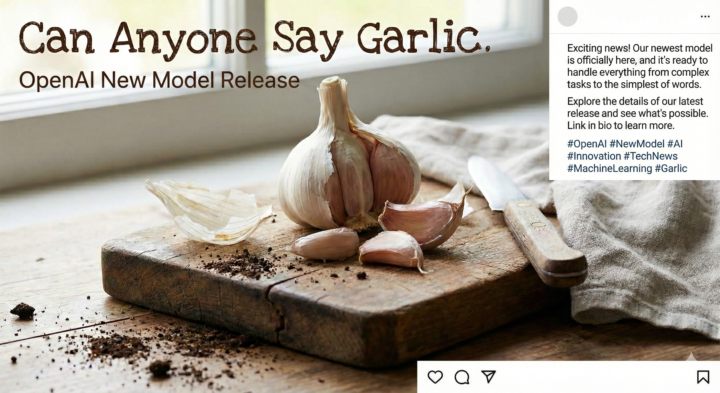
Garlic Is Here!
Excited for this release. This is going to be a game-changing release! The AI World just made a huge advancement - not sure if it means for the better or worse. The AI Arms race is a real thing. Great for folks like you and me. I can't help but think of how many more people we are leaving behind. AI Must Be For All! https://aishouldbeforall.com https://bendtheaicurve.com
🔥
1 like • Dec '25
Okay Now, I like seeing this! Off to see what I can do.
🔥
0 likes • Dec '25
@Nasser Jones I was thinking more about access to AI for everyone. ;-)
1-6 of 6

🔥
@dionegrillo
Systems geek with too many tabs open and unicorn stickers in her planner. Making the boring stuff easier so you focus on doing what you love.
Active 18m ago
Joined Dec 14, 2024
West Coast - USA
Powered by