Activity
Mon
Wed
Fri
Sun
Oct
Nov
Dec
Jan
Feb
Mar
Apr
May
Jun
Jul
Aug
Sep
What is this?
Less
More
Owned by Carrie
For women 50+ battling chronic migraines: learn ways to build monthly income even with bad days so retirement isn't a financial fear 💰
The Secret Creator Society™
14 members • Free
The Visionary AI Creator Lab
71 members • $10/month
The Art that Pays Studio
502 members • Free
QCG Creative Collective
666 members • Free
The Blessed Academy
20 members • Free
The Cherished Caregiver Circle
75 members • Free
Good Girl Gone Bold Club
204 members • Free
6 contributions to Skool Extensions 🧩

🔥
3d •
Video AI (VIP Feature 💎)
Video AI — Chapters, a Summary and a Transcript for Every Classroom Video A classroom video is a black box. Nobody can tell from the outside what is in it, where the part they need starts, or whether it is worth the forty minutes — and writing chapters by hand means watching the whole thing with a notepad. Video AI does that pass for you: it listens to the video and writes back chapters with timestamps, a summary and a full transcript. You start it from the lesson itself. Open any classroom lesson with a video and a small film icon sits in the row of lesson buttons, next to the bookmark. It opens the Video AI panel, where you pick the output language and tick what you want built — summary, chapters, transcript, an MP3 of the audio, or any combination. The output language is free of the spoken one: a call held in German can come back in English, and the picker carries 28 languages. A progress view walks the generation through listening, transcribing and analysing, with an estimate of how long is left, and you can cancel at any point. What comes back is usable straight away. Chapters are buttons — click one and the video jumps to that second, no scrubbing. The summary reads as a short paragraph, the transcript sits underneath in full and scrolls on its own. Admins and owners get one more button: "Save to page" writes the summary and the chapters into the lesson description as real Skool content, with the chapter timestamps as clickable jump marks and the MP3 attached as a file — so every member sees it on the page itself, whether or not they use the Extension. Generated details are kept with the lesson and shared with your community: once anyone has run a video, every member who opens that lesson sees the panel with the chapters, summary and transcript in it. The generation itself is VIP; reading what already exists is free for everyone. Admins can also link a lesson to the live call it came from, which brings that call's attendance and chat into the same panel.


🔥
8 likes • 3d
OMG this is amazing! Would I be able to run this on videos in communities that I am just a member of or would I have to be an admin of that community?
🔥
7 likes • 3d
@Marco Berlin ok great thanks.
🔥
Jul 29 •
Background Changer (from level 3)
𝗕𝗮𝗰𝗸𝗴𝗿𝗼𝘂𝗻𝗱 — 𝗥𝗲𝗽𝗹𝗮𝗰𝗲 𝘁𝗵𝗲 𝗦𝗸𝗼𝗼𝗹 𝗽𝗮𝗴𝗲 𝗯𝗮𝗰𝗸𝗴𝗿𝗼𝘂𝗻𝗱 𝘄𝗶𝘁𝗵 𝗮 𝗴𝗿𝗮𝗱𝗶𝗲𝗻𝘁, 𝘆𝗼𝘂𝗿 𝗼𝘄𝗻 𝗶𝗺𝗮𝗴𝗲 𝗼𝗿 𝗮 𝗱𝗮𝗶𝗹𝘆 𝗽𝗵𝗼𝘁𝗼 Skool ships one page background, and it is the same for everyone. The Background feature replaces it with something you pick: thirteen ready-made gradients and mesh blends (Aurora, Sunset, Ocean, Midnight, Candy, Mint and more), a two-colour gradient you mix yourself with a free angle, an image you upload, or a photo that changes every single day. Four daily-photo sources are available: Bing Daily, Windows Spotlight, Wikimedia Picture of the Day and NASA's Astronomy Picture of the Day. Each fetches a fresh image once a day, so the page looks different every morning without you touching a setting. Preview thumbnails load for all sources up front — including the ones you have not selected — so you see the actual picture before choosing. The feature unlocks with your level in the Skool Extensions community. Level 3 opens the Background itself along with all gradients, your own colours and your own image. The daily-photo sources follow: Bing and Spotlight at level 4, Wikimedia and NASA at level 5. Locked tiles stay visible with a grey wash and a level badge — click the badge and you land on the community leaderboard, where you can see your standing and what the next level takes. Two sliders control how the page sits on top of the image. Transparent cards sets how much of the background shows through Skool's cards and panels, and Blurred controls how soft the photo behind them gets. Both update live while you drag, and dark mode keeps its own slightly stronger opacity so the balance between the two modes survives a single slider. On photo backgrounds, readability is handled for you: the text colour is chosen by real WCAG contrast against the image rather than a rough brightness guess, and text sitting directly on the background — native header links, the pin strip footer — gets a fine outline so it stays legible over busy areas. Gradients and mesh blends are left alone; they do not need it.

🔥
7 likes • Jul 29
This is great!

Jul 7 •
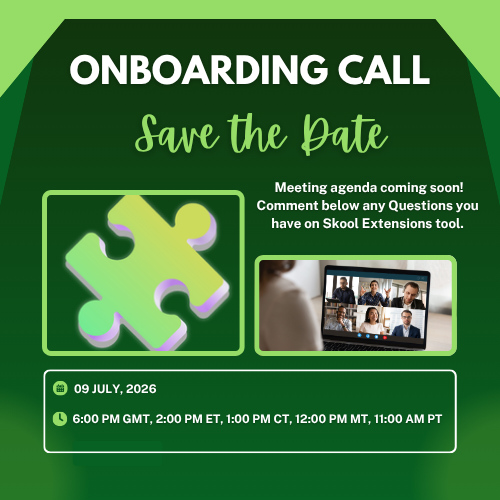
Save the Date: 09-July-2026 Onboarding Call
Hello Extension Members! On Thursday, July 9, 2026 we will be having one of two onboarding calls in the month of July. Here is the link to the call. If you cannot make the call live, then please comment below your questions. We will be sure to get them answered on the call or in this post. Thanks!
🔥
5 likes • Jul 9
Sounds great, thanks
🔥
Jun 20 •
Install on Mobile
Hi. How do I install on my cell phone, I'm using the Skool app. I clicked the link. It showed me that I installed it on my desktop, which I did. Do I need to uninstall the app and reinstall? TIA
🔥
1 like • Jun 20
@Marco Berlin can you asnwer this? I use my phone primarily and would love to be able to bookmark posts from my phone.
🔥
2 likes • Jun 21
@Marco Berlin ok thank you
🔥
Mar 10 •
🧩 Skool Extensions starting
skool-extensions.com I’m officially releasing my Skool Extensions! 🥳 Install the extension, give me your feedback and ideas, and spread the word! --- Hiermit veröffentliche ich offiziell meine Skool Chrome Extension 🥳 Installier dir die Extension, geb mir Feedback und Ideen und erzählt es weiter.

🔥
5 likes • Jun 20
@Kimberly Armatys I'd have to say bookmarks. How about you?
🔥
1 like • Jun 20
@Kimberly Armatys oh I love this!
1-6 of 6

🔥
@carrie-crews-2490
📍 MO | Thriving With Chronic Migraine
💻 Building Monthly Recurring Income
✨ DM LEARN for Free Trial
Active 2h ago
Joined Jun 17, 2026
Missouri
Powered by