Activity
Mon
Wed
Fri
Sun
Feb
Mar
Apr
May
Jun
Jul
Aug
Sep
Oct
Nov
Dec
Jan
What is this?
Less
More
Memberships
Ep - reMarkable Tablet Support
559 members • Free
5 contributions to Ep - reMarkable Tablet Support

13d •
so I have to be connected ?
So I have to plug in the cable every time i need the calendar to update? is the only way it updates, i have the setting setup for automatic connection every 30 minutes but it doesn't work. I am super unhappy with what i see so far. not what is advertised. I am not alone in this either. Buyer beware.
0 likes • 13d
caveat emptor
16d •
EP Calsync & Proton Calendar challenge
I have EP Calsync creating a closest thing to a Journal Calendar for 2026 and working on my reMarkable. I just have a challenge getting my Proton calendar to sync. I found that I had to go to my proton calendar and have it generate a link for me to share my calendar. There are instructions available from Proton to do this. When I added the link from Proton to the both the Settings within EP Calsync and modified my planner at the Calendar Tab with the link, I was able to see the events from my Proton Calendar. I have not figured out how to use the select calendar from the listbox in the Calendar section within Settings in EP Calsync... However, with it working with the link, this is redundant. While I do see the events from my Proton Calendar after I do a publish in the EP Calsync, any updates after that from either my iPhone, Destkop, or Web Interface to my calendar do not how up on the Remarkable. I also observe that any entries I make on the calendar from the reMarkable do not show up on my Proton Calendar either .... syncing does not appear to be occurring from either direction. Any recommendations to address this syncing issue? Bry
0 likes • 15d
I have selected the push option and I've set an update for ever 15 minutes to see if any updates occur... so far nothing...when disconnected from my computer. Am I to understand that calendar updates only occur when I plug the remarkable into my desktop running Calsync?
0 likes • 13d
Jason, I realize from a lot of the comment that you are extremely busy at the moment. Where I am currently at is that I'm able to push what passes as a Journal Calendar to my reMarkable when docked with current calendar information. For m, the journaling is what is important. Having a calendar to reference is a nice to have, though not mission critical. My question is this: Is the intent of Calsync to allow my reMarkable to update the calendar when I am not docked to my computer, in addition to allowing me to add what forms I need to my planner as you now call it? If it is the intent, and it is currently having a problem, can I expect an update? I'm just trying to set my expectations. I have this question in my mind as in Calsync I have the option of adding the calendar location to the planner so it would seem that the planner knows where to get the calendar information. If it is not, then that is ok too. I have my journal calendar that I was after and whenever I use Binder to replace my personal screens after a reMarkable update returned them to standard screens, I can expect my calendar data to update at that time as the only time I dock my reMarkable is after my screens are reset to standard in an update.

Dec '25 •
Not Syncing Calendar
Is cal sync supposed to sync the calendar without connecting and regenerating the calendar?
0 likes • 16d
I have the same issue. Using a Pro version 3.22.0.64 & Calsync version 1.0.17

Nov '25 •
Do You Use One or More reMarkable Tablets? Let’s Compare Workflows!
I’m curious — does anyone here use two reMarkable tablets? If so, how do you fit them into your daily workflow or creative setup? Do you split them by purpose (work vs personal)? Or maybe one is your planner while the other’s your sketchbook? Share your setup below — I’d love to see how you’ve made multiple devices part of your productive life. Let’s compare notes and maybe inspire some new ideas for getting even more out of your devices. ✍️
Poll
57 members have voted
0 likes • 16d
Yes. I have a Pro and a Pro Move
16d •
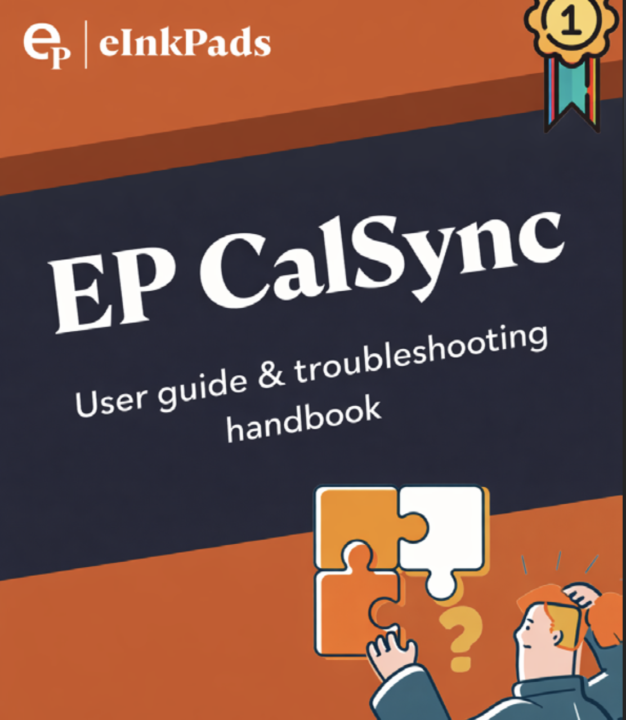
📘 reMarkable Tablet - Connecting External Calendars Guide
We’ve just released a step-by-step EP CalSync eBook to help you get set up smoothly and confidently. This guide walks through: - Installing EP CalSync (no installer required yet) - Enabling Developer Mode safely - Connecting your reMarkable via USB or Wi-Fi - Understanding device password vs screen passcode - Setting up Google, Apple, and Outlook calendars - Common troubleshooting issues (VPNs, firewalls, cables, adapters, macOS settings) It’s written to be plainspoken, calm, and practical — the same way we support you here in the community. If you’ve ever felt unsure about a connection issue or just want a clear reference you can keep handy, this guide is for you. 👉 Read or download the eBook here: https://docsend.com/view/j7sbsy4punyx3n6q As always, if you still have questions after reading, post them here and we’ll help you work through them.
1 like • 16d
Thank you Jason, I downloaded and reviewed it. I am looking for a solution to my syncing issue. I can see my calendar when I publish to my reMarkable, just no updates to it after that... unless I publish to my reMarkable again... I have created 2 planners, one to update every 6 hours and another to update every 15 minutes as I learn the product. Currently, neither one is updates.. Any assistance is greatly appreciate.
1-5 of 5