Activity
Mon
Wed
Fri
Sun
Aug
Sep
Oct
Nov
Dec
Jan
Feb
Mar
Apr
May
Jun
What is this?
Less
More
Memberships
Constellations
89 members • Free
Clief Notes
40.7k members • Free
32 contributions to Clief Notes

👑
⭐
Mar 2 •
Who's here? Drop your intro.
Tell us three things: 1. What you do (job, industry, student, career-changer, whatever) 2. What brought you to Clief Notes 3. One thing you're trying to figure out right now related to computing or AI I'll respond to every single one. And read each other's intros too because the person who's stuck on the same problem as you might already be in this thread. I'll go first I am Jake, I have been working in tech for 15 Years, building with Generative AI for 3 Years straight now! Excited to teach and learn! That's it. Simple, scannable, gives you data on who's joining and what they need, and keeps the feed clear for content that retains people past week one.

0 likes • Apr 4
@Jake Van Clief estimation and quote calculation is my initial focus
0 likes • May 20
@Conor McCarthy woot woot 🙌
👑
⭐
May 6 •
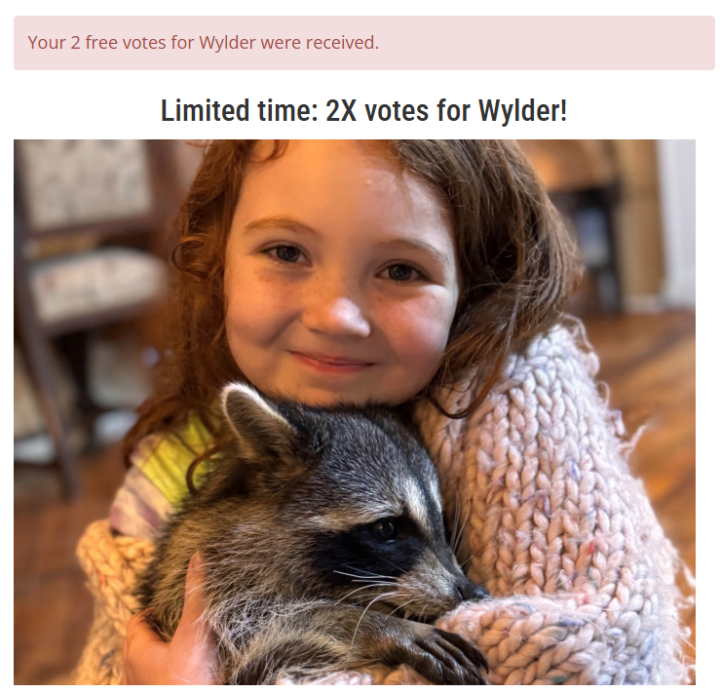
I come asking for help! (NEW ROUND! VOTE ONCE A DAY PLS)
Because of the Amazing support you all gave for the first Round Wylder (my step daughter) made it into the second round! You can vote once a day and some days are 2x votes ! I would love love love if any of you support her going to work with some of the best animal rescues in the world to just cast at least one free vote if you can! You can vote here! Not Ai related so sorry for that ! Wylder | Junior Ranger
1 like • May 11
new vote cast :-)
0 likes • May 20
Done!
👑
⭐
May 11 •
🏆 WEEKLY COMP #3 WINNER ....
Before I get to the who and why, I want to say this plainly. Picking a winner this round was genuinely hard. I went through every submission. Pulled repos. Read identity files. Compared rules.md sections. Every entry did real work. A lot of you shipped something I would happily use, sell, or hand a client tomorrow. I can NOT explain to you how proud I am of everyone participating in these, you make this community worth and it and there is SO much potential for the future from just ONE competition let alone future ones. 💼 That part matters more than the prize. The $325 covers a year of Premium and that's great but... The portfolio piece is the real value here. A public repo of a working folder-based AI specialist with a clean README and receipts is a resume line that hiring managers can clone and test cold in five minutes. It is also something you can charge for. If you built a specialist that solves a real problem in a real domain, you already have most of what you need to license it to a peer in your industry, sell it as a service, or package it as a Done-with-You engagement. A few quick notes on that, because most of you did not realize what you actually built and I want to Highlight a few of you: 💸 @Nicolas Patron Uriburu USD Routing Coach AR could be sold to every Argentine indie consultor I know. Same playbook works for any country with FX restrictions. Subscription service, recalibrated annually, audit-pack included. It is a product. 🔗 https://github.com/Nicopatron/usd-routing-coach-ar 🔧 @Jannetje van Leeuwen RAMS specialist is a service business in waiting. Irish signage contractors will pay for this. Same model works for any trade with a regulatory documentation burden. Plumbing, electrical, fit-out, demolition. Each one needs its own folder. 🔗 https://github.com/JannetjeIQ/rams-irish-signage-installer
2 likes • May 11
oh that is just awesome 🥳🥳🥳 congrats @Ruben Aguirre - amazing - i'm booking a discovery call! And the others too! I'm so impressed Going to check them all out. Very curious to see @Virgilio Robinson 's ICM Workspace Builder i naction.

May 9 •
Do What You Can't.
"The haters, the doubters are all drinking champagne in the top deck of the Titanic… and we are the iceberg." — Casey Neistat A couple of days ago I rediscovered one of my favorite YouTube videos, posted 9 years ago by Casey Neistat. The premise is simple: everyone will tell you what you can't do. In life, in business, in relationships. In our case, with AI. F*&% that. When I joined this community a month ago, I didn't know what a markdown file was. Couldn't build a workspace or a system. Had no idea what "IDE" stood for, let alone how to build and deploy skills in Claude. That being said, I did the thing anyway. And now I'm building and solving things in ways I never imagined. If you're new: welcome. Do what you can't. If you've been here a while: keep doing what you can't. This is one of the best communities on the internet. Grateful to be in it.
1 like • May 10
Love it too!
1-10 of 32
@jannetje-van-leeuwen-8714
Owner of IQ Branding Solutions. Mother, creator of impactful brand experiences, AI-literate business builder, choir singer, and lifelong learner.
Active 15d ago
Joined Apr 3, 2026
Powered by