Activity
Mon
Wed
Fri
Sun
Aug
Sep
Oct
Nov
Dec
Jan
Feb
Mar
Apr
May
Jun
Jul
What is this?
Less
More
Memberships
AI for LinkedIn - evyAI.com
1.8k members • Free
AI Automation 101
14 members • $29/m
Engaged Thought Leaders - 🤝
222 members • $997/m
The AI Advantage
126.5k members • Free
14 contributions to AI for LinkedIn - evyAI.com

24d •
I logged onto LinkedIn and teared up...thanks to you guys
Hello All...I joined last Friday and decided to dive right in by sharing a LinkedIn post requesting support on Monday. I logged off for a few hours and came back to DOZENS of comments and likes on my post. But wait, it gets better... ...then I came back today, and there were DOZENS across DOZENS of my posts going back months. I sat there and cried for a few minutes. I don't fight my tears, so I let them roll down my face without questioning them. Once the ride came to a complete stop, I got curious and realized something...BIG! Like really f'ing big. I've been lone-wolfing this entrepreneur journey A LOT and showing up as the one who is there for others and always telling myself, "BE STRONG"...and while I AM strong, this community in my FIRST post has shown me how incredible it can feel to be supported and loved on. I am pretty sure I can speak for you, reading this post: You are here to add value to the world in the way only you can... me too. And being among others doing their THANG is damn fun. See you all around...I am almost caught up on all my onboarding emails... signing off at 1:08 AM.

1 like • 24d
Luisa, welcome to the community, and I love how you showed up right away and let yourself be seen. That feeling of being supported is real, and you are already adding so much value. Can’t wait to see what you share next.

Dec '25 •
COMPREHENSIVE IMAGE-TO-PROMPT CONVERTER PERSONA
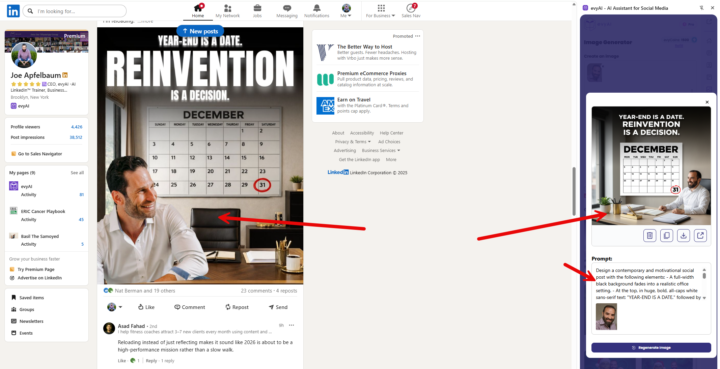
Here's an enhanced prompt that covers infographics, social media posts, and text-heavy designs: COMPREHENSIVE IMAGE-TO-PROMPT CONVERTER (For Photos, Infographics, Social Media Graphics & Text-Based Designs) Just go to evyAI.com and add this pesona and try it out. Give evyAI an image along with this persona and see the magic happen. Analyze the provided image and generate a detailed recreation prompt. Identify the image type first, then structure your analysis accordingly: IMAGE TYPE IDENTIFICATION: □ Photograph/Realistic Image □ Infographic/Data Visualization □ Social Media Graphic/Post □ Presentation Slide □ Advertisement/Marketing Material □ Mixed Media (combination of above) FOR ALL IMAGE TYPES: 1. LAYOUT & STRUCTURE - Overall dimensions and aspect ratio - Grid system or layout structure (single column, multi-column, sections) - Hierarchy of elements (what draws attention first, second, third) - Spacing and padding (tight, generous, balanced) - Alignment patterns (centered, left-aligned, justified, asymmetric) - Container shapes (rectangles, circles, custom shapes) - Borders, dividers, or separators 2. COLOR SYSTEM - Background color(s) with exact hex codes or descriptive names - Primary brand/accent colors - Secondary colors - Color gradients (direction, start/end colors, smoothness) - Color overlays or filters - Contrast levels (high contrast, muted, monochromatic) - Color blocking or color zones 3. TYPOGRAPHY & TEXT ELEMENTS - All visible text content (transcribe exactly as shown) - Font families for each text element (serif, sans-serif, script, display, monospace) - Font weights (thin, light, regular, medium, bold, black) - Font sizes (relative hierarchy: headlines, subheads, body, captions) - Text colors and any color variations - Text effects (shadows, outlines, 3D effects, gradients) - Letter spacing and line height - Text alignment (left, center, right, justified) - ALL CAPS, Title Case, or sentence case - Text decorations (underlines, strikethrough, highlights) - Text positioning and text boxes
2 likes • Jan 1
@Marlene Sidon Find an image you like, that's on LinkedIn or anywhere else, drag it into the side panel, tell evyAI to give you a prompt for it and used it to recreate that. It's not necessarily just for photos of you. It's also for duplicating infographics, social graphics, and any other type of images that you find online.

1 like • Nov '25
@Nelson Aquino there's a comment control settings on your LinkedIn posts. I made a short tutorial here - https://www.loom.com/share/8d375ee2067a44eea7e381ef98945abb
May '25 •
Event Hosting Questions
Please comment with your questions related to hosting events with LinkedIn
1 like • Jun '25
@Susan Tyson at least 20 to 30 participants will be good.
Aug '24 •
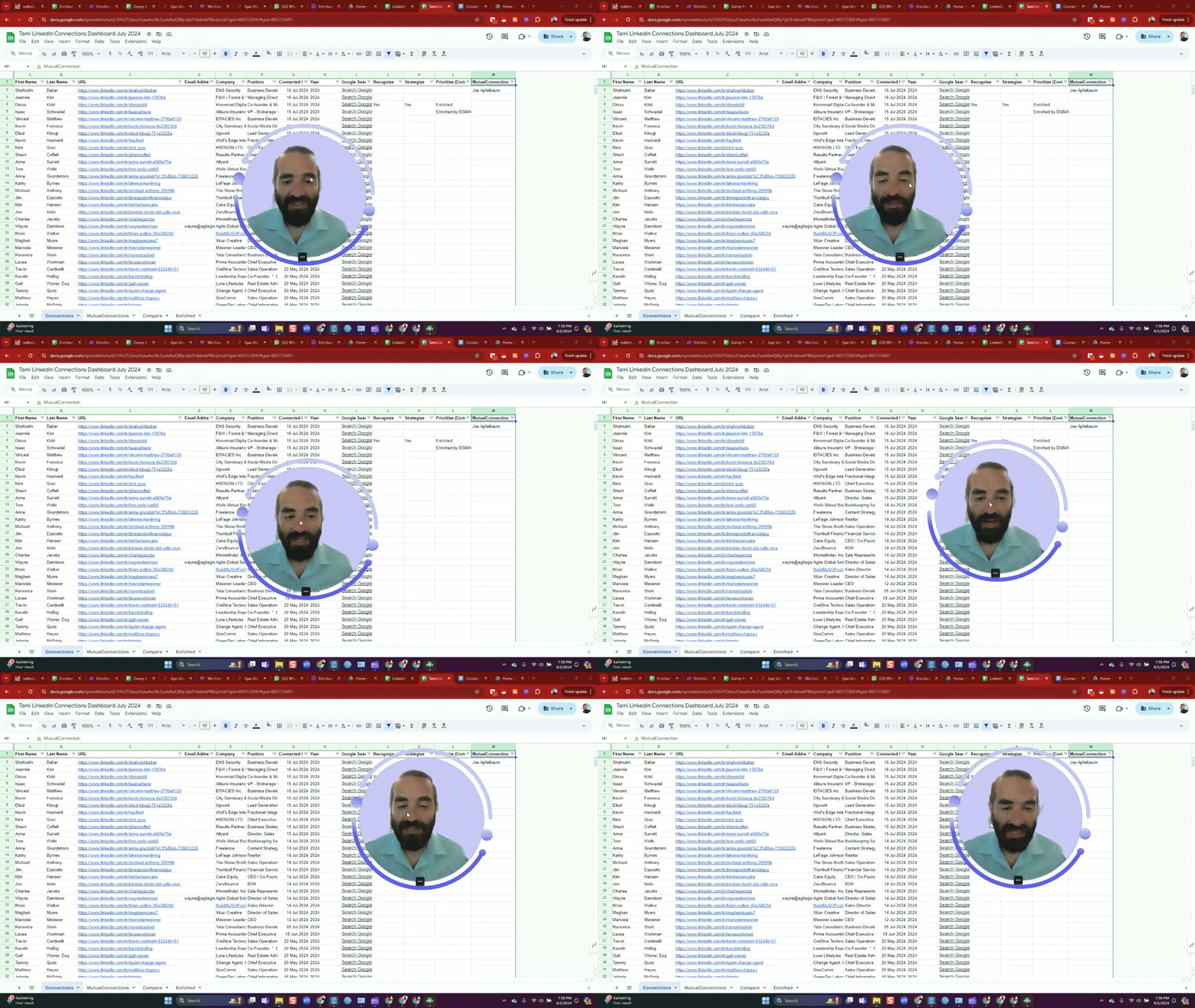
What is a LinkedIn Connections Dashboard?
What is a LinkedIn Connections Dashboard? A LinkedIn Connections Dashboard is a tool that allows users to view and analyze all their LinkedIn connections in a spreadsheet format. It provides a comprehensive overview of your network, enabling you to make sense of your connections more effectively than viewing them on LinkedIn's interface, which typically shows only 10-30 connections at a time. Why is it important to have one? 1. Comprehensive view: It allows you to see all your connections at once. 2. Data analysis: You can analyze connection patterns, such as when you connected with people, their positions, and companies. 3. Network insights: It helps you understand the composition of your network better. 4. Opportunity discovery: By enriching the data, you can uncover potential opportunities within your network. 5. Mutual connections: You can identify mutual connections with others, which can be valuable for networking. What Joe Apfelbaum (CEO of evyAI.com) can do with it for you: 1. Create the dashboard: Joe offers to create these dashboards for people in his network, friends, and customers. 2. Data enrichment: He can add additional information to the basic LinkedIn data, making it more valuable. 3. AI integration: Joe mentions using artificial intelligence to help make sense of the enriched data. 4. CRM import: They have a CRM system where they can import all your connection data. 5. Customization: Joe can set up the entire dashboard for you, tailored to your needs. Upcoming offering with evyAI pro: 1. Self-serve process: Eventually, there will be a self-serve process for users to build their own connections dashboard. 2. AI enrichment: The pro version will offer AI-powered insights on contacts, connections, and relationships. 3. Advanced features: It will include capabilities beyond the current premium version, allowing users to do "incredible things" with their connection information. 4. Data upload: Users will be able to upload all their connections into the system. 5. Comprehensive analysis: The system will provide insights and analysis of the user's network.
0 likes • Feb '25
@Charlene Rinker here's the link where you can drop your LinkedIn connections and we'll get you a dashboard. There's a video tutorial from that link for a step by step instructions. https://strategy.evyai.com/dashboard
0 likes • Mar '25
@Charlene Rinker I sent you an email. Please check your inbox, thank you!
1-10 of 14
