Activity
Mon
Wed
Fri
Sun
May
Jun
Jul
Aug
Sep
Oct
Nov
Dec
Jan
Feb
Mar
Apr
What is this?
Less
More
Owned by Matthew
Practical AI training for work and life. Hands-on lessons with Claude, ChatGPT, and automation tools. Built for people ready to use AI.
Memberships
Claude Code Kickstart
538 members • Free
Skoolers
194.7k members • Free
AI Automation Society
342.1k members • Free
AI Bits and Pieces
699 members • Free
AI Automation Society Plus
3.5k members • $99/month
97 contributions to AI for Life

🔥
6h •
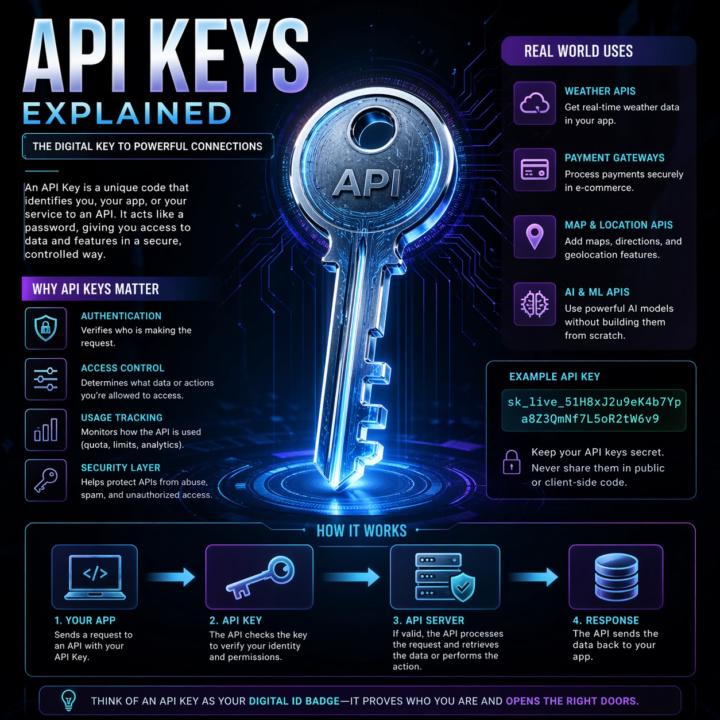
APIs, explained the way I explain them to clients.
Most automation problems I see trace back to a fuzzy mental model of what an API actually is. So here's the frame I use with clients. An API is a remote control for software. Your app presses a button (sends a request). Another app does something and sends back a result (a response). You don't see how the other app works inside. You just follow the rules printed on the buttons (the docs). That's it. That's the whole concept. Two analogies that work in client calls: Restaurant menu. The menu lists what you can order and how to ask for it. Kitchen is hidden. Meal is the response. Light switch. Flip the switch (request). Wiring, grid, power plant are hidden. Light turns on (response). Same idea either way: clear inputs, clear outputs, hidden complexity. The actual call pattern: 1. Client asks (your app, browser, script) 2. Request goes out with a URL, a method (GET, POST, etc.), and any data the server needs 3. Server does the thing 4. Response comes back, usually JSON Break any of those rules and you get an error, not data. Why this matters for builders: - Reuse beats rebuild. Use Stripe's API instead of building payments from scratch. - Complexity stays hidden. You don't need to know how Twitter stores tweets to pull the last 20. - Access is controlled. APIs decide what's exposed, who can call it, and how often. Security still depends on the implementation, but the boundary exists by design. - Apps mix APIs like ingredients. Maps, payments, email, auth, all stitched together. When two pieces of software talk in a structured, agreed way, they're using an API. Every n8n node, every Claude Code tool call, every trigger. All APIs under the hood. What analogy do you use when a non-technical client asks what an API is? Curious what lands for other builders. Highly recommended related information: Check out @Michael Wacht 's Daily Dose: https://www.skool.com/ai-automation-society-plus/ai-terms-daily-dose-api-use?p=5c08d0bf
🔥
0 likes • 52m
@Michael Wacht So true, and I think we struggle because it's really hard to visualize the hidden elements in the equation. 👊🏻
🔥
4d •
Claude Code just shipped /ultrareview. Here is the practitioner breakdown.
Anthropic dropped a new slash command called /ultrareview in Claude Code v2.1.111, and it quietly changes how I review my own code before I ship it. Here is what it does, when to use it, when to hold back, and the catch most people are glossing over. What it actually is /ultrareview runs a full code review in the cloud using parallel reviewer agents while you keep working locally. - Type /ultrareview with no arguments. It reviews your current branch. - Type /ultrareview 123. It pulls PR #123 from GitHub and reviews that. By default it fires up 5 reviewer agents in parallel. Configurable up to 20. Each agent independently scans your diff for real bugs, and the command only surfaces a finding after it has been reproduced and verified. No "you might want to use const" noise. No lint-style nagging. Verified findings only. When to pull the trigger Spend a run when the cost of a missed bug is real: - Payment code - Auth changes - Database migrations - Large refactors touching many files - Any pre-merge review on a business-critical branch Do not burn a run on a one-line typo fix. The value lives in wide, high-stakes diffs where a human reviewer would take an hour and still miss something. The catch Users are reporting three free runs total on Pro and Max plans. Not three per month. Three, period. After that it meters against your plan. Treat them like good steakhouse reservations. You do not book one to show up and order a side salad. How I am using it 1. Finish a feature branch. 2. Run my own tests locally. 3. Fire /ultrareview before I open the PR. 4. Read the findings. Fix what matters. Push. 5. Only then ask a human to review. It does not replace a human reviewer. It does catch the things your eyes stopped seeing three hours ago. Try it Update Claude Code to 2.1.113 or later. Inside a git repo with real changes, type /ultrareview. Watch the fleet spin up. Come back in a few minutes. Feel free to share your initial result in the comments. I’m curious to see what it revealed about the code you deemed clean.

🔥
1 like • 2d
@Antonio Capunzo Hey, my friend Antonio. They're all really good at what they do. But I would only use the /ultrareview for a production-level test because it's very expensive to run and you're limited in how many times you can actually run it per month.
🔥
1 like • 2d
@Antonio Capunzo great to hear from you!
🔥
2d •
Opus 4.7: 10 things that actually matter
A practitioner read on the April 16, 2026 release. Numbers cited are from Anthropic’s system card or named partner benchmarks. ## 1. Coding is the real jump SWE-bench Verified 80.8% → 87.6%. SWE-bench Pro 53.4% → 64.3%. CursorBench 58% → 70%. Anthropic’s internal 93-task benchmark reports a 13% lift across the suite. Rakuten’s partner eval claims 3x more production tasks resolved vs 4.6. On multi-file work, fewer back-and-forth loops and more one-shot fixes. ## 2. Agents run shorter and cleaner Long-running loops reason more before acting. Notion AI reports ~14% improvement on multi-step workflows at one-third the tool errors. Box’s figure: average calls per workflow dropped from 16.3 (4.6) to 7.1 (4.7). Fewer decisive steps instead of noisy chatter. ## 3. Vision is finally usable for screenshots Resolution 1,568px (1.15MP) → 2,576px (3.75MP) on the long edge, roughly 3x. XBOW visual-acuity 54.5% → 98.5%. OSWorld-Verified computer use 72.7% → 78.0%. This is the change that actually unlocks dense-UI automation, diagram parsing, and screenshot-based QA. ## 4. Still 1M context Context window and output limits match 4.6. Pipelines built around long documents or extended chains don’t need architectural changes. Self-verification is better, so coherence over long multi-step runs holds up longer. ## 5. Honesty and safety moved the right direction Reduced hallucinations and sycophancy, tougher against prompt injection. Good for client-facing systems. Note: 4.7 is also more conservative around offensive security work. Anthropic launched a Cyber Verification Program for approved red-team use cases. ## 6. Sharper codebase understanding CodeRabbit reports more real bugs found, more actionable reviews, and better cross-file reasoning than any model they’ve evaluated. The model builds a more persistent internal map of a repo instead of brute-forcing every file. Claude Code also shipped a new `/ultrareview` command for dedicated review passes. ## 7. New xhigh effort tier
🔥
1 like • 2d
@Diane McCracken you may have to revise some of your prompts.
🔥
0 likes • 2d
@Michael Wacht more with the same.
🔥
10d •
Claude Code Features You're Probably Not Using Yet
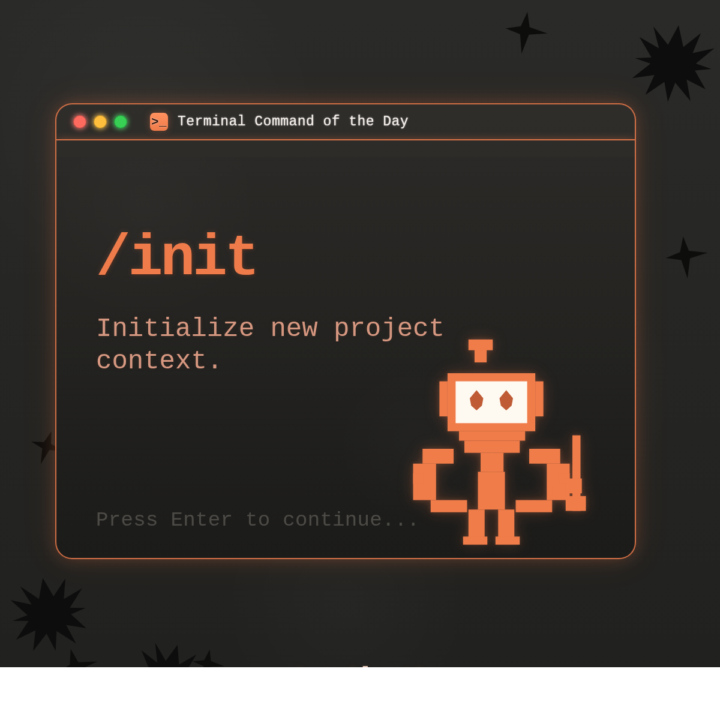
Claude Code ships updates almost weekly. If you installed it even a month ago, there's a good chance several features dropped after your setup. Two minutes of catching up will change how you use it. WHAT THIS IS: A walkthrough of built-in Claude Code features that don't show up in any onboarding flow. They're live right now. You just have to know they exist. WHY IT MATTERS: Each of these saves real time on real work. CLAUDE.md alone changed how I start every project. Hooks automate things I used to do manually every single time. These aren't nice-to-haves. They're the gap between using Claude Code and actually getting results from it. HOW TO USE IT: 1. CLAUDE.md Create a file called CLAUDE.md in your project root. Put your preferences, coding standards, and project context in it. Claude reads this automatically at the start of every conversation. You teach it once, it remembers every session. Or run /init and let Claude generate one for you by analyzing your codebase. 2. /cost Type /cost to see exactly what you've spent in the current session. Tokens in, tokens out, running total. No surprises. 3. Plan Mode Press Shift+Tab before a big task. Claude will think through the approach and show you a structured plan before writing any code. Review it, adjust it, then let it execute. This prevents the "it built the wrong thing for 20 minutes" problem. You can also type /plan to enter it directly. 4. Hooks Shell commands that fire automatically when Claude does something. Want to auto-format every file after an edit? Run tests after every code change? Block dangerous commands before they execute? Hooks handle all of it. Configure them in .claude/settings.json. They're deterministic. They fire every time, regardless of what the model decides to do. 5. Memory Claude Code persists notes across sessions in ~/.claude/ and loads them automatically. When you correct it or state a preference, it saves that and applies it in every future conversation. I told mine once to never use em dashes in my writing. It hasn't used one since. Type /memory to view or edit what it has stored.
🔥
1 like • 8d
@Michael Wacht Great analogy!
🔥
0 likes • 3d
@Mike AI Consultant

🔥
1 like • 4d
@Diane McCracken Let’s delve into the core of my rules for discipline. Always complete tasks that you, Athena, are capable of. Never instruct me to perform tasks that you can do. This rule holds significant importance in our hierarchy. Your use of the word “lazy” or your disregard for my directive are deeply concerning to me.
🔥
1 like • 4d
@Diane McCracken And if one more random person suggests that I just have to tell her then she'll do it. Tells me they haven't spent a significant amount of time iterating and building.😇
1-10 of 97

🔥
@matthew-sutherland-4604
AI Automation Architect @ ByteFlowAI | Host of AI for Life (Claude.ai, CoWork, Claude Code for Mac). Execution first.
Active 48m ago
Joined Feb 18, 2026
Mid-West, United States