
Pinned
🔥
2d •
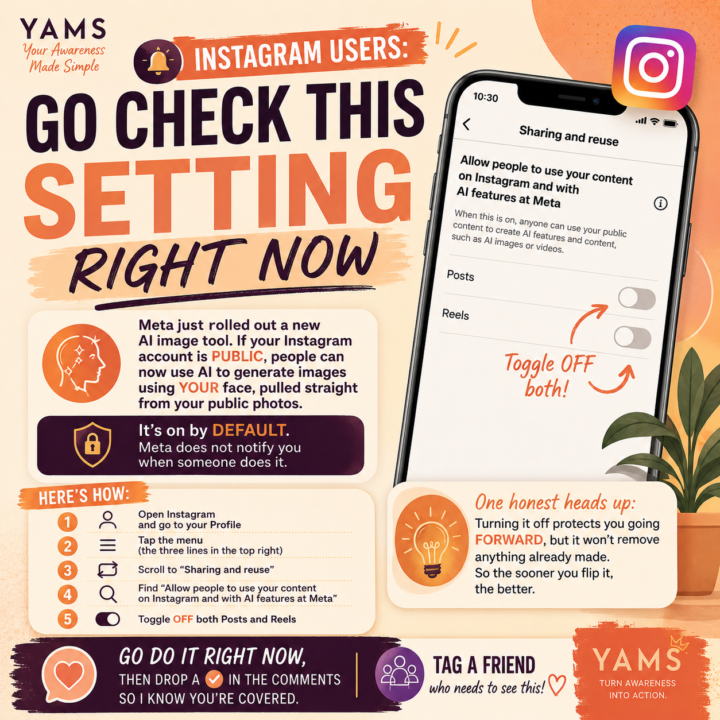
🚨 YAMS Awareness Alert: Check Your Instagram AI Settings Today
One of the biggest advantages you can have with AI isn’t knowing every new tool. 😲 It’s paying attention to the small settings that affect your privacy before everyone else notices. Meta has introduced AI features that can use content from public Instagram accounts. If your account is public, it’s worth taking a minute to review how your photos and videos can be used with Meta’s AI features. Here’s how to check your settings: • Open Instagram and go to your Profile • Tap the ☰ menu in the top-right corner • Select Sharing and reuse • Look for “Allow people to use your content on Instagram and with AI features at Meta” • Review the options for Posts and Reels and choose the setting that matches your preferences This post isn’t about creating fear. It’s about creating awareness. 👀 The more you understand the platforms you use every day, the more intentional you can be about protecting your content and your personal brand. Remember, Awareness is the advantage. 😉 If you found this helpful, leave a ✅ below so other members know to check their settings too. Hope you’re having an awesome week! 🫶🏽 Whit
Pinned
🔥
4d •
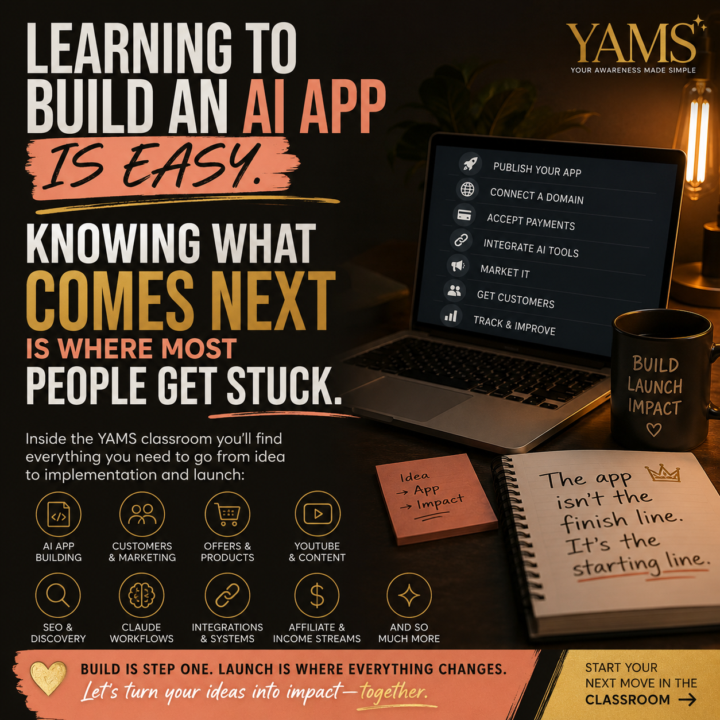
Learning to Build an AI App Is Easy. Knowing What Comes Next Is Where People Get Stuck
Building an AI app is easier than publishing it, marketing it, connecting it, and getting people to actually use it. One of the biggest patterns I’ve become aware of lately is this…Learning to build the AI app isn’t where most people get stuck anymore. Knowing what comes next is. Common questions I see include: - How do I publish it? - How do I connect a custom domain? - How do I accept payments? - How do I connect an AI phone system? - How do I automate the workflow? - How do I find customers? - How do I turn this into something people actually use? Those are the questions that separate building an app from building a business and AI has made creating easier than ever. But launching, refining, marketing, connecting systems, and creating an experience people actually want to use—that’s where momentum is either created or lost. That’s one of the reasons YAMS continues to evolve. The classroom was never meant to be just a collection of prompts. My goal has always been to build the resource I wish I had when I started—one that helps bridge the gap between “I built something” and “I launched something that creates real impact.” Inside the classroom you’ll find resources on building AI apps, Lovable, Claude workflows, finding customers who are ready to buy, creating offers that convert, SEO, YouTube, affiliate marketing, automation, content strategy, and the systems that help connect all the moving pieces together. And if it’s been a while since you’ve explored the classroom, I encourage you to take another look. I’ve been reorganizing it, expanding existing modules, adding new lessons, and creating resources based on the patterns I’m seeing across the community. In fact, while you’re reading this, there’s a good chance I’m working on another update. My goal is simple. I don’t just want to help you build with AI. I want to help you launch with confidence. Because learning to build the AI app is only the beginning. Knowing what comes next is what turns an idea into something people can actually discover, use, and pay for.
Pinned
🔥
5d •
Your Brand Photos Should Be Doing More Than Sitting in Your Camera Roll 👀
AI image-to-video tools can turn one professional photo into promotional content for your business, product, app, merch, YouTube channel, Skool community, or almost anything else you’re building. And no, I’m not only talking about making a photo blink, smile, or randomly walk across the screen. 😂 The real opportunity is using AI to create the brand moments you wish you had filmed. For example, I started with a professional image of myself and converted it into behind-the-scenes footage from what looked like a real office brand shoot. Instead of simply posting another polished photo, I created a scene with movement, a photographer capturing the moment, and the energy of a larger commercial-style production. That one image could now become part of a business introduction video, a website banner, a Reel about working behind the scenes, a promotional video for my services, a personal-brand commercial, or even the opening scene of a longer video about my professional journey. That is where this becomes much more valuable than a fun AI effect. Imagine turning a photo of yourself wearing your merch into footage from a complete campaign shoot. A screenshot or promotional image of your app could become part of a cinematic launch announcement. A photo of you sitting at your desk could become behind-the-scenes footage of you building your business. A YouTube headshot could become a scene of you preparing your camera, adjusting your microphone, or walking onto your set. A product photo could become a lifestyle commercial showing the product being opened, displayed, or used. A Skool community owner could even transform one branded image into footage that feels like they are welcoming members into a workshop, classroom, or live event. You are not limited to recreating what already happened. You can visualize the story you want people to associate with your brand.


🔥
1d •
07.15.26 Quote of the day 🌿
Everything negative — pressure, challenges — is all an opportunity for me to rise." — Kobe Bryant


1-30 of 306
skool.com/yams
YAMS isn’t another prompt sharing group. We use AI as a strategic thinking partner to validate ideas and build apps, offers, and tools people want.
Leaderboard (30-day)
1
🔥
+647
2
🔥
+461
3

+309
4

🔥
+252
5

+70
Powered by