
Write something
Pinned

Mar 3 •
welcome to the skool 🤝
follow these instructions to get started: ✅ Step 1: Go to the 'Classroom' section & open the 'Start Here' course. ✅ Step 2: Open the 'Start here' module & start watching. ✅ Step 3: Everything will be explained from there on! See y'all in the modules! Next Steps ➡️ - If you're brand new to AI & Claude, start with the new Cowork 101 Course 🦾 - If you're comfortable with Claude and looking for a setup that's a little more advanced, start with the AI Second Brain 2.0 Course 🔥 - If you're ready to create INSANELY valuable automations using AI to compltely transform businesses, go to the AI Automations Course (For Businesses) 💻💸 Work with me 🤝 - 🦾 If you're a business owner who'd like to hire me & my team of engineers to build automations/software/AI agents for you, go here: https://www.seven80labs.com/ - 👥 If you'd like my 1-1 consulting to help you learn how to implement AI in your business, book a demo call here: https://cal.com/1-1-ai-consulting - 👾 If you want to check out SGNL (the web app I'm developing w/ my team) you can try it out for free for 7-days here: https://www.sgnl.so/
Pinned
3d •
thank yall so much for 25k members ❤️🥹
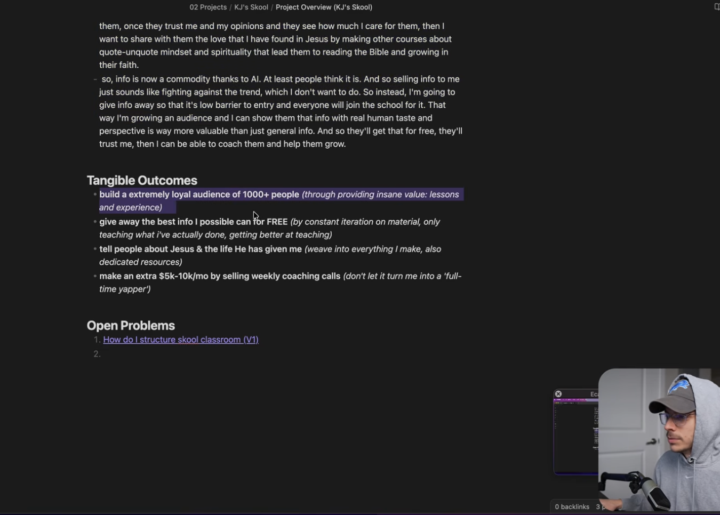
when I started this skool back in March, the 'goal' I wrote in my second brain was to get 1000 members.... fast forward a few months and God has blessed me more than my wildest dreams: ~ there are 25,000 of yall in here now ~ 😱😱😱🤯🤯 i'm so thankful to God for His blessing on this skool & courses AND I'm so thankful for each one of you making this community as awesome as it is ❤️📈 📖 Proverbs 16:3 - Commit to the LORD whatever you do and He will establish your plans. I really can't explain how much peace and joy comes from trusting Jesus with your life & work. He has turned my life around and I never want to go back to following my own ways haha! I'm so thankful God has provides for me each month which allows me to keep these courses & the skool free. thank you to each one of yall for being here & God bless 🙏🏽 (More exciting stuff on the way!)
Pinned
10d •
MY BEST AI COURSE YET... (NOW LIVE! 🔥🦾)
I just released the BEST AI course I've ever created... and it's 100% free! 😄 In the new "Advanced AI Automations (For Businesses)" course, I go over EXACTLY how to implement AI automations into literally ANY business model. 📈 (10+ business owners have paid me thousands of dollars to help them with this; you're getting it today for free 👀) Here's what's included: 📕 Part 1: You'll learn the principles of AI, systems, and building systems WITH AI. So that you'll FINALLY understand what AI actually is, how it works, and how to leverage it. 📘 Part 2: You'll get my exact automations building template, including workspace setup, agents setup, and context structuring. + You'll learn how to create 3 levels of automations (Beginner, Intermediate, & Advanced) 📘 Part 3: You'll get to see each level of AI autiomations that I've built in REAL businesses & real world applications. Along with some bonus thoughts & insights on AI building. Grab a coffee and let's dive in! 🔥 JUMP IN HERE! 👉 #0. Intro & Overview If you wanna watch the YouTube version, go here: https://youtu.be/CC-BicbKeMU?si=YsminxN43XbcytQ8

Mar 6 •
SETTING UP CLAUDE FOR WINDOWS
I got stuck for a long while on the "Instant setup (magical) module" If your like me on windows and got stuck, your answer might be in here REMEMBER IF YOU GET STUCK JUST ASK CLAUDE If you get stuck at the skills files - Press Windows + R, type "optionalfeatures", hit Enter/OK - Look for Hyper-V in the list and make sure it's checked (including all sub-items) - Click OK and restart when prompted - Try again, if not move to next step 2. Enable virtualization in your BIOS/UEFI This is the most common culprit. Hyper-V won't work if virtualization is disabled at the hardware level: - Restart your PC and enter BIOS (usually by pressing F2, F10, F12, or Del during startup — depends on your motherboard or just look it up if you cant find your key, you can also get into the BIOS through your settings) - Look for a setting called Intel VT-x, Intel Virtualization Technology, or AMD-V or SVM mode (depends on your CPU) - Make sure it's Enabled - Save and exit - Try again 3. Drag the files in to the cowork instead of double clicking Click on all of them "Copy to my skills) then you should be good to go

12h •
Obsidian x Claude integration - stuck at 2nd Terminal step
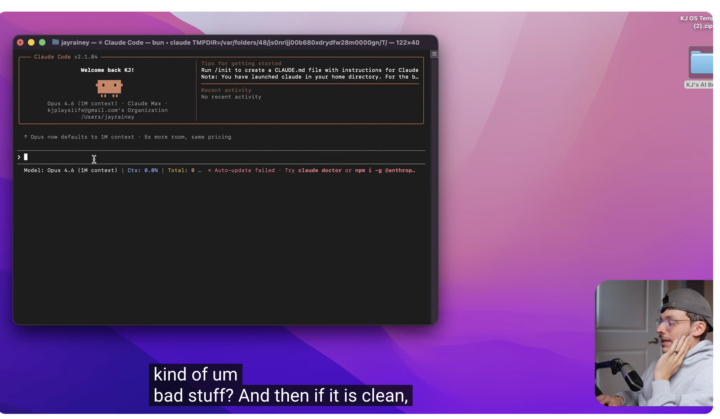
I started the Obsidian x Claude integration yesterday. I am getting stuck at the 2nd Terminal step (where you ask Claude to verify the GitHub link is clean) I’m not getting any response, even though Claude appears to be « installed », the interface looks different than yours. Screenshots attached. Help would be much appreciated, I'm very keen to start using the integration. Thanks guys!
1-30 of 602

skool.com/useful-ai
Learn how to automate REAL systems in your business with AI.
Join 20,000+ builders, business owners, and high-level employees mastering AI.
Leaderboard (30-day)
1

+61
2

+43
3

+24
4

+16
5

+11
Powered by