Write something
Pinned

Jul 13 •
Introducing The Linuxbook Pro 2.0
My upcycled Macbook Pro, formerly misnamed “lb-air”, that was running Fedora Workstation 43 has been wiped and reimaged with a custom Arch Linux build; outlined below. “But why?” you may be asking yourself, well, Fedora WS 43 was too stable. It just worked. And while it was the perfect environment for a beginner like me, I wasn’t learning much because the OS was doing everything for me. I was learning but it was slow--too slow for me. So I decided to start researching other Linux distributions (distros) and saw a few that I might like. During my research, there was one OS that kept getting mentioned, far and wide, by many people, Arch Linux. “Arch is the best!” was consistently repeated on every platform I landed on. So I decided to check it out. And much to my surprise, Arch ended up sounding like exactly what I wanted; a live fire DIY Linux environment that will teach me more about Linux and CLI by doing. So what is Arch Linux? Arch is a rolling-release, x86_64, GNU/Linux distro built with the KISS philosophy, “Keep It Simple, Stupid,” as its core tenet. Arch itself includes a minimal set of packages which then allow you to further add to build the exact system you want. This means you have total control over every aspect of your system, but this is a double-edged sword. Total control also means the user has total responsibility for the security and stability of the system. And while the sovereignty gained is incredibly nice, it is a lot of work. That is the major downside of using Arch; it is a labor of love to build and maintain, however, what you get out of it is an operating system that aligns with your vision and works exactly as you built it to. People with a stronger Linux foundation will have a much smoother time than I did, but I was ultimately able to complete my desired, custom, Arch install manually. If I can do it, then, if you’re determined, you can do it too! And while it took me 4 hours, 59 minutes, and 38 seconds from full wipe to functional, I’m proud of it and I learned an immense amount that I never would’ve otherwise.

Pinned
Feb 12 •
AI FOR EVERYDAY #1 - Google's NotebookLM
I wanted to get the ball rolling on explaining some of the work I’ve been doing with AI, so I decided to create a new series, AI For Everyday (AIFED). In this series I’ll be going over some of the helpful ways that I’ve been able to incorporate AI into my everyday life to be more informed, more efficient, and ultimately achieve better outcomes. This will be in addition to another series I am working on as an introduction into AI and various AI tools, but that is still in progress at this time. But, without further ado, AI FOR EVERYDAY #1 - Google’s NotebookLM See the attached PDF for my introduction to Google's Notebook, and a how to on how you use it yourself! https://notebooklm.google.com
Pinned
Jan 2 •
Welcome To The Forge - Where Mastery Is Made
Welcome! I'm Michael Roby, and this is my space dedicated to consistent learning, improvement, and disciplined reflection. Here in The Forge, I'm sharpening three blades: - Artificial Intelligence (AI) & Machine Learning (ML) - Linux Command-Line Interface (CLI) - Tanking Mythic+ in World of Warcraft as a Guardian Druid I'll be sharing resources, insights, tips, and handy tricks — so be sure to join and walk with me as I learn these lessons and grind toward mastery. It's free! And remember: you are the only one who can forge a better life for yourself.
Feb 25 •
The Perfect Font
After personally struggling with fonts for readability in various environments, I've just found what I would consider to be the perfect font; Jetbrains Mono (normal). https://www.jetbrains.com/lp/mono/ Jetbrains Mono is special because ... - Open Source and Free: Licensed under Apache 2.0. - Distinct Characters: No more confusing O or 0, or 1, i , and l. - Increased Letter Height: Enhanced x-height for much better readability - Consistent Character Widths: Uniform width of all characters. - No Character Overlap: F and t won't flow over other letters. - Massive Language Support: Supports 152 different languages! - Versatile Weights: Includes 8 clear weights, each with its own italics version. - Coding Ligatures: Includes 142 coding-specific ligatures to make logic easier to scan. - Universal Support: Works everywhere from your terminal to Word. Check it out yourself!
Apr 26 •
Introducing My Linuxbook Pro!
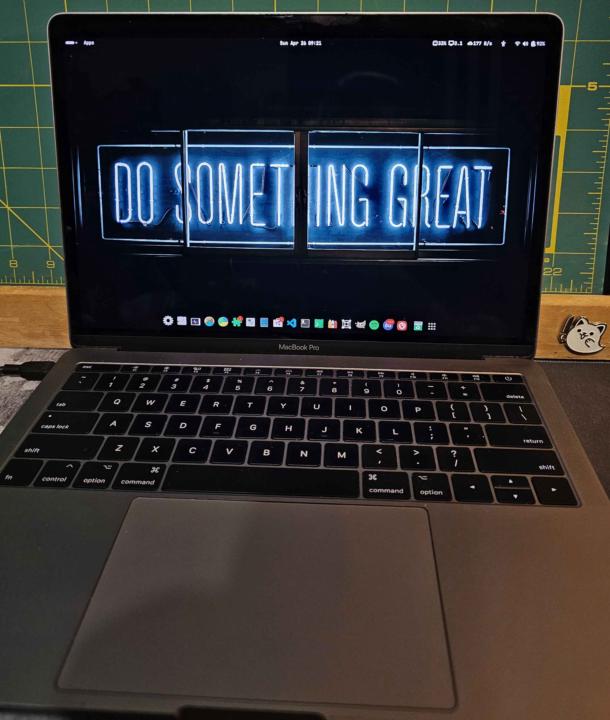
A friend of mine recently gave me a 2017 Macbook Pro that Apple no longer supports for tech shenanigans. So, I decided to wipe it and reimage the device with Linux Fedora Workstation 43. But why? Because after ~ 5 years Apple chooses to no longer support the device. They refuse to give it any operating system or security updates which effectively kills the device and forces the user's hand to purchase another. Planned obsolescence at its finest. However, that provided me with the opportunity to upcycle the device into a Linux laptop. And it worked well! - Who: Michael Roby II :) - Device: A 2017 Apple Macbook Pro - What: Switching a Mac's OS to Linux - Operating System: Fedora Workstation 43 - Firmware Version: 529.140.2.0.0 - Kernel: Linux 6.17.12-300.fc43x86_64 - OS Architecture: x86_64 - GNOME Version: 49 - Windowing System: Wayland - When (finished): 2026.04.25 - Where: IL, US Status: As of 2026.04.26 07:47, the device is functioning correctly and at the expected speed. Everything appears good. Other fun things: - I installed Ptyxis to be my primary terminal emulator because of the many improvements and customization options over the already awesome GNOME Terminal. - I installed Foot to be my secondary lightweight terminal emulator for quick changes and viewing. - Installed GNOME Tweaks, Thermald, Thermald-monitor, and a few other utility programs for better insight and control of the device. - I installed Impression to make bootable flash drives easily, and then made one for Arch Linux and Kali Purple that I'll mess around with soon--more to come! - I installed the Google Antigravity AI IDE from the terminal. So I'll be exploring that as well! - I installed Bottles to run Windows programs in their own bottles on my Linux machine. - I installed VSCode--my preferred IDE, and synced it with my laptop to have another, independent, instance of it that won't impact the performance of the one on my laptop.
1-7 of 7