

Feb 3 •
call tracking
question, if im using call rail's 3rd party call tracking and imporitng my calls, i should have call reporting in google ads turned off right? even though it provides an option to send data to call rail. from what i understand, i should have call reporting setting off when using call rails java script rewrite and callrails call extention.
1
0

Jan 28 •
Today's Call
Usama is out and he's the host of the call. I've got it going in here instead: https://meet.google.com/ffg-xtvo-uri?hs=122&authuser=0
Jan 27 •
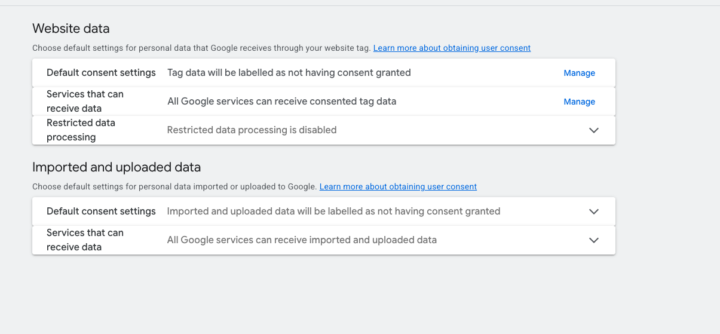
consent settings in google ads UI
are there any consent specialists in the house? im curious if we can have a discussion around when to use or not use these settings? my initial thought is that most of them are safeguards to use if you are not using a consent managment platform, but i would like to dig into the real details behind when to use or not use these settings. this stuff should not be ignored.
0
0

Nov '25 •
Recording
Hello Everyone heres the link to all the recordings https://drive.google.com/drive/folders/1Z1Aoi9d2CIgPQIrquCNeVS6alN3fZIMa
1-30 of 45
skool.com/the-clickening
Dive into the click-iverse to learn about marketing strategies that go far beyond the initial click. Share, learn, collaborate, and grow your skills!
Powered by