
Pinned

🔥
Jan 3 •
🌍 New Members: Start Here
Welcome to South Africa is 𝗟𝗘𝗞𝗞𝗘𝗥! (Free) We’re so glad you’re here — this is your space to connect, share, and celebrate what makes South Africa truly lekker... nice! 𝗤𝘂𝗶𝗰𝗸 𝗪𝗶𝗻 (𝗗𝗼 𝗧𝗵𝗶𝘀 𝗙𝗶𝗿𝘀𝘁) 1. Introduce yourself in the General section — tell us who you are and where you’re from. 2. Like this post and drop an emoji in the comments that best represents YOU. 𝗛𝗼𝘄 𝘁𝗼 𝗨𝘀𝗲 𝘁𝗵𝗲 𝗖𝗼𝗺𝗺𝘂𝗻𝗶𝘁𝘆 - Start here: Click HERE for a informative guide - Need help? DM @Tamsin Boshoff or @Pat Van Schalkwyk anytime for support Jump in, share your story, and let’s make this community lekker!

Pinned
23h •
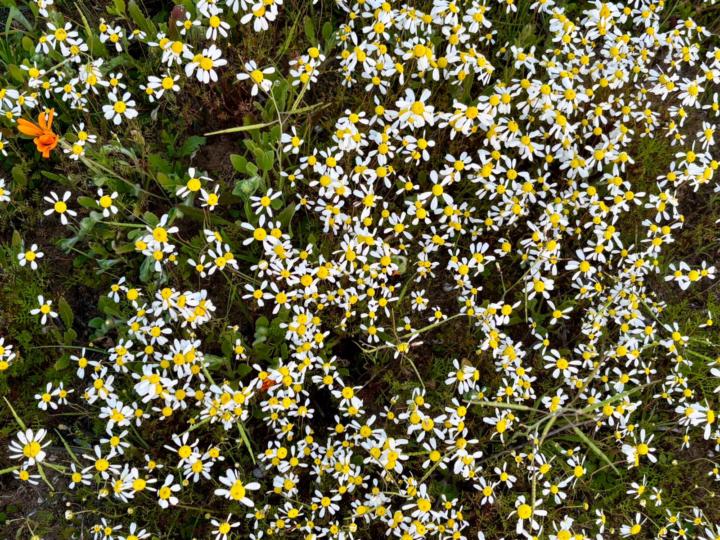
🌼 A Promising Flower Season for the West Coast of South Africa 🌼
These photos were taken right on my doorstep here in Langebaan. I don't know all the flower stories yet, but according to those who have lived here much longer than I have, the fact that these little blooms are already appearing is a wonderful sign. They tell me this is only the "weed" stage… a beautiful promise of the spectacular flower season that awaits us in August. I can hardly wait to see our West Coast transformed into a breathtaking carpet of colour once again. Our beautiful South Africa… covered in colour. 🇿🇦🌸💜💛 I will keep you posted with photos weekly....
Pinned
🔥
1d •
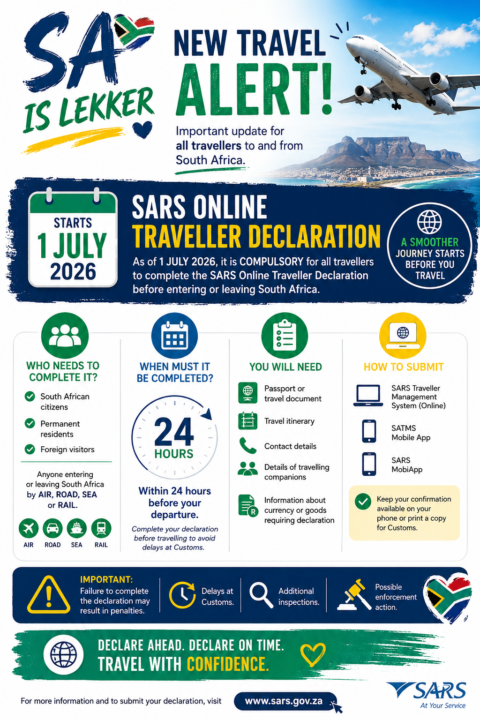
✈️ New Travel Alert for South Africans
As of 1 July 2026, all travelers entering or leaving South Africa are required to complete the new SARS Online Traveler Declaration before they travel. This is now part of the official Customs process. Who needs to complete it? ✅ South African citizens ✅ Permanent residents ✅ Foreign visitors ✅ Anyone travelling by air, road, sea, or rail When? 🕒 Complete your declaration within 24 hours before your departure. You'll need: 📘 Passport or travel document 🛫 Travel itinerary 📱 Contact details 👨👩👧👦 Information about anyone travelling with you 💰 Details of any currency or goods that must be declared ⚠️ Remember: Not completing your declaration could lead to delays, additional Customs checks, or penalties. SA Is Lekker Tip: If you're heading across the border for a holiday or business trip, complete your declaration before you leave home for a smoother travel experience. Safe travels and enjoy every adventure! ✈️💙 https://tools.sars.gov.za/sarsonlinequery/traveller

🔥
2d •
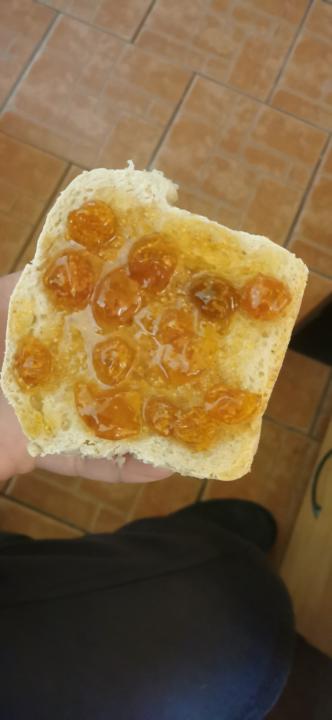
Sourdough Bread and Gooseberry Jam
@Pat Van Schalkwyk @Sandy Chong @Tamsin Boshoff how do this taste you think? All homemade accept for the flour that was purchased.

🔥
47m •
BokJol 2026! - Belfast
To all our South African friends in Ireland, the UK or wherever in Europe you might be enjoy South Africa Day tomorrow! I'm sure the braaivleis fires are going to burn high! @Taitem Jewell
0
0

1-30 of 552

skool.com/south-africa-is-lekker
The #1 community for South Africans & Curious Explorers - share experiences, opportunities, and everything Mzansi. 🇿🇦 Discover, Connect, and Belong.
Leaderboard (30-day)
1

🔥
+1016
2
🔥
+787
3
+280
4

+214
5

🔥
+206
Powered by