
Write something

Feb 15 •
🎛 7 DJI Tips That Instantly Make You a Better Pilot
These aren’t “basic” tips — these are things most pilots overlook. 1️⃣ Set Your RTH Correctly (Every Flight) Before takeoff: ✔ Confirm home point updated ✔ Set RTH above obstacles ✔ Make sure it’s set to Return (not hover) One wrong setting = one lost drone. 2️⃣ Turn On “Display Radar Map” In DJI Fly: Enable the small radar map. It helps you: • Keep orientation • Avoid drifting • Understand positioning Especially useful in windy conditions. 3️⃣ Adjust EXP Settings (Stick Sensitivity) Go to: Control → Advanced → EXP Lower the curve slightly for: • Smoother footage • Less jerky movement • More precision control Huge difference for cinematic shots. 4️⃣ Use Histogram, Not Just Your Eyes Turn on Histogram. Your screen brightness can trick you. Histogram tells you: ✔ If you’re overexposed ✔ If shadows are crushed ✔ If highlights are blown out 5️⃣ Lock Exposure Before Recording Tap and hold on the screen to lock exposure. Prevents brightness changes mid-shot. 6️⃣ Check Compass & IMU Status (But Don’t Over-Calibrate) Only calibrate when: • Prompted • You traveled far • You see drift Over-calibration can cause issues. 7️⃣ Battery Management Rule Never store batteries at 100% long term. Fly them down. Let auto-discharge work. Protect battery lifespan. 👇 What DJI model are you flying? Mini? Air? Mavic? Matrice? I’ll give you one advanced tip specific to your drone. Smart pilots use smart settings. ✈️🔥
Feb 15 •
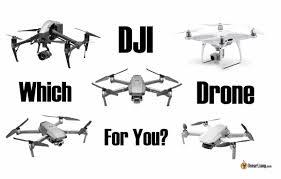
🚀 Just Bought Your First DJI Drone? Do This Immediately.
Before you even think about flying far or high — do these first. Most new pilots skip this… and regret it. 1️⃣ Update Firmware (Aircraft + Controller + Batteries) Open DJI Fly / Pilot 2 and check for updates. Outdated firmware can cause: • Signal issues • GPS errors • RTH problems Keep everything synced. 2️⃣ Set Your Return-To-Home (RTH) Altitude DO NOT leave it default. Set RTH higher than: • Trees • Buildings • Power lines This saves drones. 3️⃣ Calibrate IMU & Compass (If Prompted) Only calibrate when: • App tells you to • You travel long distances • You notice drifting Don’t over-calibrate unnecessarily. 4️⃣ Check Airspace Before Every Flight Use: • B4UFLY • LAANC • Airspace maps Never assume you’re clear to fly. 5️⃣ Turn On Beginner Mode (If You’re Brand New) Lower speed. Lower altitude. More control while learning. There’s no ego in safe flying. Bonus Tip: Your first 5 flights should be: • Low altitude • Open field • Slow movements • Practicing smooth stick control Confidence > Distance. 👇 What drone did you just buy? Drop the model below and I’ll give you one setting tip specific to that drone. ✈️🔥
1
0
1-2 of 2
powered by
skool.com/skyview-drone-academy-2646
Part 107 prep, DJI training, thermal tips & real-world drone skills. From beginner to pro.
Suggested communities
Powered by