
Write something

Oct '25 •
Setup design tips and tricks.
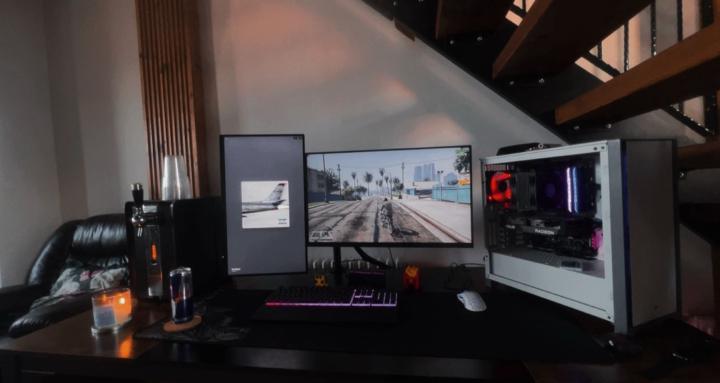
1. Ergonomics First - Desk height & chair: Make sure your desk and chair allow your elbows to be at roughly a 90-degree angle when typing. - Monitor position: Place your monitor so the top of the screen is at or slightly below eye level, about an arm’s length away. - Keyboard & mouse: Keep them close enough to avoid stretching but with enough space to move comfortably. 2. Cable Management - Use cable clips, sleeves, or Velcro ties to keep cables tidy and prevent clutter. - Consider a desk with built-in cable management or a cable tray underneath. - Wireless peripherals reduce cable clutter dramatically. 3. Lighting - Ambient lighting reduces eye strain. Try LED strips behind the monitor or under the desk for subtle backlighting. - Use adjustable desk lamps with warm light to avoid harsh glare. - RGB lighting is fun but keep it tasteful to avoid distractions. 4. Desk Space Optimization - Use monitor arms or stands to free up desk space underneath. - Keep only essential items on your desk to avoid clutter. - Add shelves or wall-mounted storage to keep peripherals and accessories organized. 5. Personalization - Add a mouse pad with a cool design or texture that suits your style. - Incorporate plants or artwork to make the space inviting and less sterile. - Use custom keycaps or a mechanical keyboard that matches your aesthetic. 6. Acoustics - Consider soundproofing foam panels if you game or stream. - Use a good quality microphone with a pop filter if you do calls or recordings. - Headphone stands or hooks keep your audio gear organized and accessible. 7. Cooling & Ventilation - Make sure your PC has good airflow; don’t block vents. - Keep your setup away from direct heat sources or sunlight to avoid overheating. - Dust regularly to keep components clean. 8. Dual Monitors & Multi-Screen Setup - Use matching monitors for a clean look. - Align monitors at the same height and angle for comfort. - Use software tools for easy window management across screens.
1
0
1-1 of 1
powered by
skool.com/pc-world-3762
Whether you're a gamer, techie, content creator, or just love customizing your rig. Join us to share your builds, troubleshoot issues, and talk
Suggested communities
Powered by