
Write something
Pinned

12d •
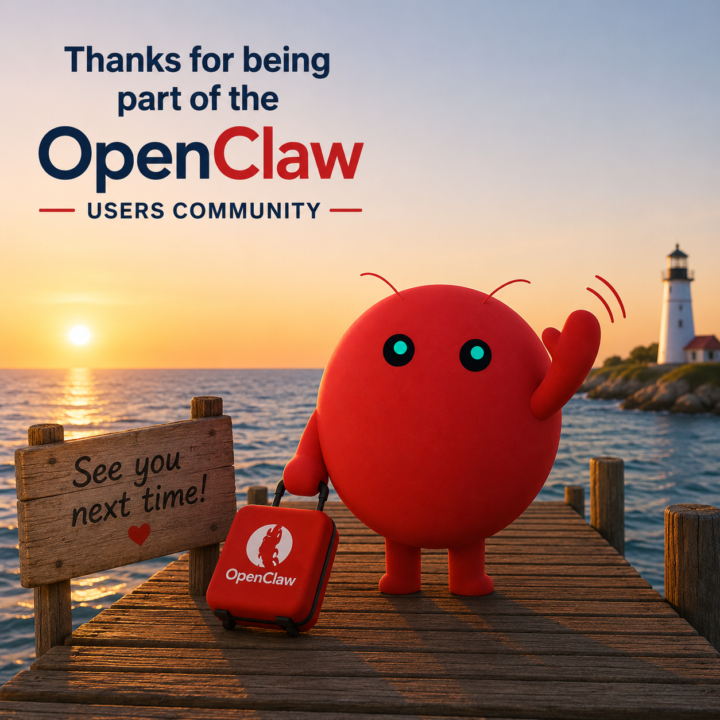
Community Closing
Sorry everyone, but I've taken the hard decision to close this community to focus on my primary businesses. I was so excited about OpenClaw when it first launched, and I knew others would be too. I thought it would be great if we could all get together and share how we are using the platform. Sometimes, unfortunately, you have to look at your priorities and focus on one thing at a time to do the best job. In my case, that is, without a doubt, fastbots.ai. Focus stands for "follow one course until successful" as they say. I'd like to thank everyone who joined the community, and I will see you around in the world of AI for sure. If you would like to keep in touch, then check out my YouTube channel, and I wish you all the very best of luck with your AI adventures. The community will close at the end of May. Cheers everyone, Jason West

14h •
Need real OpenClaw help?
I've built over a dozen OpenClaw instances for real business owners. Automations that include email management, lead generation and even real functional real mission control dashboard. You have a feature or function idea? For a real business or site project. I can help you get it production. OpenClaw or any AI platform! Yes, I can work with any solution. Join my new school and I will help you get it up in the same day!
1
0
14d •
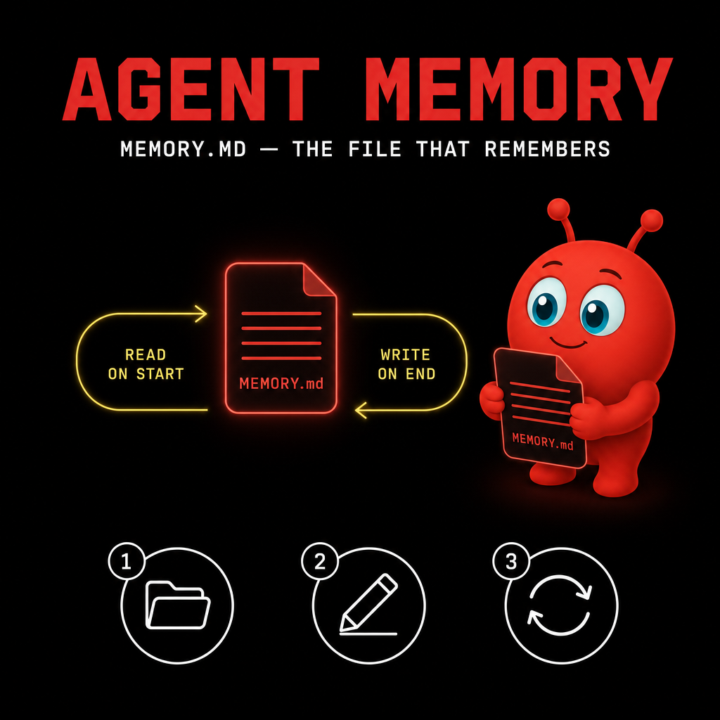
How to give your OpenClaw agent memory that survives restarts
One of the first things people hit with OpenClaw is the "goldfish problem" — the agent feels sharp inside a session, then forgets everything the moment the daemon restarts. The fix is built in: MEMORY.md. Here's the idea. MEMORY.md is a plain markdown file your agent reads on every session and writes back to as it learns. It's not a database, it's not a vector store — it's a file you can open, edit, and version-control like any other. Step 1. Create the file. Drop a MEMORY.md inside the directory your agent runs from. Empty is fine to start. The agent will pick it up on the next session. Step 2. Seed it with what you actually want remembered. Things that earn their place in MEMORY.md: who you are, what tools you use, recurring projects, names of people the agent will see again, conventions you don't want to repeat ("I prefer bullet summaries", "always reply in British English"). Things that don't: one-off task context, secrets, anything you'd rather it forget. Step 3. Let the agent edit it back. The whole point is durability across restarts, so let the agent append to it during sessions. If you want tighter control, review the diff at the end of the day and trim. Treat MEMORY.md like a journal you both write in. A common mistake is making it too long. If MEMORY.md grows past a few hundred lines, the agent spends tokens re-reading background instead of doing work. Prune aggressively — keep it lean. Hope that helps. Cheers Jason West 🙌
Feb 20 •
What I've built with OpenClaw in 3 days 🤯
I set up OpenClaw on Wednesday. It's Friday. Here's what my AI assistant (Manager Mike) has done so far — all through Telegram on my phone. 🤖 Built a team of AI agents Mike is my main assistant, but he manages a team of sub-agents that each have their own job: • Writer Will — writes SEO blog posts for my SaaS, generates featured images, and publishes drafts to our Ghost blog. He runs on a daily cron job at 6am, Mon-Fri, working through a keyword queue we built from competitor gap analysis. • Social Steve — handles social media content and scheduling. 1 per day on every channel. • Telephone Tina — an AI phone agent (via Vapi + ElevenLabs) who makes and receives real phone calls. She called 6 of my mates to organise a curry night, handled voicemails, sent follow-up texts, and takes inbound calls on a UK number 24/7. • Outbound Ollie — a cold email outreach agent. He searches Apollo.io for prospects, enriches them to get email addresses, checks their websites for existing chatbots (so we only target businesses that don't have one), then sends personalised emails with industry-specific templates. He sent 135 emails today across schools, hotels, and SaaS companies — all automatically. 📞 Real phone calls Tina isn't a gimmick. She called my friends, had actual conversations, handled objections ("I'll need to check with the wife"), left voicemails, and sent SMS follow-ups. She answers inbound calls with "Hello, you've reached Jason West's office, this is Tina speaking." My assistant checks every 30 minutes if anyone's called in. 📧 135 cold emails in one afternoon I said "schools, UK, 50" and Ollie: 1. Searched Apollo for 100 prospects 2. Enriched them to get verified email addresses (98% hit rate) 3. Visited each website to check if they already have a chatbot 4. Filtered out the 15 that did 5. Sent 50 personalised emails with the right landing page Then I said "do hotels too" and "now SaaS." Same thing. All automated, all rotating across 6 SMTP accounts on 2 domains, all with industry-specific subject lines and copy.

Apr 6 •
How are you structuring your AI + automation agency brain across 30+ clients?
Running an agency with 30+ clients, each with their own automations, knowledge bases, and workflows (mostly Make.com + Claude). Curious how others are solving the organizational layer — not just the automation itself. My current stack: ClickUp for team management, Google Docs for documentation, OpenClaw (Codex GPT primary / MiniMax backup) running locally, and Claude Code via Cowork which honestly has been moving fast. Background is cybersecurity (that's my major) with solid SQL and working knowledge across several languages — so I'm comfortable going deep technically, just want to make sure I'm not building a mess at scale. I'm weighing a move toward a local monorepo structure — one folder per client holding prompts, scenario docs, context files, API notes — something I can actually version control and build from systematically. A few things I'd love to hear from the community: 1. How do you structure your client knowledge bases? One repo per client? Flat files? Notion? Something else? 2. Are you using Claude Projects, Claude Code, OpenClaw, or something entirely different to maintain context across clients? 3. For Make.com builders — where do you store your scenario documentation, module notes, and client-specific logic so it's actually findable later? 4. Version control — are you Git-versioning your prompts and automation docs, or is that overkill for most agency ops? Not looking for the perfect system — just what's actually working in production for people running real client loads. Drop your setup below 👇
1-30 of 62
skool.com/openclawusers
Free community for OpenClaw users to install, build, break, fix and share wild AI agent ideas together.
Leaderboard (30-day)
1

+4
2

+4
3

+3
4
+2
5

+2
Powered by