
Write something

Dec '25 •
Privacy Policy
Can anyone help me with privacy policy as I am getting confuse in this topic so much. suggest me the best way to master this and tutorial

Dec '25 •
Issues with uploading multiple photos
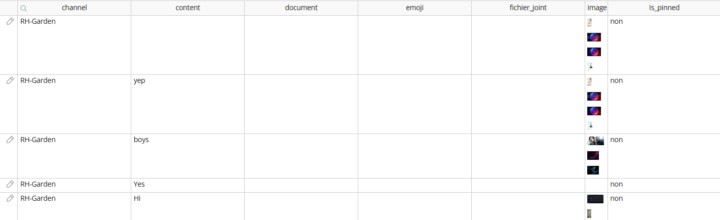
Hi guys, I am having an issue with saving multiple photos in DB with the multi image uploader from Estare. I can upload photos, display it in a repeating group using a custom state. I have a WF on the image uploader button that set a custom state (list image) to "this imageuploaderbuttonsavedimage". When I save the custom state value in the data type I can see the images in it. But when i go to edit the record, I see a broken image. I cannot display anything in a repeating group. I eventually upload directly new photos in the app data and thoses photo are displayed well in the RG. Am I missing something? Thanks

Nov '25 •
ChallengeAccount Not Updating When Gameslip is Settled (Stats Won’t Change)
Hey everyone, I could use some help fixing an issue with updating a parent data type from a child record. Context: I have two linked data types: • ChallengeAccount • challenge_balance • no_of_win • no_of_loss • prediction_count • today_win • today_loss • (and more) • Gameslip • challenge_account (linked to ChallengeAccount) • is_settled? (yes/no) • is_correct? (yes/no) • status (Won/Lost) • payout • stake • settled_to_account? (yes/no) When a user submits a prediction, the Gameslip is created and linked to the correct ChallengeAccount successfully. I confirmed the relationship is stored correctly. ⸻ The Issue When I run the settlement workflow (custom event), the Gameslip updates correctly: • is_settled changes • status is correct • settled_to_account updates But the ChallengeAccount stats do NOT update: • balance doesn’t change • no_of_win / no_of_loss stays the same • prediction_count doesn’t change • daily totals don’t update Even though I am running a “Make changes to ChallengeAccount…” step immediately after settlement and selecting: Thing to change = gameslip's challenge_account And the conditions evaluate to true (verified in Debug mode). The workflow runs fully — just no fields are updating in ChallengeAccount. ⸻ Extra Notes • The ChallengeAccount is definitely linked to the Gameslip. • No privacy rules are blocking it. • No backend schedule conflict. • Tested in step-by-step debug — the values simply don’t change even though the action fires. ⸻ What I Need Just insight into why a parent data type may fail to update even though: • It is correctly referenced • The workflow runs successfully • The update expressions are valid Any guidance or patterns to check would be greatly appreciated. Thanks 🙏
Sep '25 •
Webhooks
Hi, I am working with webhooks and I’m stuck. Specifically, I make a first API call and receive the result via a webhook, but I also need to send that result to a second API call, which in turn must return its result to me via another webhook. How can I capture the result from one webhook and use it to trigger another API call? I tried scheduling an API workflow as the final step of the workflow that receives the first webhook. This scheduled workflow is supposed to retrieve the result from the first call along with other data in order to initiate the second API call. However, the second call receives no data at all. Do you have any ideas? Regards

🔥
Sep '25 •
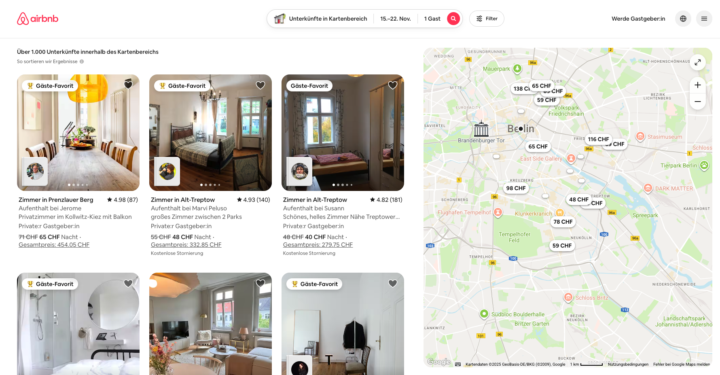
How to create a list that is filtered by "visible on the map area"?
I want to create a view that is similar to AirBnB. After the first search, one can move and zoom the map, and the list of locations is dynamically changing based on the visible map area. Does anyone has an idea how to build something like this in Bubble? Maybe with a particular plugin? (thinking of a map plugin that allows for doing a search by… "is visible on the map section" or filtering by "visible on the map section"…?)
1-12 of 12
skool.com/nocodesociety
Only for No-code builders.
Get paid to build apps.
Build Ideas, Attract users, Land clients.
Leaderboard (30-day)
1
+2
2

+1
3
🔥
+1
Powered by