1d • 💬 General Discussion
Bottom navigation bar issue – possibly related to WebView
Hi Nimiq Team,
I wanted to share something a couple of users have reported. When the game is opened inside the Nimiq Pay WebView, the bottom system navigation bar on the phone seems to stay on top of the game content, covering it.
For comparison, this doesn't happen in other WebView environments that were tested, like Telegram's in-app browser — the nav bar behaves normally there. So it's suspected that this might be something specific to how the WebView is set up on the Nimiq Pay side, though it's not certain.
On our end, some JS and CSS fixes were tried (safe-area padding, viewport adjustments, etc.) and they helped to some extent, but the exact position/height of the navigation bar could never be reliably detected from the web side — that information just doesn't seem to be consistently available from within the WebView.
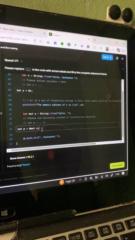
It was also noticed that some other apps within the Nimiq ecosystem, like nimiq.space, have dealt with this by adding a permanent bottom padding/spacing to work around it. This approach was tried as well, but it made the app look pretty off/odd visually, so it wasn't used as a final fix. Screenshots are attached showing how it looked, in case it's a useful reference for how others have handled it and why it wasn't used on NimJump.
Not sure what's causing it exactly, but wanted to flag it in case it helps. Happy to share more details if needed.
Thanks in advance for looking into this, looking forward to hearing back!
2
3 comments
Bottom navigation bar issue – possibly related to WebView

skool.com/miniappscompetition
🏆Official community for the Nimiq Mini Apps Competition
📱Build, connect & compete for $50k+ in prizes
🌍For developers, indie hackers & vibe coders
Leaderboard (30-day)
1
+186
2

+145
3
+98
4

+95
5

+88
Powered by