
Write something

Nov '25 •
SUNDAY LIVE Q&A — CONTENT THAT ACTUALLY RESONATES I
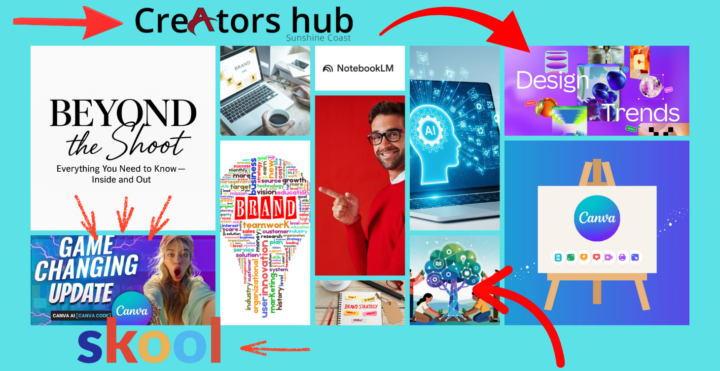
SUNDAY LIVE Q&A — CONTENT THAT ACTUALLY RESONATES IN 2025 (CREATORS HUB) SESSION DESCRIPTION (add this to the Skool chat/session page): 16th November 5:30 till 6.30 PM https://www.skool.com/creators-hub/calendar... This Sunday we’re breaking down what’s really working right now in digital content, short-form video, and creator communication. I’ve added three example links below — creators who are growing fast because of their storytelling style, pacing, authenticity, and visual simplicity. We’ll look at exactly why their content resonates and how to apply it to InsideOut, Icon Studios, and Creators Hub. We’ll cover: How top creators are communicating right now — Why their style works — What makes viewers stop scrolling — How to translate this style into your videos, reels, carousels, and educational posts NotebookLM’s new upgrades — Video features — Smarter research workflows — How you can turn your book or ideas into a full AI-powered content engine Image creation techniques — Which platforms are doing the best realistic output — How to use them for brand work, product photos, thumbnails, and storytelling content What’s new in Canva (Game-Changing Updates) — The latest tools that save money — AI features that replace third-party apps — Smarter workflows for templates, brand kits, and digital products Live Q&A Bring your questions. Branding, content, AI tools, digital products, storytelling — anything. This is your chance to get hands-on guidance. Reference Creators (for inspiration + breakdown during the session): Use these to study what’s resonating right now: https://www.instagram.com/iamsarahsnow/ https://www.instagram.com/kaylagriffith.co/
1
0
Oct '25 •
🎥 Live Session Update + Personal Check-Ins
https://us06web.zoom.us/j/83455030715?pwd=OtdBsgn39jWBuSQujgTJPL2SZOGlnS.1 🎥 Live Session Update + Personal Check-Ins Hey team! Quick format shift for today’s live — here’s your invite and a couple of important updates. Things are moving fast (love it), so I’m checking in with each of you one-on-one. ✅ What I need from you (today) - Can’t upload to Skool? Tell me what’s blocking you. - Drop your links: Post your landing page or website so I can review it. - Brand kit: Share your colour swatch, fonts, and any logo drafts. 🎁 Bonus: I’ll spend my own time reviewing where you’re at and send personal feedback. Free creative coaching because I want you winning. 🗓 New Calendar Flow (Tues/Wed) I’m setting up a shared calendar for Tuesdays & Wednesdays dedicated to: - Posting, commenting, and liking each other’s content (community boost time). - Coordinated “engagement windows” so we all help each post land stronger. Action:Please confirm you have Google (Gmail/Google Calendar access).If yes, drop your Google email below so I can add you to the shared calendar. 🎓 Extra Zoom Classes (next week) I’ll also schedule two extra Zooms next week: - Logo finish & brand polish - Landing page build (step-by-step) As soon as times are locked, I’ll post the links + add them to the Classroom. 💎 Why this matters We’ve built something powerful on Skool: learn real creative skills and build passive income with the Behind the Shoot Affiliate Program (10–50%).I’m also creating ready-to-use landing pages you can clone for yourself. 📣 What’s coming next - Next post: How to get organic eyeballs (the good kind). - Classroom upload: Landing Page Guide + the Zoom replay after. Have an awesome weekend — can’t wait to see you tonight.Bring your links, your colours, and your best smile. I’ll bring the coffee and the bad jokes. ☕📸
Oct '25 •
LIVE ZOOM — RECAP & WHAT’S NEXT yeah no
Yep hang up ✅ Quick recap - Logos: Everyone’s on track. If you missed it, watch the replays in Videos to catch up. - Craft basics we covered: rulers, spacing, and distance between text & marks so your logo breathes and reads clean. 🎥 New videos dropping this week 1. Logo Spacing & Rulers — practical demo of margins/line-heights/lockups. 2. Pages vs Groups (or both?) — how to choose, set up, and connect your niche pages & groups. 📣 Social setup & sharing loop - Create your Page and/or Group, then add your niche groups/pages as connections. - I’m setting up a shared post thread today: drop your new posts there so we can like + comment as a squad and give the algorithm a nudge. 🔁 🧰 Landing page homework - We talked Landing Pages in Week 1. I’ll record a step-by-step of what I’m doing on mine and share the build. - Action: Post your landing page or website link in Design → “Share for Feedback” and we’ll give notes. 💡 Digital product challenge - Start thinking on a simple, real product we can ship. - Browse Etsy for ideas and patterns you can improve. - I’m testing a $25 offer as a live example and will share results + marketing steps so we can replicate. 🙋♂️ Stuck or questions? - Drop it in Design with a short note + screenshots or link. We’ll triage fast. 📅 Next live Sunday, 12 Oct 2025 @ 5:30 pm (Australia/Brisbane) on Zoom.We’ll review your logos, landing pages, and early product ideas. Bring one thing you want shipped this week. 🚀 — Thanks to everyone who joined live. If you couldn’t make it, watch the replay and post your progress so we can help. 💪🌴
3
0

1-3 of 3
powered by
skool.com/insideout-4366
Creators Hub — Build • Learn • Earn Build a clean brand and launch a digital product
Suggested communities
Powered by