
Write something
Pinned

Jan 1 •
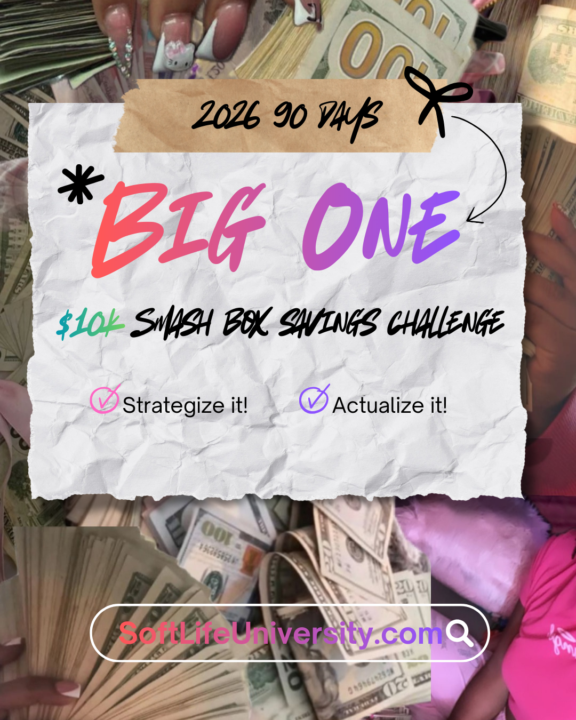
✨ THE $10K / 90-DAY SMASH BOX SAVINGS CHALLENGE ✨
New Year. New Chapter. New Standard. Let’s be clear: This is not a “manifest it and hope” moment. This is a get your life back in alignment moment. This year is for: • The last • The lost • The least • The forgotten • The underdogs • The black sheep If you’ve been counted out, overlooked, starting over, or rebuilding quietly — this is your W year. 💥 WHAT THIS CHALLENGE REALLY IS The Smash Box Challenge isn’t about the box. It’s about discipline, identity, and delayed gratification. For 90 days, you are choosing: • Structure over chaos • Consistency over motivation • Execution over excuses You save money weekly, place it into a locked acrylic box, and you do not open it until the goal is complete. No borrowing from yourself. No “just this once.” No emotional spending. When the challenge ends, you don’t gently open the box. You smash it — because by then, you’re no longer the same person who started. 📅 HOW THE 90 DAYS WORK Duration: 90 Days Goal: Save up to $10,000 (your pace, your capacity — discipline is the metric) Weekly Rules: • Minimum contribution required (no zero weeks) • Some weeks may be $20, others $120+ — consistency matters more than amount • Miss a week = no discretionary spending until you’re back on track This challenge meets you where you are — but it does not let you stay there. 🧠 WHAT YOU’RE ACTUALLY BUILDING This isn’t just savings. You’re building: • Financial self-trust • Emotional regulation around money • The muscle of keeping promises to yourself • Proof that you can finish what you start Most people don’t fail because they’re broke. They fail because they lack systems. This challenge is the system. 👑 WHO THIS IS FOR This is for people who are: • Tired of starting over every January • Ready to stop living paycheck to panic • Done romanticizing struggle • Willing to choose discipline even when it’s uncomfortable If you want “soft” without structure, this isn’t for you. If you want a soft life built on control and self-respect, welcome home.
0
0
Pinned
Dec '25 •
Say hello to the NEW Soft Life Society Collective
It's the last day of 2025...let that settle. How did this past year treat you? If good, I'm glad, if it was rough, listennnnn I can relate. But over the last 3 months it's been about repositioning and not waiting till 1/1/26 to do so. This is the glow-up you felt coming. As we step into this new year, Soft Life Society isn’t pivoting — we’re ascending. This isn’t a rebrand for aesthetics. It’s not more noise. And it’s definitely not about doing the most. It’s about moving smarter, softer, and more intentional. Less talking, more showing up and showing tf OUT! Soft Life Society Collective is no longer a place to binge information or chase vibes. It’s becoming a private activation portal for women ready to build income, stability, and freedom without burnout, overexposure, or spiritual bypassing. We’re taking soft living to a whole ’nother level. Because let’s be clear: Soft life isn’t just whispering affirmations and hoping the universe clocks in for you. It’s about intentionally activating strategies, making aligned decisions, and letting ease meet structure. This space is shifting from: ✨ information → clarity ✨ motivation → direction ✨ posting → positioning ✨ hustle → calm, sustainable systems Inside this new chapter, you’ll feel: less chaos fewer distractions clearer pathways intentional pacing and a deeper focus on decisions over busywork You will not be rushed here. You will not be pressured to perform. You will not be fed urgency culture in a silk robe. Instead, this collective is designed to help you: slow down see the board clearly choose the right next move and build quietly, deliberately, and divinely Soft Life Society Collective is now the place you land before you pour your time, money, or energy anywhere else. If you’re here, it’s because you value: privacy over performance clarity over confusion systems over struggle and income that doesn’t require constant visibility or self-sacrifice This is a turnaround year. For the underdogs. The black sheep.
0
0
Pinned
Aug '25 •
Welcome Influencers!
I created this space because there’s a lot of gatekeeping and I’ve never been a gate keeper! There’s a lot of money out here and I wanted to host space for people that are having success on their user generated content, and want to share what actually works for them step by step with other creatives who are monetized or looking to monetize their platforms, and get brand deals. So please: 1️⃣ Introduce yourself 2️⃣ What city/country are you in? 3️⃣ What type of content creator/influencer are you? 4️⃣ What do you hope to gain and share with this community? Newbies! If you’re new to the group, all major information will be located in the Classrooms. So you want to go to the “Classroom” tab and hit “Start Here”https://www.skool.com/influencer-society-7059/classroom/c9a150c0
0
0
Jan 17 •
Moving The Money!
We are shifting the money challenge over to: https://www.skool.com/soft-life-savers-7748/about?ref=a83cbf8c4b6744bf9ebadc849acf5539 Please tap in!
0
0
Jan 3 •
Full Transparency Moment
i’ll be honest, i just recently had some money touch my hand and i’m upset that i didn’t take at least $40 and throw into my smashbox for the challenge. transparency moment. listen, there are gonna be days where you struggle with savings, you wanna be entertained, may wanna self-care, need every dollar, bills tight, playing catch up — i get it. but discipline is built in the uncomfortable pauses. staying the course is how money starts respecting you back. automate small transfers, save first not last, turn saving into a game, use cash envelopes, cut one impulsive spend a week, and romanticize consistency. soft life still requires structure. discipline is the real luxury. #90daybigonesmashboxsavingschallenge
0
0
1-17 of 17
powered by

skool.com/influencer-society-7059
This is an exclusive society of influencers and aspiring influencers supporting each other in glowing up mentally financially + spiritually.
Suggested communities
Powered by