Activity
Mon
Wed
Fri
Sun
Jul
Aug
Sep
Oct
Nov
Dec
Jan
Feb
Mar
Apr
May
What is this?
Less
More
Owned by Empress Aura
This is an exclusive society of influencers and aspiring influencers supporting each other in glowing up mentally financially + spiritually.
A high-vibe community where soft living meets wealth building. Profit as you heal. A collective where soul gifts are luxury and money flows from it
Memberships
The Private Cast
495 members • Free
Serving Humanity Community
2.4k members • Free
The Black Root Exchange
133 members • Free
LOOKlab Studios
29 members • Free
Millionaire Women Collective
9.9k members • Free
AI Music Lab
409 members • Free
Build A Skool University
834 members • Free
17 contributions to Influencer Society

Jan 17 •
Moving The Money!
We are shifting the money challenge over to: https://www.skool.com/soft-life-savers-7748/about?ref=a83cbf8c4b6744bf9ebadc849acf5539 Please tap in!
0
0
Jan 3 •
Full Transparency Moment
i’ll be honest, i just recently had some money touch my hand and i’m upset that i didn’t take at least $40 and throw into my smashbox for the challenge. transparency moment. listen, there are gonna be days where you struggle with savings, you wanna be entertained, may wanna self-care, need every dollar, bills tight, playing catch up — i get it. but discipline is built in the uncomfortable pauses. staying the course is how money starts respecting you back. automate small transfers, save first not last, turn saving into a game, use cash envelopes, cut one impulsive spend a week, and romanticize consistency. soft life still requires structure. discipline is the real luxury. #90daybigonesmashboxsavingschallenge
0
0
Jan 3 •
3 days in!🤏🏽🥳
I already made up my mind that this year is revenge of the nerds, W's for the underdogs, the black sheep, the least, the last, the lost, and the forgotten. We are kicking it off with this 90 day Big One Smashbox savings challenge. This is not a course. But you win if you stay the course! It’s not motivation. It's about Discipline, yet you will be motivated and your Discipline will motivate others And it’s not about starting fast. It's about starting where you are and locking in for 3 months. This is an exclusive community for serious movers — a moment to recalibrate how you’re choosing to move this year before pressure, noise, and urgency set in. We’ll be exploring: Why this year matters more than last. Numerologically and spiritually. The difference between interest and real commitment How restraint early in the year creates leverage later What it means to position yourself quietly before momentum begins Nothing in this session is about doing more. It's about working smarter than you ever have. Minimal effort, max results! It’s about deciding better. If you value clarity over chaos, structure over symbolism, and long-term positioning over short-term noise, this will resonate.
1
0

Jan 1 •
Influence and Visibility
Most people misunderstand what Influencer actually means. They think it’s about being everywhere. Always visible. Always on. Always performing for attention. That’s not what happens here. Influence is not about being constantly seen. It’s about not being owned by visibility demands. It’s about choosing—on purpose—where your presence lives and how it works for you, not against you. Visibility Is Not the Same as Authority The internet lied and said visibility equals credibility. Show your face. Tell your story. Post daily. Be relatable. Be loud. But visibility without structure is weak. It collapses the moment you’re tired. It depends on: - your energy - your availability - your emotional labor - your willingness to perform Authority doesn’t. Authority is engineered. It lives in: - systems - positioning - language - consistency - results Influencer Society removes the rule that you must be the machine. The system becomes the machine. What “Influencer” Actually Means Inside This Society Influencer means: You decide what represents you—not the algorithm. You lead with strategy, not personality. You build trust through clarity, not overexposure. Your brand speaks even when you’re offline. You can show your face. You can stay private. That part is optional. What’s not optional is intentional design. Here, influence means: - your content has a function - your visuals do the talking - your messaging doesn’t rely on trauma or oversharing - your income isn’t tied to constant output Why Disappearing Isn’t the Goal Let’s dead this real quick. Avoiding visibility because of fear is not strategy. Avoiding visibility because it doesn’t serve your system is. Influencer Society isn’t about hiding. It’s about deciding. Deciding: - when to be seen - where to show up - what gets your energy - what gets declined without guilt That level of control? That’s peace. The Power Shift Most People Miss The moment you stop centering yourself as the brand, everything changes.
0 likes • Jan 1
Go to the "No Face No Case" classroom for faceless content strategies that are duplicateable money makers
Jan 1 •
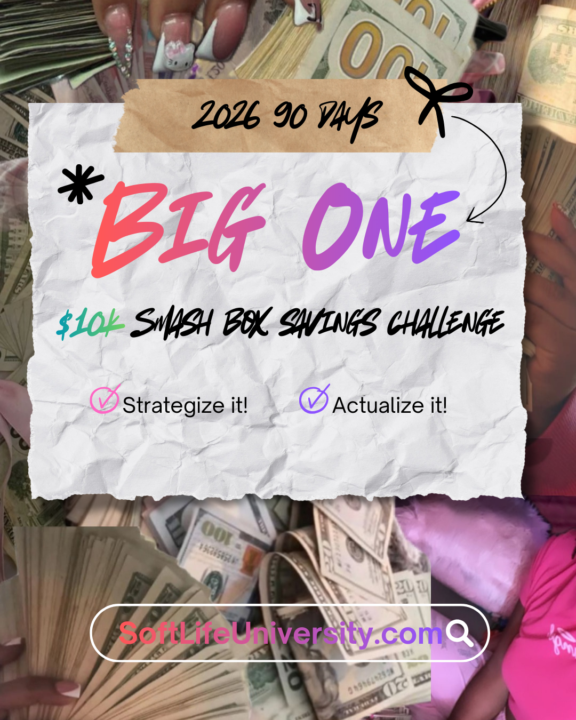
✨ THE $10K / 90-DAY SMASH BOX SAVINGS CHALLENGE ✨
New Year. New Chapter. New Standard. Let’s be clear: This is not a “manifest it and hope” moment. This is a get your life back in alignment moment. This year is for: • The last • The lost • The least • The forgotten • The underdogs • The black sheep If you’ve been counted out, overlooked, starting over, or rebuilding quietly — this is your W year. 💥 WHAT THIS CHALLENGE REALLY IS The Smash Box Challenge isn’t about the box. It’s about discipline, identity, and delayed gratification. For 90 days, you are choosing: • Structure over chaos • Consistency over motivation • Execution over excuses You save money weekly, place it into a locked acrylic box, and you do not open it until the goal is complete. No borrowing from yourself. No “just this once.” No emotional spending. When the challenge ends, you don’t gently open the box. You smash it — because by then, you’re no longer the same person who started. 📅 HOW THE 90 DAYS WORK Duration: 90 Days Goal: Save up to $10,000 (your pace, your capacity — discipline is the metric) Weekly Rules: • Minimum contribution required (no zero weeks) • Some weeks may be $20, others $120+ — consistency matters more than amount • Miss a week = no discretionary spending until you’re back on track This challenge meets you where you are — but it does not let you stay there. 🧠 WHAT YOU’RE ACTUALLY BUILDING This isn’t just savings. You’re building: • Financial self-trust • Emotional regulation around money • The muscle of keeping promises to yourself • Proof that you can finish what you start Most people don’t fail because they’re broke. They fail because they lack systems. This challenge is the system. 👑 WHO THIS IS FOR This is for people who are: • Tired of starting over every January • Ready to stop living paycheck to panic • Done romanticizing struggle • Willing to choose discipline even when it’s uncomfortable If you want “soft” without structure, this isn’t for you. If you want a soft life built on control and self-respect, welcome home.
0
0
1-10 of 17

@empress-aura-goddess-supreme-9158
An Empress, Softly building her Empire while assisting others to do the same improving self and building wealth, collectively
Active 45d ago
Joined Aug 19, 2025