
Write something

Mar 14 •
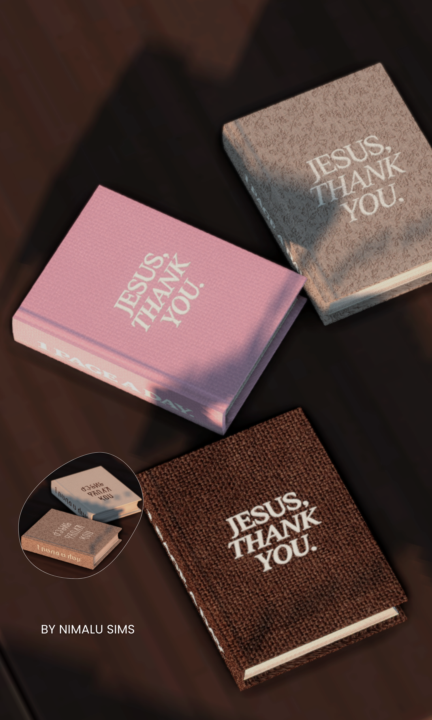
Embroidered Bible Recolor
This functional Bible recolor features embroidered lettering designed to feel soft, intentional, and devotional in your Sims’ space. The cover reads “Jesus, Thank You.” with “1 Page a Day” embroidered along the spine as a gentle reminder to stay in the Word daily. Created to bring a peaceful, faith-filled moment into your gameplay — whether your Sim is studying, reflecting, or spending time with God. ⚠️ Terms of Use• Do NOT recolor this Bible mod• Do NOT use this mesh or textures to create recolors• Do NOT translate or share on any platform• Please link back to the original post if sharing screenshots. ⚠️ Important Please remove/replace the old Bible mod before starting your game. Clear your Localthumbcache after installing. Clearing the LocalThumbCache.package helps remove old mod data and prevents conflicts when installing new mods. 1️⃣ Close The Sims 4 Make sure The Sims 4 is completely closed before doing this. 2️⃣ Open Your Sims 4 Folder Go to: Documents → Electronic Arts → The Sims 4 3️⃣ Find the File Look for the file named: LocalThumbCache.package 4️⃣ Delete It Right-click the file and click Delete. Don't worry — the game will automatically create a new one when you launch The Sims 4 again. 5️⃣ Start Your Game Launch The Sims 4 normally. Need Help Buying The Bible In Game? 1️⃣ Place a Bookshelf Open Build/Buy Mode and place any bookshelf in your Sim’s home. 2️⃣ Return to Live Mode Switch back to Live Mode. 3️⃣ Click the Bookshelf Click on the bookshelf to open the interaction menu. 4️⃣ Select “Purchase Books” Choose: 📚 Purchase Books A catalog of books will appear. 5️⃣ Go to the Non-Fiction Section In the book menu, click the category: 📖 Non-Fiction This is where your Bible book will appear. 6️⃣ Purchase the Book Click the book and press Purchase. The book will automatically go into your Sim’s inventory. 7️⃣ Read the Book Open your Sim’s inventory, click the book, and select Read. Your Sim can also place it on a table or bookshelf to read later.
Jan 14 •
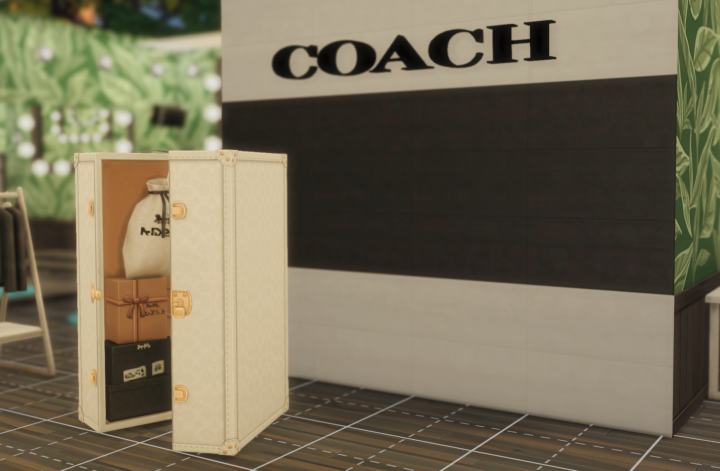
Coach Store Sign
Bring a touch of real-life luxury into your Sims’ world with this Coach logo signPerfect for adding high-end vibes to your save file. Whether your Sim is a fashion influencer, boutique owner, or just loves luxury brands, this sign adds that extra layer of realism and styleto any space. ✨ Perfect for: - Closets & dressing rooms - Fashion boutiques & retail builds ( Sign May Appear Small) To make an item bigger in The Sims 4, select the object in Build Mode and press the Right Bracket key (]), or hold Shift + ], to repeatedly increase its size, while the Left Bracket key ([)makes it smaller; this works with many objects, even without cheats, but using bb.moveobjects on allows for finer placement after resizing.
Jan 12 •
Faith Based Artwork
Bring faith into your Sims’ everyday spaces Faith-based artwork with multiple swatches and frame options perfect for kitchens, shelves, and lived-in homes or anywhere you would like! https://drive.google.com/drive/folders/1UyWPKbIzFj6XIKGptk6v8F9-ynJmgmPN?usp=sharing

Jan 13 •
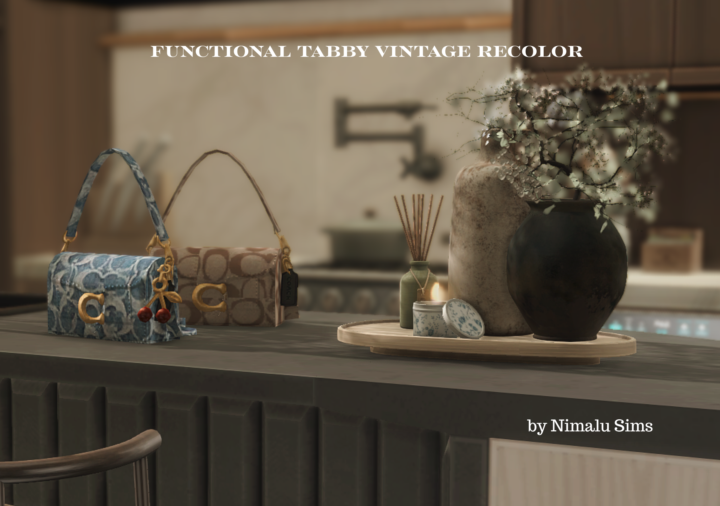
Functional Vintage Tabby Recolor
This recolor is inspired by vintage Coach aesthetics, blending classic luxury with modern Sims style.I reworked the Sims 4 × Coach collaboration into 6 carefully curated swatches, each designed to feel timeless, warm, and effortlessly chic. If you love classic fashion, neutral tones, and subtle luxury—this one’s for you ! Base Game Compatible - Can be placed in inventory and has a inventory it's self - Multiple Swatches Public Release On 2/14/2026 Get Early Access
Dec '25 •
Midwife Career Corkboard
Bringing warmth, intention, and purpose into the midwife career. 🧡✨ My Midwife Career Corkboard Override is finally here! filled with ultrasounds, anatomy notes, and pictures of babies your sim has helped come into this world! Get To Work Required Midwife Career By Pandasama
7
0

1-5 of 5

Suggested communities
Powered by