Activity
Mon
Wed
Fri
Sun
Jun
Jul
Aug
Sep
Oct
Nov
Dec
Jan
Feb
Mar
Apr
What is this?
Less
More
Owned by Nimalu
⬨Learn How To Create Content For The Sims 4
I help gamers elevate their gameplay with mods and custom content while also offering courses to gamers who want to generate income
Memberships
43 contributions to ⬨Nimalu Sims 4 University

27d •
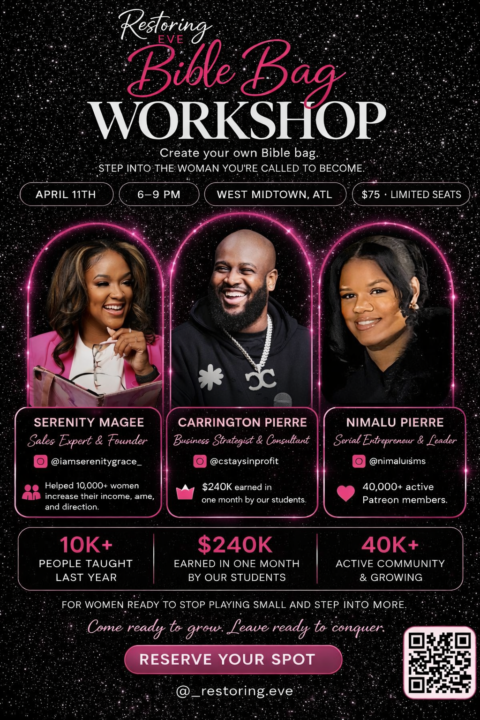
Meet, Greet & Create in Atlanta
⚠️If your in Atlanta You Don't Want To Miss ⚠️ Thank you so much for being part of my Nimalu Sims community. Because you’re already family over here, I wanted to personally invite you to something really special this Saturday, April 11th. My friend Serenity from Restoring Eve is hosting a beautiful Bible Bag Workshop, and I’m going to be there making bags right alongside you ✨ It’s going to be part creative workshop, part intimate meet-and-greet, and my husband Carrington and honestly the bag is cute, but it’s really the room, the wisdom, the conversations, and the connections that make this so special for me. For my Nimalu Sims community members, she's offering me a special $45 rate, and that includes your Bible bag, all materials, refreshments, full access to the event, a photo with me, and an Exclusive custom Sims 4 trait made just for you! I truly feel like this is the kind of space that can pour into you, inspire you, and push you into your next level while we create something meaningful together. If you’re free this weekend and want to come hang out with me in person, I would absolutely love to see you there! Purchase A Ticket (use referral code Sims to redeem free trait)
1
0
27d •
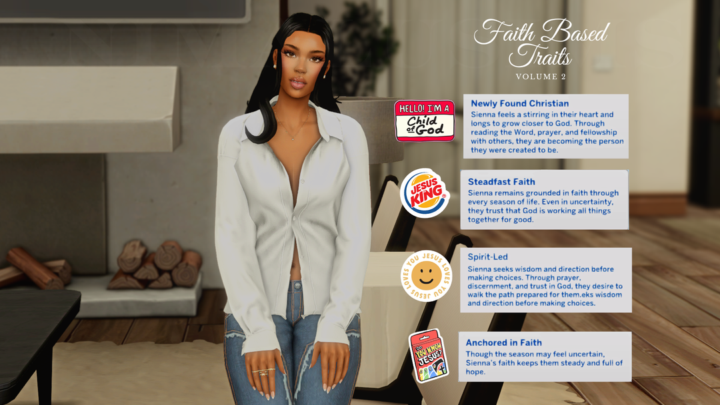
Faith Based Traits Vol. 2
With Volume 2 You will get (4) Traits Newly Found Christian - {0.SimFirstName} feels a stirring in their heart and longs to grow closer to God. Through reading the Word, prayer, and fellowship with others, they are becoming the person they were created to be. Steadfast Faith - {0.SimFirstName} remains grounded in faith through every season of life. Even in uncertainty, they trust that God is working all things together for good. Spirit-Led - {0.SimFirstName} seeks wisdom and direction before making choices. Through prayer, discernment, and trust in God, they desire to walk the path prepared for wisdom and direction before making choices. Anchored in Faith - Though the season may feel uncertain, {0.SimFirstName}’s faith keeps them steady and full of hope. Each trait reflects a different season of spiritual growth through prayer, reading the Word, wisdom, and trusting God through every chapter of life. I really wanted this pack to feel like your Sim is truly evolving in their faith journey not just a trait, but a lifestyle woven into gameplay. Perfect for family gameplay, testimony storylines, church saves, Bible study events (almost done with the mod, just testing phase) , and legacy challenges. Which one fits your Sim’s story the most?
Jan 13 •
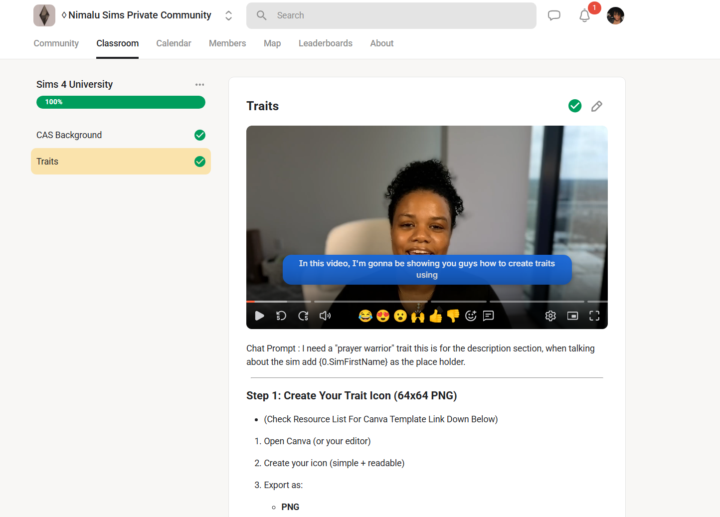
Do you want to learn how to create content for the sims 4?
✨ We’re almost at 30,000 members!!! ✨ First things first! I just want to say how deeply blessed I am to have you in my Patreon and Skool communities 💓Your love, comments, and support truly make my day and give me the motivation to keep creating. I wouldn’t be here without you. I’m so excited to share that I’m officially creating self-paced courses inside my Skool community 🎓✨ This course is designed just for you. Whether you’re creating for yourself or dreaming of sharing your work with others, this journey will teach you how to become a confident, creative, and modern Sims 4 content creator. ✨ What You’ll Learn Modding & CC Basics: Get hands-on with creating your own mods, traits, and custom content. I’m not gatekeeping—every tool and link I use will be shared with you. 🎨 Building Your Brand: Learn how to showcase your work on platforms like Patreon, Tumblr, and YouTube, and start building a recognizable presence. Community & Growth Discover how to connect, collaborate, and grow your audience in a supportive, uplifting way—no pressure, no competition. 💬 Now I want to hear from YOU :What kind of content do you want to learn how to create?
1 like • Jan 14
@Shanetta Crosby wow this gives me fuel to keep going, I can’t wait to see your growth and what kind of Cc you create !
0 likes • Mar 25
@Temidun Holloway of course!
Mar 14 •
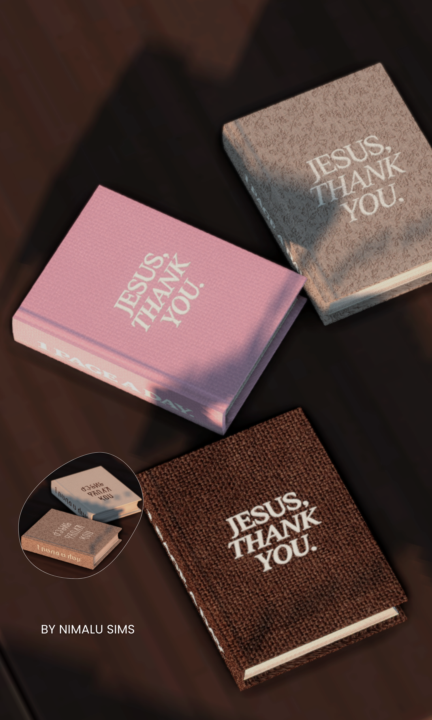
Embroidered Bible Recolor
This functional Bible recolor features embroidered lettering designed to feel soft, intentional, and devotional in your Sims’ space. The cover reads “Jesus, Thank You.” with “1 Page a Day” embroidered along the spine as a gentle reminder to stay in the Word daily. Created to bring a peaceful, faith-filled moment into your gameplay — whether your Sim is studying, reflecting, or spending time with God. ⚠️ Terms of Use• Do NOT recolor this Bible mod• Do NOT use this mesh or textures to create recolors• Do NOT translate or share on any platform• Please link back to the original post if sharing screenshots. ⚠️ Important Please remove/replace the old Bible mod before starting your game. Clear your Localthumbcache after installing. Clearing the LocalThumbCache.package helps remove old mod data and prevents conflicts when installing new mods. 1️⃣ Close The Sims 4 Make sure The Sims 4 is completely closed before doing this. 2️⃣ Open Your Sims 4 Folder Go to: Documents → Electronic Arts → The Sims 4 3️⃣ Find the File Look for the file named: LocalThumbCache.package 4️⃣ Delete It Right-click the file and click Delete. Don't worry — the game will automatically create a new one when you launch The Sims 4 again. 5️⃣ Start Your Game Launch The Sims 4 normally. Need Help Buying The Bible In Game? 1️⃣ Place a Bookshelf Open Build/Buy Mode and place any bookshelf in your Sim’s home. 2️⃣ Return to Live Mode Switch back to Live Mode. 3️⃣ Click the Bookshelf Click on the bookshelf to open the interaction menu. 4️⃣ Select “Purchase Books” Choose: 📚 Purchase Books A catalog of books will appear. 5️⃣ Go to the Non-Fiction Section In the book menu, click the category: 📖 Non-Fiction This is where your Bible book will appear. 6️⃣ Purchase the Book Click the book and press Purchase. The book will automatically go into your Sim’s inventory. 7️⃣ Read the Book Open your Sim’s inventory, click the book, and select Read. Your Sim can also place it on a table or bookshelf to read later.
Jan 31 •
Welcome to Our Creative Community for Sims 4 Modders!
Hey everyone! In this video, I’m excited to welcome you to my school community where we’ll dive into content creation for Sims 4. I’ll be dropping courses, assigning homework, and providing a supportive space for you to ask questions and share your work. Remember, this is a safe place free from negativity, and I want you all to be top-tier creators. I encourage you to post your projects and seek help when needed, as we’re here to uplift each other. Let’s embark on this creative journey together! https://www.loom.com/share/15a394a4bea243d98b2f46daed88ba81

1 like • Feb 26
@Shanetta Crosby you’re welcome ❤️
1-10 of 43
