
Write something

1d •
Sharing Project: 3D Animated
This project was designed to give learners a proper taste of real working practice within the 3D animation and digital media space. Rather than keeping it purely theoretical, the focus was on building habits, skills and outputs that mirror what is expected in industry. At its core, the project placed learners in a working studio mindset. They were expected to plan, create and present a short 3D animated product while taking on roles similar to those found in a professional environment. This included elements of teamwork, time management, communication and meeting deadlines, all of which are essential in any creative role. The structure of the project followed a clear journey. Learners began by exploring the purpose of 3D animation in real industries such as gaming, advertising and film. This gave them context and helped them understand why these skills matter beyond the classroom. From there, they moved into planning, where they developed ideas, created simple storyboards and considered their target audience. The production stage focused on using accessible AI tools to generate characters and assets. Learners used guided prompts to create 3D models, refine their designs and begin shaping a short animation concept. This approach allowed them to achieve high quality results without being limited by technical barriers, while still learning the importance of clean design and consistency. As the project progressed, learners were expected to review their own work and respond to feedback, much like a real client process. They documented their progress, reflected on what worked well and identified areas for improvement. This built confidence and encouraged a more professional attitude towards their work. The final outcome required each learner or group to present their animated concept along with a short explanation of their process. This included how they planned the project, the tools they used and how they overcame challenges. It gave them the opportunity to speak about their work in a way that prepares them for interviews or further study.
2
0

2d •
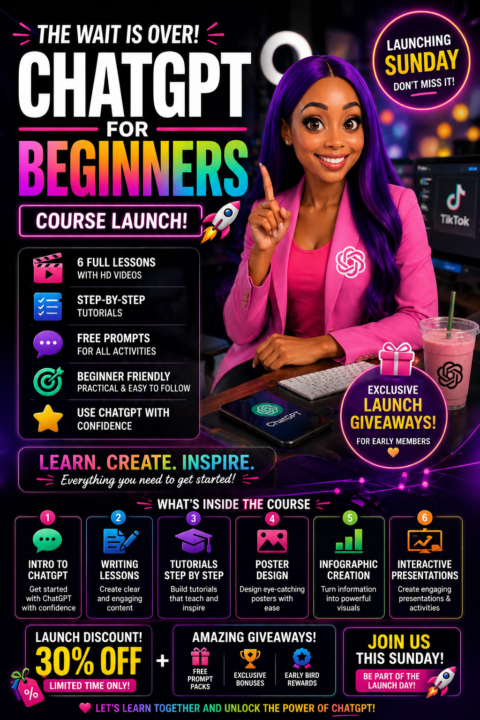
CHATGPT FOR BEGINNERS COURSE LAUNCH
The ChatGPT for Beginners course is now complete and ready for launch this Sunday. Every lesson has been carefully built to make learning simple, practical and easy to follow. This is not theory. It is step by step learning that your members can use straight away. Inside the course, learners will find six full lessons, each supported with video guidance, clear walkthroughs and ready to use prompts for every activity. Here is what has been completed inside the course: Lesson 1 introduces ChatGPT and shows learners how to use it with confidence from the start. Lesson 2 focuses on writing lessons using ChatGPT, helping learners structure clear and engaging content. Lesson 3 teaches how to create tutorials step by step, perfect for teaching or content creation. Lesson 4 covers poster design, showing how to generate clean, modern visuals with strong text and layout. Lesson 5 walks through infographic creation, turning information into simple, visual content. Lesson 6 brings everything together with interactive presentations, including structured slides, activities and audience engagement. Each lesson includes a full video, a step by step guide and free prompts that learners can copy and use immediately. The course will officially launch this Sunday. To mark the launch, there will be limited time discounts along with a few giveaways for early members who take action straight away. If you have been waiting to get started with ChatGPT properly, this is the moment.
2
0
4d •
Course update Chatgpt for Beginners
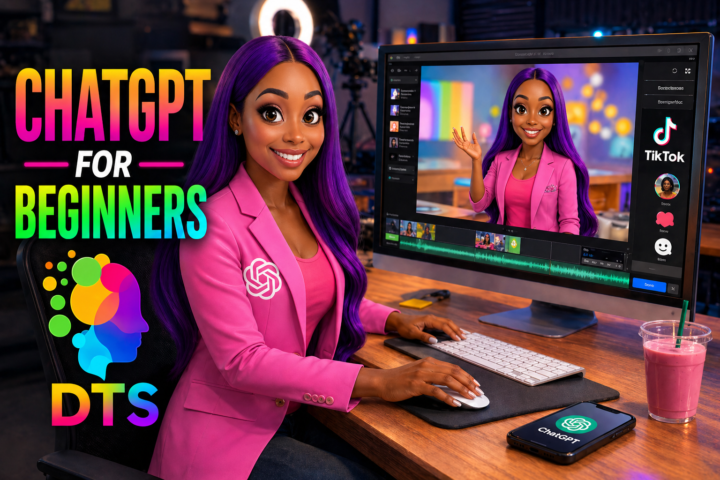
The course is nearly ready and this one is built for anyone who has opened ChatGPT and felt unsure where to begin. ChatGPT for Absolute Beginners is almost complete. It shows you exactly what to click, what to type and how to get real results from day one without the confusion. You will learn how to plan lessons in minutes, turn ideas into clear step by step tutorials, create high quality images and design presentations that actually engage your audience. Everything is broken down into simple steps so you can follow along and start creating straight away in your classroom or content workflow. If you want early access, comment READY or send me a message and I will add you to the list.
1
0
5d •
NEW COURSE UPDATES
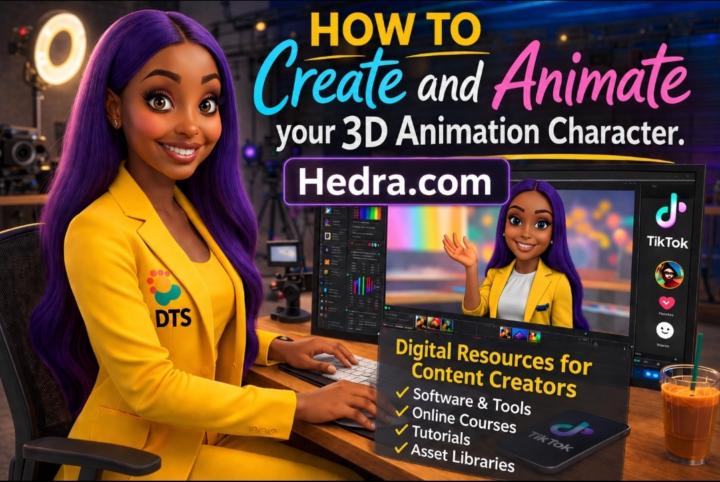
Quick update for everyone, the course visuals have just been refreshed and they’re looking much cleaner and more up to date 🎨✨ The “Create Talking Videos with Hedra” course now reflects the latest setup inside Hedra. The platform feels smoother to use, the voice options are better, and the character animation comes out more natural, so your videos feel more real and engaging 🎤🎬 The “Create 3D Animation Images with ChatGPT” course has also been updated. The image quality has improved, characters look more detailed, lighting is stronger, and it’s much easier to get that polished 3D Pixar style from a simple prompt 🤖✨ Everything is now clearer, easier to follow and ready for you to jump in and start creating 🚀
2
0
5d •
Five recommended AI apps include leading tools for content creation, AI video generation, and image design
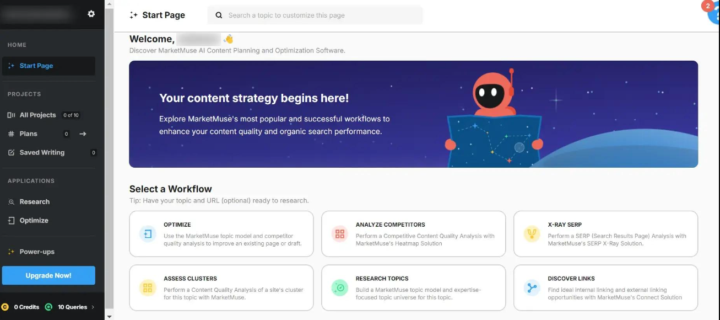
AI tools are moving quickly, but a few have proven themselves as reliable, practical choices for creators who want results without overcomplication. Here are five worth your time right now. ChatGPT remains the foundation. It handles ideation, scripting, prompt writing, and problem solving with consistency. Whether you are planning a 3D animation, writing a script, or structuring a course, it gives you a strong starting point and saves hours of thinking time. HeyGen stands out for video creation. It allows you to turn scripts into talking avatar videos that feel polished and ready for social platforms. It is particularly useful for faceless content, training videos, and quick promotional clips without needing a camera setup. OpenArt is a strong choice for image generation. It gives you control over styles, from realistic renders to stylised 3D and Pixar inspired visuals. It is useful when building assets for animation, thumbnails, or digital products that need a clean visual identity. Manus is gaining attention for automation and AI workflows. It focuses on helping you connect tools and streamline processes, which becomes valuable when you are scaling content, managing multiple outputs, or building systems behind your creative work. Hedra is one to watch for animation. It allows you to bring characters to life using voice and motion, making it ideal for music videos, storytelling, and short animated content. When paired with tools like ChatGPT and music generators, it completes the full creative pipeline. Each of these tools brings something practical to the table. The real value comes when you combine them into a simple workflow that saves time and produces consistent results. What other AI platforms are you using at the moment, and what makes them valuable to your workflow?
1
0
1-25 of 25
powered by
skool.com/dts-techfit-9994
IT Lecturer and AI specialist teaching 3D animation and how to monetise digital creations with practical, future focused strategies.
Suggested communities
Powered by