
Pinned
Jan 7 •
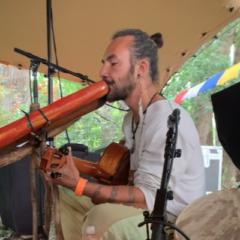
Welcome in! Introduce yourself & share a picture of your didgeridoo
Let's get to know each other! First posts count as brave. You can use this simple format. Hi, I am from __________________ and for fun I like to _____________. Here is a pic of me and my didgeridoo.
28d •
Welcome!
Hi and a big welcome to our new members: Mikee, Imke, John, Linda, and Janina. I’m glad you’re here, and I hope you find this community and what it has to offer useful for your practice. Learning something new can be difficult, especially when the only real way to improve is through regular practice. The didgeridoo is no different. You’re probably drawn to this instrument for your own reasons. Maybe you want to really learn how to play, maybe you’re interested in its meditative side, or maybe you’re simply curious about how its “magic” works. It doesn’t really matter. You’re here, and that’s a good place to start. It’s completely up to you how you want to use this space. There are a couple of courses under the Classroom tab that you can check out. They’re made up of short videos that will help you get started and build a solid foundation without overwhelming you. And don’t be shy about posting. If you feel stuck, upload a video and ask for feedback, or simply throw a question into the group. Someone will answer and help you get unstuck. That’s what this community is here for. If you feel like you want more individual support and you’re serious about improving your playing, you can also send me a PM and we can talk about 1:1 online sessions via Zoom. A few people from the community have already gone down that road, and it’s been great seeing their playing develop. But there’s absolutely no pressure. Whether you’re here to practice seriously, experiment with sound, learn circular breathing, or just make strange noises that annoy your neighbours, I hope you have fun with it and keep growing in your own way. 🌀 Kia kaha, David
1
0

Aug 9 •
Holiday
Hi guys, I am going on a holiday and there will be no Q&A this Thursday. I will be back in a week or so. Take care ❤️
0
0
1-30 of 46
powered by

skool.com/didgeridoo-mastery-1240
A didgeridoo-led practice community with guided sound journeys, where technique, listening, and confidence grow together.
Suggested communities
Powered by