

2d •
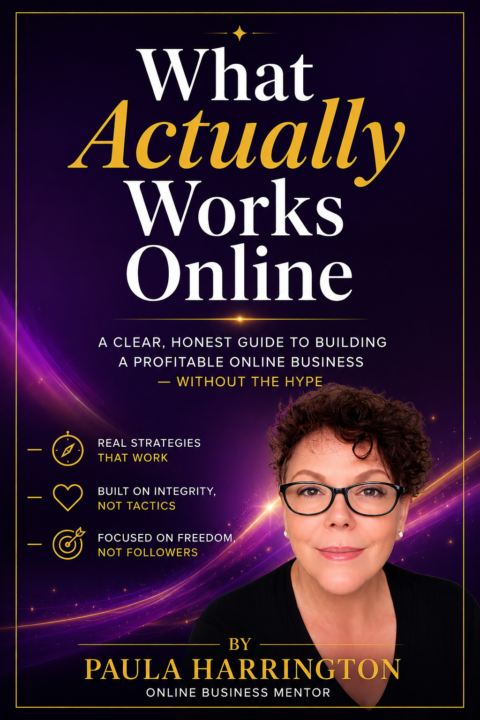
Confused about where to start online?
So many people tell me they want to build something online but have no idea where to even start looking. That confusion is normal, and it is exactly why I created something to clear it up. This guide is interactive, so instead of just reading about your options you actually get to explore them and see what fits your life. It is simple, it is honest, and it might just be the nudge you needed. Take a look here https://www.pauladailypay.com/start-1349141c-9f179188

2d •
Your Response Determines our Pricing 🎁
Everyone's trying to stand out online. Most people are still blending in. Whether you're looking for your next opportunity, growing a side hustle, or building a business, your online presence often speaks before you do. We're exploring how professionals and entrepreneurs feel about personal branding, professional CVs, personal websites, and branded email addresses. If you've ever wondered whether your digital presence is helping or hurting your credibility, we'd love your input. Got 5 minutes? Take the survey and help shape a solution built for real people, not influencers. 👉 Complete the survey here: https://forms.cloud.microsoft/r/xMQ5d8szap
2
0


🔥
13d •
Want To Build an Email List That Actually Makes Sales?
Most people don’t need more followers. They need a way to turn attention into sales. That’s exactly why I added a new training to the classroom 📧 Build an Email List That Makes Sales Inside, you’ll learn how to start building an email list, attract subscribers, and what to send so you’re not just collecting emails… you’re building relationships that can lead to customers. then Get to level 6 to unlock 🔓 my full walk through on how to take my free plug n play template and create your first freebie with a FREE. Automated system! Drop a GIF in the comments to help each other level up
Poll
28 members have voted


10d •
Everything you get inside Bookkeeping Office Hours
Tonight we have our second live training inside Bookkeeping Office Hours and there are only 8 spots left at the founding member rate of $27 per month. Once those spots are gone the price goes up. And it will not be coming back down. So before tonight's training I want to make sure you know exactly what you get when you join: 💛 2 live trainings every single month — with real teaching, real depth and Q&A so your questions actually get answered 🌿 Monthly live support with Kim — direct access to a bookkeeper with over 30 years of experience who actually knows the online space 📚 The Money Made Simple Spreadsheet System — a system that takes the overwhelm out of tracking your money 🎥 Full video training library — go back and watch anything anytime, nothing disappears ✨ FREE access to all VIP trainings and replays — every bonus training included at no extra cost 💼 FREE VIP Q&A sessions — bring your questions and get real answers 📓 Ongoing accountability to stay tax ready — so you are never blindsided at tax time again 🤝 A safe, judgment free space to get clarity and confidence around your money 🔥 Refer 3 members and your membership becomes completely FREE — plus earn 40% affiliate commission on every referral All of that for $27 a month. And tonight you will get to experience exactly what this community feels like. Rewriting Your Money Story starts at 7:00 PM EST — come see what we are building in here. Only 8 spots left at this price. After that it goes up. 🕖 Tonight, 7:00 PM EST https://www.skool.com/profit-paths-collective-8153/about Comment OFFICE HOURS if you are ready to lock in your spot.
2
0
14d •
This Tuesday, we go deeper 🌿
Last week we talked about the mirror — how your numbers reflect what you believe you deserve, not what you're capable of. If you were there, I hope it gave you a moment of awareness. If you weren't, the replay is in our module above. This Tuesday inside BOH, we take that awareness and turn it into action. Rewriting Your Money Story is where we go deep — together. Here's what we're covering: 🌿 Identifying where your money beliefs actually came from 💛 Connecting those beliefs to patterns showing up in your business right now ✨ Affirmations to start shifting those beliefs in real time 📓 A journaling practice to keep the work going after we close out And of course — live Q&A, so bring your questions about anything. This month's training, your bookkeeping, your business, whatever's on your mind. This is the part where the real shift starts to happen. I can't wait to do this work with you. 🕖 This Tuesday, 7:00 PM EST https://www.skool.com/profit-paths-collective-8153/classroom/6a180907 Drop a 💛 below if you'll be there!
2
0

1-30 of 119
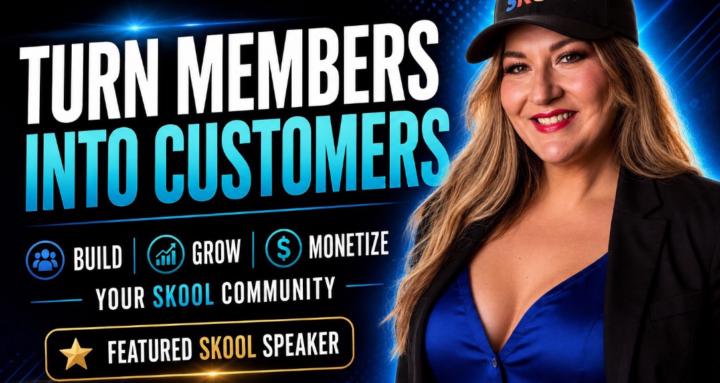
skool.com/communityhub
Start, Grow, & Actually Make Money With Your Skool Community Without Paid Ads. Get More Members, Leads & Sales. Promote Your Community for Free.
Leaderboard (30-day)
1

🔥
+388
2
+241
3

🔥
+163
4
🔥
+158
5

🔥
+158
Powered by