
Pinned

⭐
🔥
8h •
📣 DAY 2 LIVE SESSIONS – JUNE 16 🥰
Another packed day of AI strategies, automation, funnels, content, and growth. 𝗚𝗘𝗧 𝗥𝗘𝗔𝗗𝗬!! ➡️ Check out these LIVE sessions HERE ➡️ Get to Level 2, by completing Step 1 ➡️ The Swag Bag is officially open!! 𝗚𝗶𝘃𝗲 𝗶𝘁 𝘂𝗽 𝗳𝗼𝗿 𝗼𝘂𝗿 𝗝𝘂𝗻𝗲 𝟭𝟲 𝗦𝗽𝗲𝗮𝗸𝗲𝗿𝘀 👏👏👏 ** replays are added throughout the day 🎤 @Mark Mars — Winning Ads Aren't Luck Learn why today's winning ads are built on creative volume, not better targeting. 🎁 Swag Bag: Stay tuned!! 🎤 @Olivia Radcliffe — A Day In The Life Of... A behind-the-scenes look at how a busy business owner uses AI to save hours every day. 🎁 Swag Bag: The Shiny Squirrel Wrangler 🎤 @Monica Froese — Newsletter on Autopilot with AI Build an AI-powered newsletter system that writes, formats, and sources content for you. 🎁 Swag Bag: Elise: The Newsletter GPT 🎤 @Destini Copp — Self-Selling Funnel AI System Learn how to build a funnel that attracts, nurtures, and converts leads with AI.

Pinned
⭐
🔥
1h •
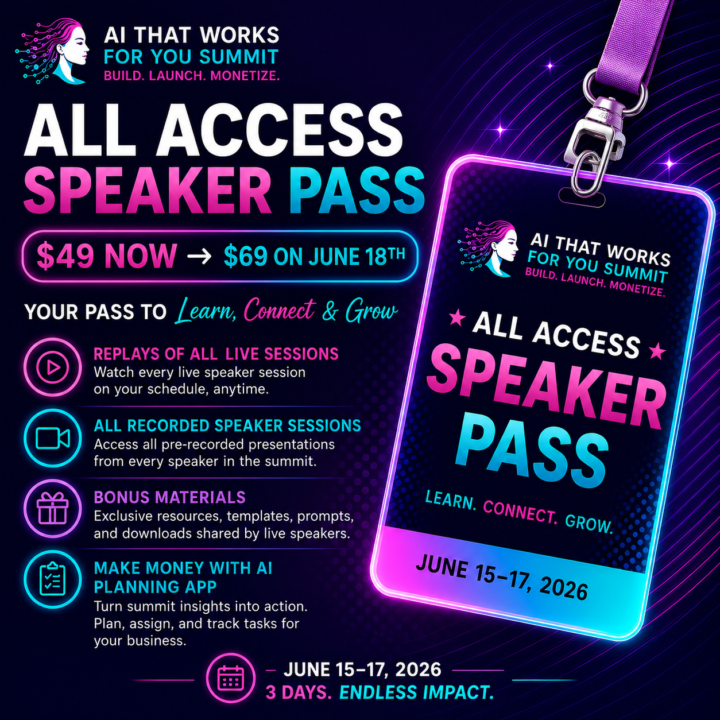
🎟️ All-Access Speaker Pass
$49 now → increases to $69 on June 18 Missed a session? Want to revisit your favourites? The All-Access Speaker Pass gives you everything in one place. ✅ Replays of all LIVE summit sessions ✅ Access to all recorded speaker presentations ✅ Bonus resources, templates, prompts, and downloads shared by participating speakers ✅ The Make Money with AI Planning App to help you turn summit insights into a practical action plan for your business The goal isn't just to learn more AI. It's to leave the summit with a clear plan, assigned tasks, and the next steps to start turning what you've learned into real results. ⏰ $49 through June 17 🚀 Price increases to $69 on June 18 Get the tools. Get the replays. Get the implementation plan.
Pinned
⭐
🔥
6h •
🔥 VIP for 30 Days Contest 🎉
I want to blow the top off our highest daily activity day from October 6, 2025 at 8135 Yesterday we did 7192 daily activities, which is really AWESOME. 💯🥰😱💫💋 Over the next 6 days, I want to beat that record 2025 day... 🚨 So here's the CONTEST!! 𝗙𝗼𝗿 𝘁𝗵𝗲 𝗺𝗲𝗺𝗯𝗲𝗿 𝘄𝗵𝗼 𝗽𝗹𝗮𝗰𝗲𝘀 #𝟭 𝗼𝗻 𝘁𝗵𝗲 𝟳-𝗱𝗮𝘆 𝗟𝗲𝗮𝗱𝗲𝗿𝗯𝗼𝗮𝗿𝗱 𝗖𝗵𝗮𝗹𝗹𝗲𝗻𝗴𝗲, 𝘁𝗵𝗲𝘆 𝘄𝗶𝗹𝗹 𝘄𝗶𝗻 𝗮 𝗩𝗜𝗣 𝗺𝗲𝗺𝗯𝗲𝗿𝘀𝗵𝗶𝗽 𝗳𝗼𝗿 𝟯𝟬 𝗗𝗮𝘆𝘀. That means you get access to our AI-Mentor Program, VIP Pinned Promo Posts, Weekly Q&A's with me, and our Monetizing Your Skool Community Masterclass Series. ...and if you decide to stay on, we'll grant you the current VIP price (versus the new price starting July 1). All you need to do is post comments and replies and move up on the leaderboard. Who is in?!!
Poll
45 members have voted


2h •
Here is your Claude Newsletter prompt!
Thank you to everyone for showing up to learn how to automate your AI newsletter! I promised to post the prompt I use in Claude to create the Newsletter Skill. Here it is: You're going to help me build an installable Claude Skill that writes my newsletter, then use it to write my first issue. Here is the newsletter strategy I just created with Elise: [PASTE YOUR FULL ELISE OUTPUT HERE] Here are my brand and format details: - Newsletter name and tagline: [fill in] - Email platform: [Kit / Beehiiv / Mailchimp / ActiveCampaign / other] - Brand colors: primary for headers and buttons [hex], accent for dividers and borders [hex], callout background [hex], body text [#1a1a1a] - Logo URL and sign-off photo URL (or 'none'): [fill in] - Sign-off name: [fill in] - The 3 to 5 sections I want in every issue: [list them, or say "suggest sections from my Elise strategy"] - What I sell or link to, with URLs: [fill in] - Voice rules: words to never use [...], things I always or never do [...], length [...], CTA style [...], P.S. line or not [...] Now do two things: PART 1 - Build my Skill. Create a complete, installable Claude Skill as a single SKILL.md file. Include: - Frontmatter with a name and a description that triggers on phrases like "write this week's [newsletter name]" or "write a new issue." - My newsletter identity: name, tagline, cadence, sign-off name and photo. - My brand colors, and email-safe HTML rules for my platform: table-based layout, every style inline, no style blocks, no flexbox or grid. For Kit, minify the final HTML to a single line. Do not include an unsubscribe footer, my platform adds it automatically. - My section blueprint in order, with the job of each section. - My voice rules, written as specific do and never instructions. - My offers and how to write CTAs. - An intake sequence that asks me, each week: what's the issue about, the goal, and the offer or CTA. - Output instructions: write the full issue in my voice, output ready-to-paste HTML for my platform,


🔥
1h •
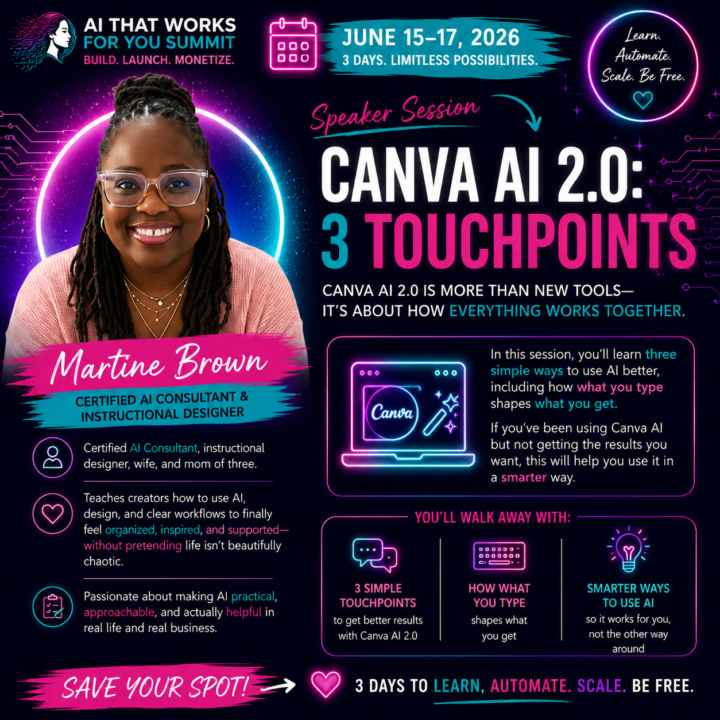
Canva AI 2.0..I am about to say some Strange Things...
But I promise..you are going to LOVE it! Will you be there live? Let me know in the comments see you at 4:30 CDT! ADD To Calendar
1-30 of 1,675
skool.com/ai-driven-business-summit
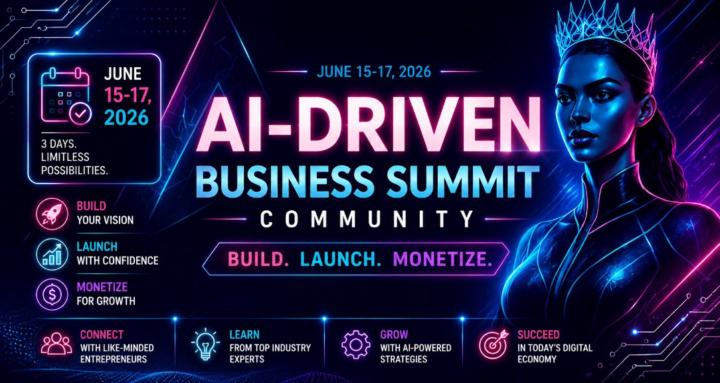
The AI That Works For You Summit is LIVE June 15-17. ⏰🤖🔥 45+ Experts, tools & resources on making money with AI & Skool for WOMEN BIZ OWNERS.
Leaderboard (30-day)
1

🔥
+1970
2

🔥
+1614
3

+1574
4

🔥
+976
5

🔥
+926
Powered by