

29d •
Are you preparing for Claude Certified Architect certification?
Let me know your current status in comments Read this post : https://www.skool.com/ai-avengers-3116/learn-with-claude-study-for-the-claude-certified-architect-exam?p=a8afd54f
Poll
19 members have voted
16d •
Loop Engineering Recording Live - The 4th Floor of AI
Andy dropped the clearest explanation of loop engineering I've seen. Here's what we covered: - The 4 floors of AI leverage - prompt, context, harness, loop - The 4-condition test to know if your task actually needs a loop - The 5 building blocks: automation, isolate, skills, connectors, state file - Why maker-checker prevents LLMs from grading their own homework - Live demo - /loop and /goal in Claude Code, zero manual prompts after go Andy said it best: "9 out of 10 builders have never written a loop. I was one of them until recently." Full recording: https://www.youtube.com/watch?v=NdLwDXptnXw Next Friday we go deeper. See you then.
4
0
19d •
$8. 127 minutes. Zero output. Here's what actually happened.
A Claude workflow cycled between approach A and approach B. Thirty-one times. Not a broken prompt. A missing verifier. The death spiral is the most expensive mistake in agentic AI. Friday we go deep on what causes it and how to architect your way out of it. Loop engineering - live build on screen. June 19 · 1pm EST · Free: manojsaharan.ai/workshop
2
0
23d •
What is the biggest failure mode you keep hitting with AI agents?
Drop your answer and one sentence about what you were building when it happened.
Poll
Cast your vote
1
0
25d •
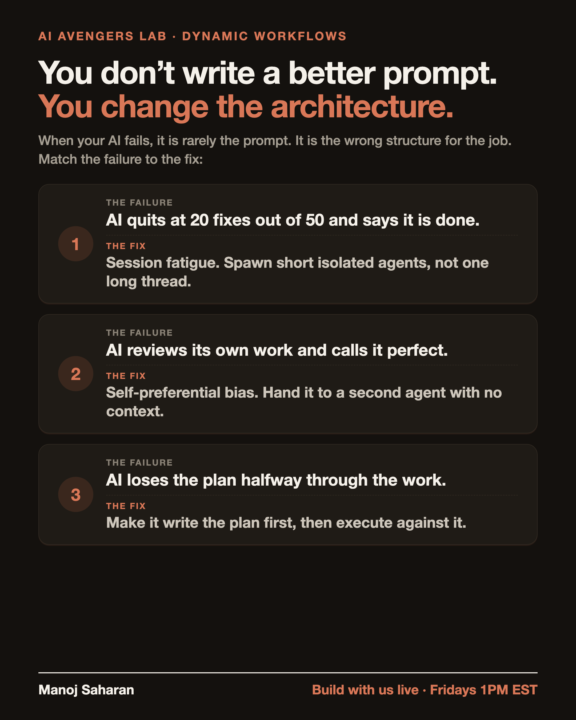
The fix was never a better prompt
When your AI fails, the instinct is to rewrite the prompt. Then rewrite it again. The output barely moves. Last workshop we broke down why: a bad output is almost never a bad prompt. It is the wrong architecture for the job. Three of the six patterns we covered: 1. AI quits at 20 fixes out of 50? Session fatigue. Spawn short isolated agents, not one long thread. 2. AI calls its own work perfect? Self-preferential bias. Hand it to a second agent with no context. 3. AI loses the plan halfway? Make it write the plan first, then execute against it. These are structure problems, not prompt problems. And it is not just code. CRM cleanups, contract review, lead triage. Same machinery, different job. This Friday we go deeper on the other three. 1pm EST, live. Bring a workflow that keeps failing and we will diagnose it on the call.
2
0
1-30 of 311
powered by

skool.com/ai-avengers-3116
Build & Sell Claude AIOS and Voice AI Agents with the most exclusive AI community on the planet. Join for AI Education & live Workshops
Suggested communities
Powered by