
Pinned

💎
⭐
1d •
🚀New Video: The NEW Nano Banana 2 + Claude Code = $10k Websites
In this video, I show you how to use Google's new Nano Banana 2 image model and Claude Code to build three fully animated websites that you could sell for thousands of dollars, and it only takes minutes. Whether you've never touched Claude Code or built a website in your life, this tutorial will walk you through everything step by step so you can start creating stunning, professional-looking sites right away. I also built a custom skill specifically for this workflow that you can grab for completely free. It does the heavy lifting for you and makes the entire process way easier, even if you're a total beginner. If you've been looking for a way to start offering real services using AI, this is one of the fastest paths I've seen. Grab the free skill, follow along, and start building. GRAB THE SKILLS HERE
Pinned
💎
⭐
6d •
🚀New Video: Claude Code Skills Are Broken (Beginner to Pro)
I've genuinely never been as productive as I am right now, and it all comes down to Claude skills. In this video, I break down everything you need to know about them, even if you've never heard of the concept or built a single skill before. I'll explain what skills actually are, why you should care about them, and exactly how they work under the hood. I'll even do a full live build of a skill from scratch so you can see the entire process in action. By the end of this video, you'll be a pro at building and using Claude Code skills. GRAB MY SKILLS HERE
Pinned

🔥
5d •
🏆 Weekly Wins Recap | Feb 21 – Feb 27
SaaS builds. $16K contracts. First clients. Outbound systems going live. This week inside AIS+ was all about leverage turning into real results. Here are a few standout wins inside AIS+ 👇 👉 @Michael Elliott landed a $16.8K contract in just 10 hours of work using Claude Code. 👉 @Krishna A closed another $2,000 deal - now $4K+ this year building apps, agents, and SaaS. 👉 @Viktorio Halcu secured his first client on commission, building an AI outbound calling agent. 👉 @Ahmad Abd Alkarim built his first full vibe-coded SaaS with multi-tenant authentication and dashboard systems. 👉 @Mike Thomson launched Outreach Dashboard v2 - full cold email infrastructure stack live and ready to scale. 🎥 Super Win Spotlight: @Mike Thomson | Systems Before Scale Mike didn’t join looking for magic. He joined because he saw people actually building. After testing multiple systems, he rebuilt his entire cold outreach infrastructure using insights shared inside AIS+. Domains. Inboxes. Warmup. Follow-ups. Automation stack ready. Now he’s weeks away from launching outreach at scale. Mike’s journey is proof that you don’t need hype - you need systems, consistency, and the right room. 🎥 Watch Mike's story 👇 ✨ Want to see wins like this every week? Step inside AI Automation Society Plus and start building assets that compound 🚀


4h •
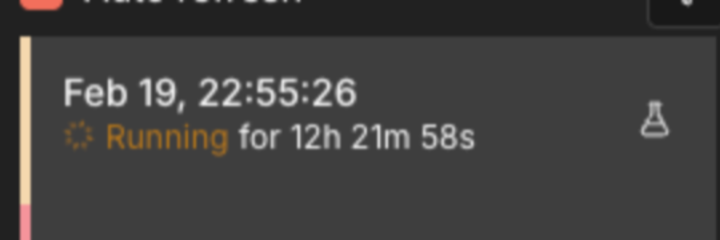
Holy Time Savings
This automation ran for over 12 hours while I was asleep. I woke up, checked my phone, and it was still going. No supervision, no check-ins, no messages, just 12 hours of work done without my involvement. Let's put some numbers to that. If I hired an offshore VA to do this (Philippines, which is the most common), you're looking at $5-8/hour. That's $60-96 for one run. If this thing runs daily, that's $1,800-2,880 a month. And that's before training, onboarding, and the time I spend managing them (which nobody talks about). A US-based hire doing this same work runs $25-30/hour. So one 12-hour run costs $300-360 (not to mention OT). Monthly? $9,000-10,800. For one task. My server + credits costs me roughly $20-50/month depending on the setup. It runs itself. I'm not saying don't hire people. People are irreplaceable for judgment calls, relationships, and creative thinking. But if a task can be written out step by step AND be broken down into a checklist, it probably shouldn't be done by a person.

4h •
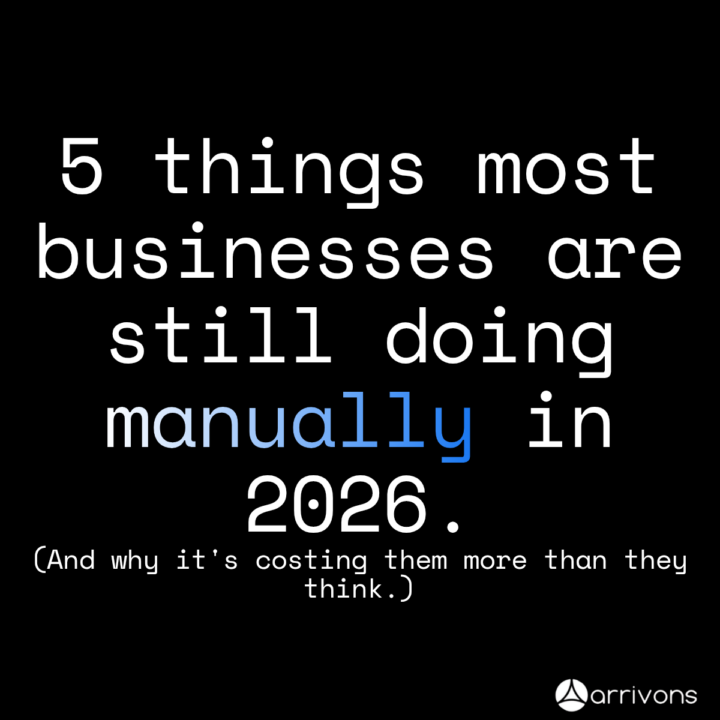
5 things most businesses are still doing manually in 2026.
5 things most businesses are still doing manually in 2026. (And why it's costing them more than they think.) 1. Sorting and responding to emails Every morning someone sits down, reads through the inbox, decides what's urgent, what's not, and manually types replies. An AI system can read, classify, and respond to every email automatically, in seconds. 2. Following up with leads A potential customer shows interest and then falls through the cracks because no one followed up in time. AI can trigger personalised follow-up messages instantly, no human needed. 3. Booking appointments Back and forth messages just to find a time that works. A voice agent or automated booking system handles this entire conversation without a single human involved. 4. Logging customer data Someone fills out a form and a human manually copies the details into a spreadsheet or CRM. That's fully automatable, data goes straight where it needs to go the moment it's submitted. 5. Notifying the team about new leads A hot lead comes in and sits unnoticed for hours because nobody saw the email. Automated Slack or WhatsApp alerts mean the right person knows instantly, every single time. Every one of these tasks is stealing time, energy, and money from your business daily. And every single one of them can be automated today. I'm offering free business audit and implantation of easy win solutions for any business in exchange for case study. If interested please leave a comment and i will DM you.
1-30 of 13,934

skool.com/ai-automation-society
A community built to master no-code AI automations. Join to learn, discuss, and build the systems that will shape the future of work.
Leaderboard (30-day)
1

+3543
2

🔥
+1523
3

+716
4

+683
5
🔥
+595
Powered by