
Pinned

💎
⭐
1d •
🚀New Video: Claude Code Skills Just Got Even Better
2 videos in one day?? Had to do it... Claude Code just dropped a major update to how skills work. The new Skill Creator helps you build better skills from scratch, run evals to test how they perform, optimize existing skills for better accuracy, and trigger them more reliably. In this video, I break down everything that changed and then do a full live build of a brand new skill so you can see exactly how it works. Whether you're just getting started with Claude Code or you've already been building skills, this update makes the whole workflow significantly better.
Pinned
💎
⭐
2d •
🚀New Video: Turn Claude Code Into Your Executive Assistant in 27 Mins
In this video, I walk you through exactly how I built my own AI executive assistant using Claude Code, and how you can do the same. We go through four phases: setting up the project, adding context and rules, building out your first skills and sub-agents, and how to let it grow over time by layering in more skills, memory, and context as your needs evolve. By the end, you'll have a clear blueprint for setting up a personal AI assistant that actually works the way you work, not just a generic chatbot, but something that knows your business, follows your systems, and gets smarter the more you use it.
Pinned

🔥
5h •
🏆 Weekly Wins Recap | Feb 28 – Mar 6
From first clients and automation launches to AI-powered translation systems and new business opportunities - this week inside AIS+ showed what happens when curiosity meets execution. 🚀 Standout Wins of the Week 👉 Dave-Amy Simpson secured a $12K MVP build with plans for a larger rollout and long-term retainer. 👉 Abu Sumayah signed his first client to build a custom CRM for a veteran housing organization. 👉 @Patrick Florencio shipped his first automation - a WhatsApp assistant handling schedules, reminders, and tasks. 👉 @Isabelle H booked a strategy call with a $19M aviation company CEO to explore automation opportunities. 👉 @Usman Mohammed translated 2,000+ pages of ancient Arabic texts into bilingual PDFs using Claude Code automation. 🎥 Super Win Spotlight | @Sven Loeffler Sven joined AIS+ because he wanted more than just watching AI videos.He wanted a clear roadmap and a place that pushes you to build. Since joining, he has: • Implemented a full automation workflow for a client • Delivered AI audits that opened new opportunities • Started building a lead-generation agent for a mid-sized company • Shifted his pricing mindset from hundreds → $5K+ engagements And it all started with one simple habit: Blocking 30 minutes a day to learn and build consistently. Sven’s journey is proof that momentum doesn’t come from consuming content - it comes from consistent action inside the right room. 🎥 Watch Sven's story 👇 ✨ Want to see wins like this every week? Step inside AI Automation Society Plus and start building assets that compound 🚀

💎
⭐
5h •
🚀New Video: Cursor Automations Clearly Explained (worth learning?)
Cursor just launched Automations, which are trigger-based AI coding agents that can launch automatically on events like PRs, Slack messages, and alerts instead of you manually prompting them. In this video I break down how they work, how they compare to Claude Code and OpenClaw, and why the fundamentals matter more than the tools. There are 7 core agent concepts (triggers, instructions, tools, models, sandboxing, state, and deployment) that transfer across every tool in this space. Learn one tool well and you'll do well no matter what comes next.

14m •
How to Generate Consistent AI Characters (March 2026)
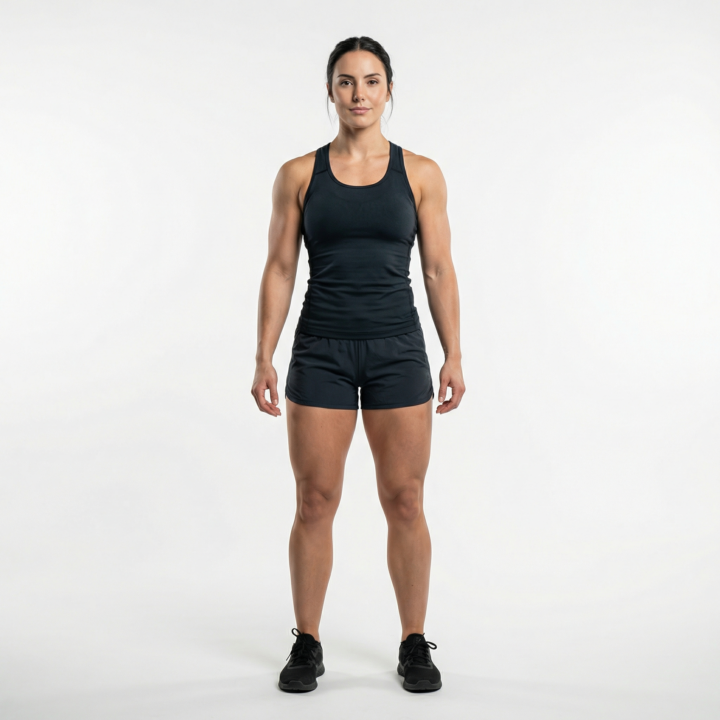
If you've ever tried to create an AI avatar or character for your brand, you know the problem. You generate something you love, then try to recreate it in a different pose or setting, and it looks like a completely different person. Here's how I'm solving that right now: Step 1: Use Nano Banana Pro As of early March 2026, Nano Banana Pro (Google's image model inside Gemini) is the best tool I've found for generating consistent characters (I like it more than Nano Banana 2). It's built on Gemini 3 Pro, and the character consistency is noticeably better than anything else I've tested. I'm still experimenting with other models, but this is what's working for me right now. You can access it for free through the Gemini app. Google AI Pro/Plus/Ultra subscribers get higher usage limits. "But what about the watermark?" If you use the free version through Gemini, Google puts a visible watermark on the bottom right of every image. To get around that, you can use platforms like WaveSpeed AI or Higgsfield that plug into the Nano Banana Pro API directly. This lets you generate with the same model, without the watermark. You can also hit the API yourself if you're comfortable with that. Step 2: Generate Your AI Avatar Use Nano Banana Pro to create your base character. Be specific in your prompt. Describe facial features, hair, clothing, and style. The more detail you give it, the more consistent your results will be across future generations. This is your "master image." Step 3: Upscale That Avatar AI-generated images often come out at a lower resolution than what you'd want for professional use. I run mine through Topaz Gigapixel to clean it up and bring it to a higher resolution. This makes a big difference when you're posting across LinkedIn, newsletters, carousels, etc. Step 4: Use It as Your Reference Image This is the key step most people skip. Take that upscaled avatar and use it as your reference image every time you generate new content. Upload it into Nano Banana Pro alongside your new prompt, and it will keep your character looking the same across different scenes, poses, and settings.
0
0
1-30 of 14,010

skool.com/ai-automation-society
A community built to master no-code AI automations. Join to learn, discuss, and build the systems that will shape the future of work.
Leaderboard (30-day)
1

+3563
2

🔥
+1489
3

+659
4
🔥
+605
5

+578
Powered by