Activity
Mon
Wed
Fri
Sun
Sep
Oct
Nov
Dec
Jan
Feb
Mar
Apr
May
Jun
Jul
What is this?
Less
More
Memberships
Innovatoren im Mittelstand
638 members • Free
Finanzen & Börse
106 members • Free
Skool Extensions 🧩
713 members • Free
Zukunftsmacher Community
651 members • Free
KI Transformation: Claude Code
421 members • Free
KI Coding Masterclass
86 members • $87/month
KI Builder
333 members • Free
n8n Templates
1.4k members • Free
n8n KI Agenten
10.9k members • Free
16 contributions to Skool Extensions 🧩

🔥
6d •
MySkool (Premium Feature 👑) - $9/month
𝗠𝘆𝗦𝗸𝗼𝗼𝗹 — 𝗪𝗵𝗲𝗿𝗲 𝗮𝗹𝗹 𝘆𝗼𝘂𝗿 𝗰𝗼𝗺𝗺𝘂𝗻𝗶𝘁𝗶𝗲𝘀 𝗰𝗼𝗺𝗲 𝘁𝗼𝗴𝗲𝘁𝗵𝗲𝗿. Skool always drops you into one community at a time — there is no page that shows your whole Skool life at once. MySkool gives you that home: a personal cross-community feed that takes over the page and pulls posts from every community you pick into one stream, newest first. Open MySkool from its entry in Skool's native pin bar — it rides along like any other pin and can be moved the same way. One unified selector box at the top controls everything: pick individual communities, hit the "All communities" chip to follow everything, use the sync button for a fresh pull, or grab a "Copy link" to share the view. The same selection spans all three tabs — feed, calendar and classroom — so the events and lessons from all your chosen communities are gathered in one place too. The feed is not read-only: edit your own posts and comments inline, vote in polls straight from the stream, and like and comment as if you were inside the community. Every post shows its community icon, so you always know where a conversation lives — one click takes you there. MySkool is a Premium feature and can be toggled in the Extension Settings. --- 𝗠𝘆𝗦𝗸𝗼𝗼𝗹 — 𝗪𝗼 𝗮𝗹𝗹 𝗱𝗲𝗶𝗻𝗲 𝗖𝗼𝗺𝗺𝘂𝗻𝗶𝘁𝘆𝘀 𝘇𝘂𝘀𝗮𝗺𝗺𝗲𝗻 𝗸𝗼𝗺𝗺𝗲𝗻 Skool setzt dich immer in eine Community zur Zeit — es gibt keine Seite, die dein ganzes Skool-Leben auf einmal zeigt. MySkool gibt dir dieses Zuhause: ein persönlicher Community-übergreifender Feed, der die Seite übernimmt und Posts aus jeder Community, die du wählst, in einen Stream zieht, Neuestes zuerst. Öffne MySkool über seinen Eintrag in Skools nativer Pin-Leiste — es fährt dort wie jeder andere Pin mit und lässt sich genauso verschieben. Eine einheitliche Auswahlbox oben steuert alles: Wähle einzelne Communities, nimm den „Alle Communitys"-Chip, um allem zu folgen, nutze den Sync-Button für einen frischen Abruf oder „Link kopieren", um die Ansicht zu teilen. Dieselbe Auswahl spannt über alle drei Tabs — Feed, Kalender und Classroom —, sodass auch die Termine und Lektionen all deiner gewählten Communities an einem Ort versammelt sind.


3 likes • 6d
@Robert Gault rgds. "try it on computer", its not bound to the one and only CHROME Browser. The extension is also available on Firefox 🫠
🔥
May 21 •
Community Puzzle
𝗗𝗮𝗶𝗹𝘆 𝗖𝗼𝗺𝗺𝘂𝗻𝗶𝘁𝘆 𝗣𝘂𝘇𝘇𝗹𝗲 — 𝗔 𝗱𝗿𝗮𝗴-𝗮𝗻𝗱-𝗱𝗿𝗼𝗽 𝗷𝗶𝗴𝘀𝗮𝘄 𝗼𝗳 𝗮 𝗱𝗮𝗶𝗹𝘆 𝗰𝗼𝗺𝗺𝘂𝗻𝗶𝘁𝘆 𝗰𝗼𝘃𝗲𝗿 𝗶𝗺𝗮𝗴𝗲, 𝘄𝗶𝘁𝗵 𝘁𝗵𝗲 𝘀𝗰𝗼𝗿𝗲 𝗽𝗼𝘀𝘁𝗲𝗱 𝘁𝗼 𝘁𝗵𝗲 𝗰𝗼𝗺𝗺𝗲𝗻𝘁 𝘁𝗵𝗿𝗲𝗮𝗱 Tucked into the puzzle-icon dropdown of the comment composer in the skool-extensions community is a new "Daily Jigsaw" entry. Click it and a modal opens with a jigsaw puzzle made from today's randomly picked community cover image — the same cover you'd see if you visited that community's about page. The community is shown above the puzzle as a clickable link, so you can pop over to its about page in a new tab before or after solving. The grid shape adapts to the image aspect ratio: square covers get a 3×3, landscape covers get 4×3, very wide ones get 5×3. No more squished puzzles — the pieces always look like they were cut from the original photo. Drag a piece from the tray onto its slot in the grid: a wrong drop triggers a gentle shake and the piece returns to the tray, a right drop pulses green and locks into place. A live timer at the top of the card counts up from the moment the image loads, so you know exactly how long you took. The point of the puzzle isn't just the puzzle. Solve it, and the modal stays open with a "Post Score" button enabled. Click it and a formatted score line — community name as a clickable link, the time it took you, the grid size — drops into your comment composer ready to publish. The result is an organic daily-thread mechanic: every day a different community gets a small spotlight in the comments, with a leaderboard of who solved fastest emerging naturally as the day goes on. The puzzle is intentionally scoped to the skool-extensions community because that's where the daily-thread plays out. If you want to try it without solving the whole thing first, dev builds expose a "Simulate solve" button next to "Post Score" — useful when iterating on the post format, but it never ships to end users. --- 𝗧𝗮̈𝗴𝗹𝗶𝗰𝗵𝗲𝘀 𝗖𝗼𝗺𝗺𝘂𝗻𝗶𝘁𝘆-𝗣𝘂𝘇𝘇𝗹𝗲 — 𝗘𝗶𝗻 𝗗𝗿𝗮𝗴-&-𝗗𝗿𝗼𝗽-𝗝𝗶𝗴𝘀𝗮𝘄 𝗲𝗶𝗻𝗲𝘀 𝘁𝗮̈𝗴𝗹𝗶𝗰𝗵 𝗴𝗲𝘄𝗮̈𝗵𝗹𝘁𝗲𝗻 𝗖𝗼𝗺𝗺𝘂𝗻𝗶𝘁𝘆-𝗖𝗼𝘃𝗲𝗿𝘀, 𝗺𝗶𝘁 𝗦𝗰𝗼𝗿𝗲-𝗣𝗼𝘀𝘁 𝗶𝗻 𝗱𝗲𝗻 𝗞𝗼𝗺𝗺𝗲𝗻𝘁𝗮𝗿-𝗧𝗵𝗿𝗲𝗮𝗱

1 like • Jun 2
🧩 Daily Community Puzzle solved in 01:33📍 Today: Skoolers
🔥
May 24 •
500 Members 🥳
We’ve now reached 500 members in the community 🥳 That means almost 80% of all extension users are also joining the community to connect and exchange ideas. That’s amazing. Let’s keep the momentum going, have fun together, and make the extension even more popular. You really do have the chance here to help shape features and improvements for your everyday Skool experience. Many of your ideas have already become reality. Some more advanced ones are still part of the premium membership. Join the first live call for the extension this Thursday. I’ll also showcase a lot of premium features that many of you probably haven’t discovered yet. And brand new: I’ll introduce the Workflow Builder for Skool automations ☝🏼 —- Wir sind jetzt 500 Mitglieder hier in der Community 🥳 Das heißt fast 80% der Extension Nutzer kommen auch in die Community um sich auszutauschen. Das ist genial. Lasst uns hier weiter Gas geben und Spaß haben und die Extension so noch bekannter machen. Ihr habt es hier tatsächlich in der Hand eure individuellen Wünsche für euren Skoolalltag umsetzen zu lassen. Viele davon konnte ich bereits war werden lassen. Einige verstecken sich noch in der Premiummitgliedschaft. Sei am Donnerstag zum ersten Livecall der Extension dabei. Ich stelle auch viele Premiumfunktionen vor, die ihr bestimmt noch nicht kennt. Brandneu zeige ich euch den Workflow Builder für Skool Automatisierungen ☝🏼

1 like • May 25
@Cornelius Wasmund wie gut, dass ich keine Steffie in meiner Nähe habe.🙃 Aber mal im Ernst - Ritterrüstung für Webinar-Besuche haben auch etwas!
🔥
Mar 14 •
Next Feature ?
Guys, the possibilities right now are insane! I’ve built a setup that lets me develop awesome new Skool features at lightning speed to make our daily Skool life so much better. Share your wildest ideas below! 👇🏼 --- Leute, die Möglichkeiten sind gerade unglaublich. Ich hab jetzt ein Setup, mit dem ich im rasenden Tempo geiles Zeug an Skool ranentwickeln kann und uns so den Skool Alltag versüßen kann. Teilt hier eure wilden Ideen 👇🏼

3 likes • May 15
@Misty Pastilock I'm mixing both setup - in office I've my laptop open with my very old FF (and I like it), and that not only since the Skool Extensions is working on that old FF, too In the evening, when my laptop is sleeping, I'm mostly on my android tablet - and there I'm missing all the function of Skool Extensions very very very much... @Marco Berlin
2 likes • May 15
Ich hatte ja auch schon mal die ein oder andere Idee geäußert - wie wäre es mit einer vernünftigen Zitierfunktionalität, um den Kontext halten zu können. Diese ist bei Skool sehr unterentwickelt mit - nur einer Ebene - und alle Replys nach Eingang/Erstellung einfach in der Ebene untereinander. in einem ersten Wurf würde aber schon das Zitieren helfen.
🔥
May 13 •
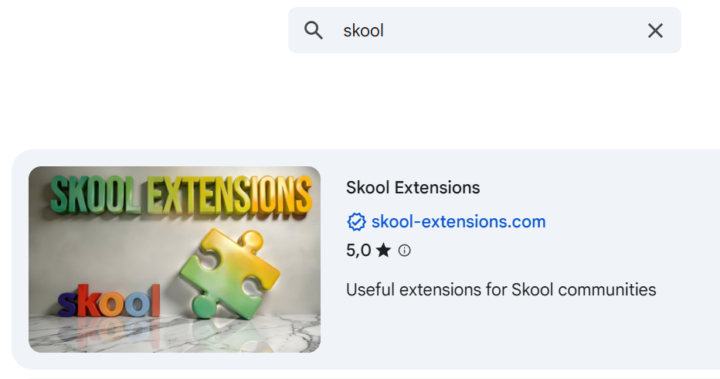
#1 in the Chrome Web Store 🥳
#1 in the Chrome Web Store - 683 users - Tons of positive feedback So, since today's update, the Skool Extensions have slipped to number 1 in the Chrome Web Store 🥳 (currently the best browser extension for Skool) The extension is now about 2.5 months old and has taken a bombastic turn. I got so much awesome feedback from you. Thank you very much at this point 🙏 Obviously there are some functions for us on Skool that sweeten our everyday lives in the many Skool communities. And that is exactly my ultimate goal: 𝗧𝗼 𝗺𝗮𝗸𝗲 𝗦𝗸𝗼𝗼𝗹 𝗲𝘃𝗲𝗻 𝗯𝗲𝘁𝘁𝗲𝗿 𝗳𝗼𝗿 𝘂𝘀 𝗮𝘀 𝗺𝗲𝗺𝗯𝗲𝗿𝘀 💪🏼 Free and as simple as possible. If you would like to give something back, I would be happy if you - did recommend the extension, - rated with 5 stars in the web store - you are really active here in the community, - or simply leave me positive feedback here as a comment. At this rate, the 1,000-user limit will definitely be reached soon. As 𝗰𝗼𝗺𝗺𝘂𝗻𝗶𝘁𝘆 𝗼𝘄𝗻𝗲𝗿𝘀, the Skool Extensions should also support us as much as possible. In the background I am constantly expanding the premium features, but the Skool automations via a workflow builder will hit the next level of this extension. I’m close to finishing my testing and should be able to publish this soon. There will be also guided tours, a full classroom and live calls for these and all the other functions. My foot is still at full throttle 🚀 --- Nr. 1 im Chrome Web Store - 683 Nutzer - Tonnenweise positives Feedback So, seit dem heutigen Update sind die Skool Extensions im Chrome Web Store auf Nummer 1 gerutscht 🥳 (aktuell beste Browser Extension für Skool) Die Extension ist jetzt ca. 2,5 Monate alt und bombastisch eingeschlagen. Ich habe so viel geniales Feedback von euch bekommen. Vielen Dank an dieser Stelle 🙏 Offensichtlich gibt es für uns auf Skool einige Funktionen, die uns unseren Alltag in den vielen Skool Communitys versüßt. Und genau das ist mein oberstes Ziel:
2 likes • May 13
Glückwunsch
1-10 of 16

@wolfgang-brodowski-1887
Elektrotechnik-Ingenieur mit zwei Achsen: IT inkl. KI als Werkzeug, Flaggentheorie als Leitprinzip für persönliche Freiheit.
Online now
Joined Mar 23, 2026
Georgien
Powered by