Activity
Mon
Wed
Fri
Sun
Sep
Oct
Nov
Dec
Jan
Feb
Mar
Apr
May
Jun
Jul
Aug
What is this?
Less
More
Owned by Vasi
Nourish your nervous system, heal your gut, transform food addiction into JOY. Get the support & encouragement you need. Together we THRIVE.
Memberships
The Food Forest Nest
47 members • Free
Focused Founders™
613 members • $9/month
Rooted & Wild
179 members • Free
Money & Growth for Women
383 members • Free
the skool CLASSIFIEDS
2k members • Free
Course & Community Build Lab
151 members • $27/month
🌳 My Tree Legacy 🌳
16 members • Free
ACTIVATE Your Impact
401 members • Free
Compelling Communicators
152 members • Free
1 contribution to Learn Substack🔥

🔥
Mar 18 •
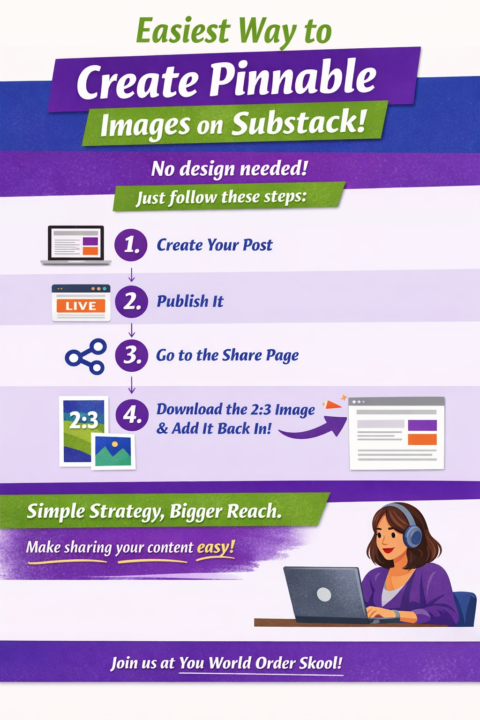
📌🔥How to Create Pinnable Images on Substack the Easy Way
Most creators make posting harder than it needs to be. A pinnable image gives your content a better chance of getting shared, saved, and discovered later. 🚀 ✨That matters on Substack, but honestly it matters everywhere. A strong vertical image helps your post look more polished and more intentional no matter where you share it. Here’s the easy method I use on Substack. (if you're new to the idea of Substack come join us!) Substack already makes the image for you. You do not need to go design a brand-new Pinterest graphic from scratch every time. 🔥Here’s the process: 1. Create your post first Write the post, format it, and get it ready to go. 2. Publish it This is the key step. The share images are created after the post is live. 3. Go to the Share page Once the post is published, open the share options for that post. 4. Download one of the 2:3 vertical images Substack generates This is the magic. Substack has already created a shareable vertical image you can use. 5. Go back into your post editor Add that image into the post itself. 6. Update the post It will not resend to your subscribers, so no need to panic. You are simply improving the post and making it more shareable. That’s it. Easy peasy.💪 🤔Why add a pinnable image to all your content? Because a pinnable image makes your content easier to: - save - share - restack - recognize - circulate longer A good image gives your post another life outside the platform where it was originally published. 📌It also helps people who do use Pinterest quickly grab something they can share. And even for people who never touch Pinterest, vertical images still make your content feel more complete and more visually appealing. ⁉️A few quick questions to ask before you update the post: - Does this image make the post more clickable? - Would someone want to save or share this? - Does the visual match the promise of the post? Bottom line: 🐾Do not let your content sit there without a visual asset that can travel.

1 like • Mar 18
This is super useful!
1-1 of 1

@vasi-smith-2720
Vasi is a TRANSFORMATIONAL COACH, Supporting creators in overcoming addictive behaviors like emotional eating.
www.skool.com/releasetheweight
Active 3h ago
Joined Mar 18, 2026
INFP