Activity
Mon
Wed
Fri
Sun
Feb
Mar
Apr
May
Jun
Jul
Aug
Sep
Oct
Nov
Dec
Jan
What is this?
Less
More
Memberships
Vibe Code Automators
151 members • Free
Vibe Code Guild
18 members • Free
Vibe Coders
194 members • Free
Vibe Coders
771 members • Free
Vibe Coders Club
460 members • Free
Funnel & AI Academy
519 members • Free
AI Business Guild
1.8k members • Free
60-Second Sales Funnels
13 members • Free
Automation Muse-
227 members • Free
2 contributions to Mind Technology

22h •
What is spec coding?
Hey all! We are organizing a webinar on 20 Jan (tomorrow) at 12:30 pm IST / 3:00 pm SGT / 7:00 am GMT to talk about spec coding and tools which you can use for spec coding. You may or may not have heard/used spec coding for your development workflow yet. This webinar would give you a comprehensive understanding to help you get started with Agentic spec coding. You can register to attend the webinar here: https://www.eventbrite.com/e/from-mvp-to-product-scale-your-product-with-autonomous-ai-dev-teams-tickets-1979867751742
1
0

Oct '25 •
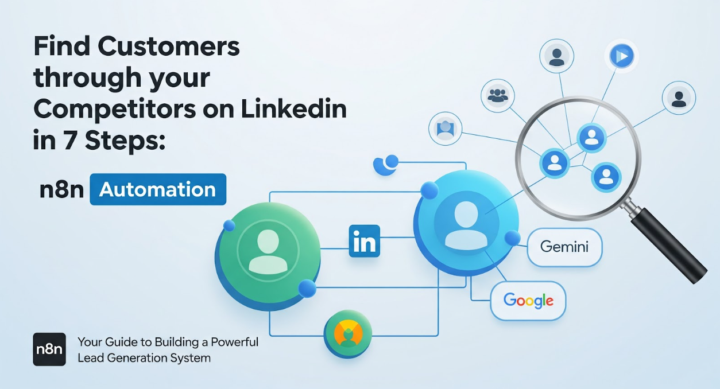
Find Customers through your Competitors on LinkedIn in 7 Steps: n8n Automation
Do you follow your competitors on LinkedIn to know what's happening in the market and who is working with your competitors? While it can give you a lot of insights, it is nearly impossible to track your competitors' activity manually on LinkedIn. That's when you use this n8n automation workflow to find customers through your competitors on LinkedIn: Step 1 - Define your competitors - Node: Manual Trigger or Form. - Input: list of LinkedIn company pages or personal profiles representing direct competitors. - Store them as workflow variables for later use. --------------------------- Step 2 - Identify competitors active 5+ days per week - Node: HTTP Request (PhantomBuster / LinkedIn API partner). - Pull each competitor’s activity log from the past 7 days: posts, likes, comments, shares. - Count active days. - Filter for those with engagement on 5 or more distinct days. - Output: “Active Competitors” list for further tracking. --------------------------- Step 3 - Fetch interaction network of active competitors - Node: HTTP Request (same tool). - For each competitor: - - Gather all profiles they’ve interacted with — those they’ve liked, commented on, or shared posts from. - - Also capture users who’ve engaged (liked/commented) on the competitor’s own posts. - Store: name, LinkedIn URL, interaction type, company name, and engagement date. --------------------------- Step 4 - Filter potential customers based on ICP - Node: Function / Gemini. - Input: all interaction profiles + your ICP. - Ask Gemini to filter and retain only those who match the ICP (e.g., “Operations Managers in manufacturing companies with 100–1000 employees in the US”). - Output: refined list of potential customers likely relevant to your offerings. Suggested Gemini instruction:“From this list of LinkedIn profiles, keep only those who fit the Ideal Customer Profile: [ICP details]. Return their names, companies, and roles.” ---------------------------
3
0
1-2 of 2

@varun-p-7555
I talk about all things automation - AI, GenAI, n8n, Make.com, Composio, Zapier. Let's connect if you need help with AI automation: connect@navan.ai
Active 22m ago
Joined Oct 12, 2025
India