Activity
Mon
Wed
Fri
Sun
Oct
Nov
Dec
Jan
Feb
Mar
Apr
May
Jun
Jul
Aug
Sep
What is this?
Less
More
OWNR OPS
2.3k
5.0
Free
10 contributions to OWNR OPS

🍀
Apr 22 •
AI
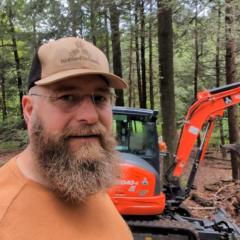
Wondering how to use AI in your land clearing business? here’s what @Jacob Neffendorf and I have been working on behind the scenes... This Friday morning we’re doing a live session to show you ClearPath – the first AI advisor built specifically for land‑clearing and mulching owners. Between the two of us, we’ve: - Built 7 figure businesses in this niche - Worked directly with 400+ land‑clearing / mulching companies - Had 15,000+ calls/training videos, quotes, and conversations in this niche - Run millions in ad spend and built the systems to scale operators throughout the U.S. ClearPath is trained on that data plus the exact systems we use every day. You’ll be able to sit down, type in your question, and get an answer that actually makes sense for our world. Examples: - “How should I price my jobs?” - “What should I text a homeowner who ghosted me after a site visit?” - “I’m booked out 5 weeks… should I raise prices or add another crew?” - “My phone slowed down this week. What’s the fastest way to fill the pipeline again?” What’s happening on Friday's Livestream Date: Friday, April 24Time: 7:00 a.m. Mountain / 8:00 a.m. Central Where: https://youtube.com/@theownerop On the live, we’ll: - Show you how the AI tool actually works - Ask ClearPath AI real questions from you so it can answer in real time - Open up 100 Founding Seats for the first guys who want in (with a Fast Action Bonus) If you’ve ever wished you could text someone who’s seen hundreds of land‑clearing businesses and just ask “what should I do here?”… that’s what this is If you want the live link and first shot at a Founding 100 seat... post "AI" in the comments below Talk soon, Austin OWNR OPS P.S. Jacob from Rise (the guy running all the land‑clearing ads you see) and I trained this AI together so you get both sides: operations + marketing in one brain.

1 like • Apr 24
AI
Mar 24 •
Spring season is in full swing! (3/24 Ad campaign update)
NOTE: I just updated these numbers. I was looking at the past 30 days, these numbers are now for the life of the campaign, started 2/12 Ok! So things are going gangbusters and the season is off to a fabulous start here. I started running my new ad campaign mid-February while we still had a lot of snow on the ground. Things were a bit slow to start but as soon as the snow started melting I've been getting multiple leads a day. Here's some stats for the campaign so far: Daily ad budget: $50 Amount spent so far: $1995 Impressions: 125,858 Reach: 56,091 Cost per lead (CPR): $16.36 Leads generated: 122 Leads qualified for estimate appts: 75 (22 of these appts are upcoming) Estimates converted to jobs so far: 17 Gross revenue from booked jobs: $51,575 Estimates that seem likely to convert later in the year: 11 Estimate appointments that did not convert: 8 "No contact" Leads: 17 (leads that I could never get on the phone despite 10+ contact attempts) Over all rate of estimate appts converting to booked jobs: 68% (Last 2 years this was around 50%) Personal observations: - I called every lead 10 minutes that came in during business hours. Maaaybe 5% of these actually answered the phone call. I left a voicemail and followed up with a text message right away. - Average number of contact attempts (calls/voicemails/texts) per lead converted to job: 2.69 (range was 2-10)
3 likes • Apr 1
Good job! Just started my first FB ad 3/30 with a video from our first job. Hoping to get similar results.
Mar 12 •
Job Walk Checklist
Our plan (for the beginning) is that I will meet with customers while my husband is doing the work to maximize on our timing. He is the expert, of course, on what needs to be done and how long it will take, so I created a checklist that I can use to get him as much information as needed for him to make a reliable quote. This will also be given to any operators as we grow and hire so if a neighbor asks for a quote while on a job, it can be done right then. I used the checklist Austin provided in the classroom and expanded on it. I thought I would share in case it could be helpful to others. I took our logo branding off so you can use it and add your own. Feedback is also appreciated. I am a full time accounting manager (for now) and part time Realtor, so creating spreadsheets and documents are kinda my thing. 😊
0 likes • Mar 21
@Cliff McRae you're welcome
1 like • Mar 21
@Mike Anbar that's the plan. We will bring our 2 boys into the mix as we grow.
🍀
Mar 20 •
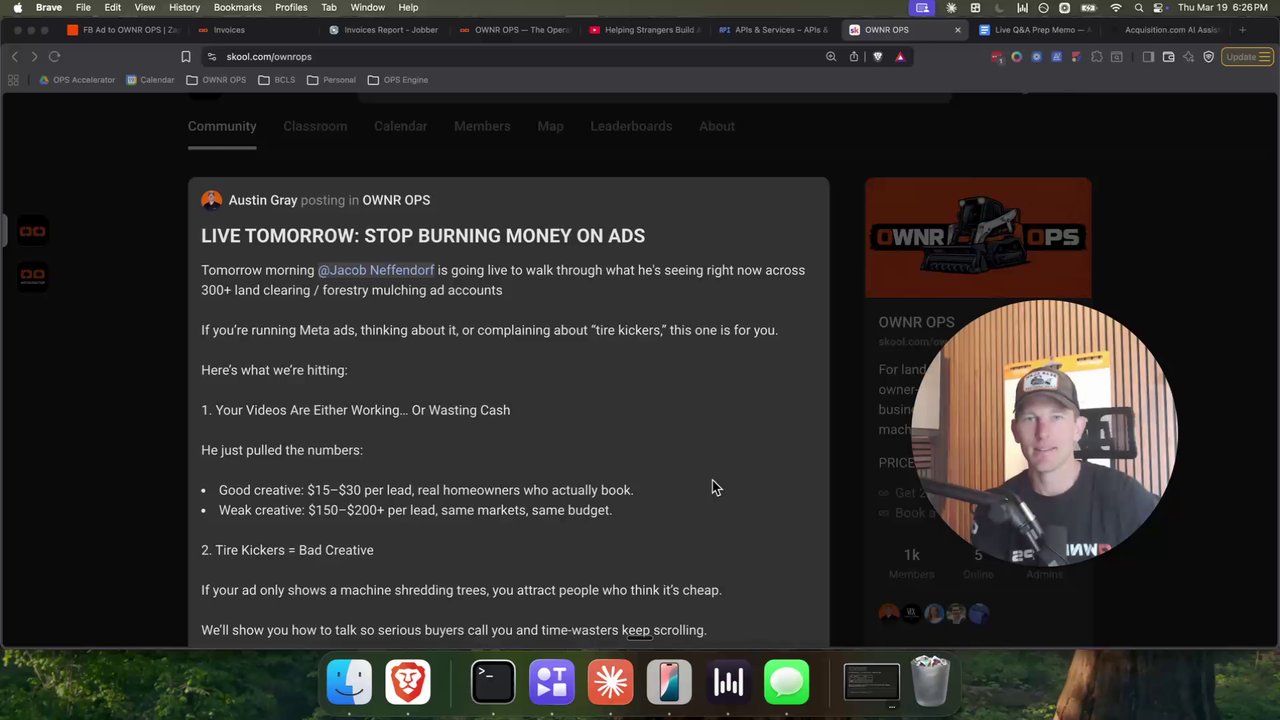
LIVE TOMORROW: STOP BURNING MONEY ON ADS
Tomorrow morning @Jacob Neffendorf is going live to walk through what he's seeing right now across 300+ land clearing / forestry mulching ad accounts If you’re running Meta ads, thinking about it, or complaining about “tire kickers,” this one is for you. Here’s what we’re hitting: 1. Your Videos Are Either Working… Or Wasting Cash He just pulled the numbers: - Good creative: $15–$30 per lead, real homeowners who actually book. - Weak creative: $150–$200+ per lead, same markets, same budget. 2. Tire Kickers = Bad Creative If your ad only shows a machine shredding trees, you attract people who think it’s cheap. We’ll show you how to talk so serious buyers call you and time‑wasters keep scrolling. 3. Weekend Lead Leak The data: weekend leads are the same as weekdays, but close way worse. Why? Most guys don’t touch leads until Monday. We’ll show you how the top guys work weekend/evening leads in minutes and get 2–3x more jobs from the same ad spend. 4. Know Your Numbers (Or You’re Guessing) We’ll help you answer 4 simple things: - Cost per lead - Close rate - Average job size - Real ROI WHEN: Tomorrow, 7:00am Mountain / 8:00am Central WHERE: Live on YouTube https://youtube.com/@theownerop Comment “LIVE” below if you want the link + reminder. Bring your last 30 days ad spend and best guess on leads so we can rough in your numbers live. P.S. I'm announcing next steps for the Founding Members who won the Top 10 Leaderboard BONUSES
0 likes • Mar 20
Live
Mar 12 •
Google Verified
I had some issues getting my business Google verified. I wanted to share what worked for me in case anyone else is having issues. We are brand new and just getting our equipment and getting things going. I started by the road and showed a street sign across the street from me. I then showed a yard sign that I have at the end of my driveway. My yard is fully fenced with a gate so I entered my "locked" gate to show entry authorization. I then showed all my equipment, including a dump trailer and work truck that both have permanent signs on them. I then entered my "locked" home to again show entry authorization. I went to my desk where I had my business license sitting next to my laptop. On my laptop, I opened my QB account and showed our company name. I had open our website and Canva showing several company docs I have created. I also had open a copy of our LLC formation from the state and the IRS letter where our FEIN was issued. This video did get approved for me and we are now verified. Hope this may be able to help someone else!
1-10 of 10
@tiffany-vick-3926
Co-owner of Vickco Mulching & Land Solutions with my husband, Alex
Active 83d ago
Joined Feb 26, 2026
Powered by