Activity
Mon
Wed
Fri
Sun
Sep
Oct
Nov
Dec
Jan
Feb
Mar
Apr
May
Jun
Jul
Aug
What is this?
Less
More
Memberships
The Code Zone Skool
565 members • Free
Web Developers
829 members • Free
12 contributions to The Code Zone Skool

Mar 30 •
Vibecoding: What’s the hardest part of that process for you?
I came across a post in another group that got me thinking, and I wanted to bring it here 👇 For those of you who vibe code with tools like Loveable or Bolt, then go back and try to actually understand what was generated… What’s the hardest part of that process for you? Is it: - Connecting how everything works together? - Understanding why certain decisions were made? - Debugging when something doesn’t behave how you expect? - Turning it into something you could confidently rebuild on your own? I’ve noticed there’s a really interesting phase after generating code where things start to “click” (or don’t), and I’m curious how you all approach that. Drop your experience below 👇 I’m exploring an idea and would love your input. Tagging some AI folks: @Taylor Moore @Zac Frulloni @Jacob P @Josh Lacey

3 likes • Apr 2
@Mahmoud Mahmoud Sometimes when I ask questions, it feels like I don’t even know how to connect the steps or understand what exactly is being asked or given.
Apr 2 •
Reconnecting After a Short Academic Break!!
It’s been a while since I last engaged here. I was focused on my exams, but I’ve continued learning and reflecting throughout this time. Looking forward to reconnecting, and gaining more insights from this inspiring community.
Mar 21 •
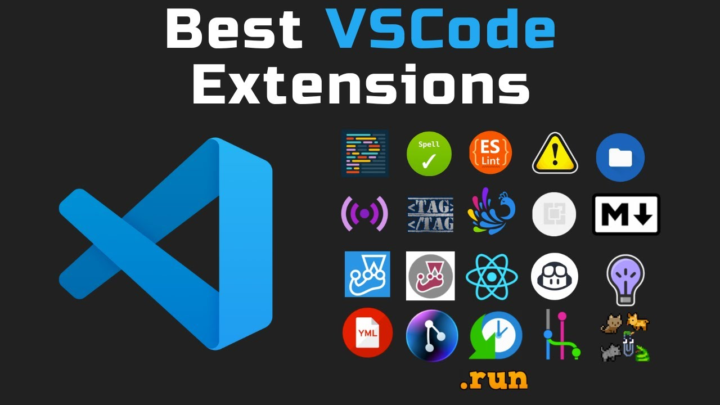
Killer VS Code Extensions what are your favorite?
For those of you out there utilizing Visual Studio Code, what are some of your extensions that you absolutely love and use on a daily basis? [Update] I'm going to add to this as people tell me: - Prettier - Copilot - Error Lens - ESLint
3 likes • Mar 24
VS Code extension I like the most is Prettier because it automatically makes the code clean and easy to read.
Mar 16 •
Debugging my code be like😂:
Step 1: Write code Step 2: Run code Step 3: Error Step 4: Google the error Step 5: Find solution Step 6: Copy paste Step 7: Pray it works🤲
3 likes • Mar 24
@Tyler Michl I agree. Most AI tools feel the same, and sometimes they give wrong answers that seem correct, which makes it hard to catch mistakes.
3 likes • Mar 24
@Tyler Michl If you keep asking AI the same question again and again at the same topic for improvement, the responses can actually get worse or more confusing instead of improving.
Mar 16 •
Honest question for developers 👩💻
As a beginner in web development, sometimes it feels like there are too many things to learn (HTML, CSS, JavaScript, frameworks, backend, APIs, etc.). For someone just starting out, what should they focus on first to become a good developer? Your advice could really help beginners like me.
3 likes • Mar 18
@Mahmoud Mahmoud Yes, this is exactly what I was looking for! 🙌 Honestly, I had started feeling frustrated and even thought that maybe I can’t do this… but now I feel a bit more clear and motivated again.
2 likes • Mar 18
@Tyler Michl Thank you for sharing this though full insight 😊 I’ll make sure to focus on fundamentals and actually build projects to test my knowledge instead of just learning theory. I’ll keep practicing and stay consistent.
1-10 of 12

@sidra-lateef-6102
I am a BSIT student on the journey to becoming a Full Stack Developer.
Active 84d ago
Joined Feb 28, 2026
Powered by