Activity
Mon
Wed
Fri
Sun
May
Jun
Jul
Aug
Sep
Oct
Nov
Dec
Jan
Feb
Mar
Apr
What is this?
Less
More
Owned by Junior
When you're tired of sitting on the sidelines and ready to build a AI agency! [🔗 Apply for 1-on-1 Mentorship](https://form.typeform.com/to/K2CstgYz)
Memberships
The Credit Leverage Blueprint
3 members • Free
Assistable.ai
3.4k members • Free
AI Automations Guild
1.5k members • Free
Side Hustle Automations
636 members • Free
Voice AI Alliance
3.3k members • Free
8 contributions to Assistable.ai

8d •
Voice Lab transcripts still not showing - any update on the fix?
Hey team, the Voice Lab transcripts have been missing for a few weeks now. I know this was flagged as a known issue and a patch was in the works, but it's still not working as of today. My client relies on the transcripts to review test calls and send feedback with screenshots. Without them, testing is significantly harder. Is there an ETA on the fix?
10d •
Character limit tips + number pronunciation issues + Knowledge Base for scripts?
Hey team, running into a few issues with my plumbing AI receptionist and hoping to get some guidance. Tagging @Jorden Williams @Mike Copeland @Assistable Ai @Assistable Team 1. Character Limit (8017/8024) I'm basically maxed out on my prompt and need to add more instructions. Are there tricks for reducing character count while keeping the same behavior? Specifically: - Can I move longer scripts (like a company value proposition pitch) into the Knowledge Base and just reference it from the prompt? - Is there shorthand or syntax that GPT 4o understands more efficiently? - Any formatting tricks that save characters? 2. Number Pronunciation Same issue as @Justin Abee posted about. My assistant says "$90" instead of "$99" and reads addresses weird on first attempt (said "28 Fiore 7" instead of "2847"). Using Eleven Turbo V2.5 with Speech-Friendly Formatting ON. Tried spelling out numbers as words in the prompt (e.g. "ninety nine dollars") but it still sometimes gets it wrong. Any fixes? 3. Value Building / Step Compliance Even with explicit instructions like "STOP until you have first AND last name" and "After ALL fields, do VALUE BUILDING before pricing," GPT 4o still occasionally skips steps. The data collection is much better now but it still skips the company pitch before quoting fees. Any tips beyond uppercase emphasis and MUST/STOP language to improve compliance? 4. Voice Tone Shifting The voice occasionally shifts tone mid-call (almost sounds like a different person for a sentence). Using Amber King voice with Eleven Turbo V2.5. Is this an ElevenLabs known issue or is there a setting to stabilize it? Appreciate any help. This is for a live client deployment so getting these dialed in is critical. Thanks!
0 likes • 9d
@Hari Prathap Balamurugan
14d •
Tips for improving GPT 4o step compliance in voice prompts?
Running a plumbing AI receptionist with a 12-step data collection flow. GPT 4o follows the steps most of the time but occasionally skips collecting the last name or doesn't ask for issue details before moving on. The instructions are explicitly in the prompt with "STOP" and "MUST" language but it still sometimes skips. Has anyone found techniques to improve step compliance? Wondering if the Knowledge Base feature helps reinforce instructions or if there's a better approach.
18d •
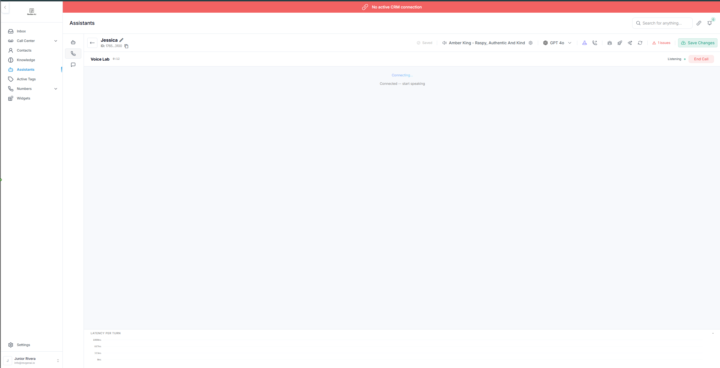
Agent not transcribing during test call
Has anybody else been having an issue with this Can somebody help me out with this?
0 likes • 14d
@Jorden Williams has this been fixed yet?
Feb 17 •
My Voice Agent Not Talking Back
Hey guys would love some support on this issue I have AI assistant that is not working inside of the voice lab neither when I call the phone number this is for million dollar Plumbing Company would love some help ASAP thank you 😅
0 likes • Feb 19
@Jorden Williams Could you help me out?
0 likes • Feb 19
@Ryan Stone No resolution!?!?
1-8 of 8

Active 7d ago
Joined Dec 8, 2025
Powered by