Activity
Mon
Wed
Fri
Sun
Jun
Jul
Aug
Sep
Oct
Nov
Dec
Jan
Feb
Mar
Apr
May
What is this?
Less
More
Memberships
SmartContent AI Studio™
289 members • Free
Web Profit School VIP - Beta
284 members • Free
Visionary In Progress
118 members • $7/month
Ai Fueled Profits: Live
4.2k members • Free
Notion Wizards
5.9k members • Free
Empire Creator Lab
593 members • Free
Your First $5k Club w/ARLAN
28.6k members • Free
AI Consultant Accelerator
752 members • $67/month
The PAID Creative
931 members • Free
15 contributions to Digital Roadmap AI Academy

Feb 23 •
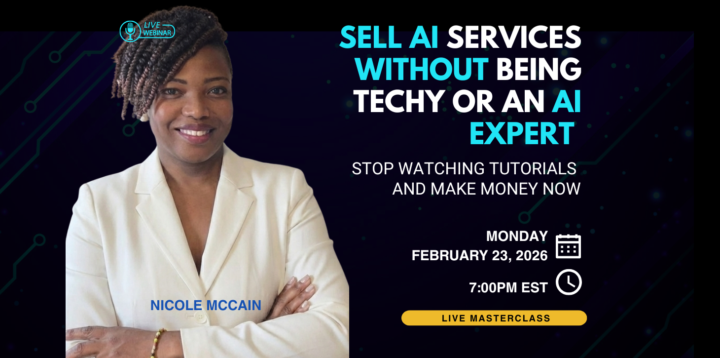
Tonight's Session - Sell AI Without Being "Techy"
Don't miss this interactive deep-dive session with @Nicole M at 7:00pm EST for those who want to land $1k to $5k AI clients in the next 30 days without coding, building tools, or playing “AI expert” on the internet. This masterclass shows you how to package results, price them clean, and sell them with confidence. You’ll walk away with: - A premium AI service offer you can sell this week (clear promise, scope, deliverables, price) - A simple client-getting plan for the next 30 days (what to post, who to reach out to, what to say) - A done-for-you delivery framework so projects stay tight, fast, and profitable (zero chaos) - 3 starter AI services that sell well at $1k–$5k, even for beginners (no tech stack spiral) Show up ready to build. Leave ready to pitch. Drop a 💯 if you are going to be in the house! 👇 Join Zoom Meeting https://us06web.zoom.us/j/87878888527?pwd=ID5iyOWEXUIWKFqX6IbNQi0IhdGRbR.1

1 like • Mar 2
Great resources! Thank you 😊
Dec '25 •
🎄🎊What is your favorite Christmas, Holiday Tradition?
I love the joy of the season here in the USA,the cold 🥶 North. However, the warm traditions of my Jamaican roots make the season even more special. What is your favorite holiday tradition, or a fun thing to do, or memories? Will you continue them this season?👇💕
3 likes • Dec '25
Happy holidays everyone!
Dec '25 •
🚨Google GEMS Privacy Warning
Privacy Warning for Entrepreneurs Using Google’s New Super Gems (Opal) If you’re excited about Google’s new “Super Gems” and Opal (and I for one am), hit the brakes for a second - especially if you run a business or handle client data. Here’s what most people are missing: Opal is not covered by the Gemini Apps privacy protections you may think you’re relying on. Google explicitly states that Opal is “not a part of Gemini Apps,” that your Opal data “does not appear in your Gemini Apps Activity,” and that it is not controlled by Gemini’s Workspace-connected app settings. The dedicated Gemini Apps Privacy Notice does not apply to Opal; instead, your Opal data is governed only by the general Google Privacy Policy.[1][2][3] For entrepreneurs, that means all the safer defaults and admin controls you might be counting on inside Workspace/Gemini do not protect what you do inside Opal. Opal asks for extremely broad access to your Google Drive. When you accept, you’re giving Opal permission to “see and download all your Google Drive files” and to “create, edit, and delete” the specific files you use with the experience. Full-Drive scope like this typically allows an app to read every document, sheet, and file in your Drive, including items shared with you by others.[4][5][1] If your main Google account contains client docs, strategy decks, financials, SOPs, or anything sensitive, you’re effectively opening the door for this experimental system to see all of it. Anyone with access to certain Opal-powered apps can access the saved data in those apps. Google’s own documentation explains that for user-created “Canvas” style mini-apps, the app creator can see the data you input and can store it where they choose (for example, in Firebase or other storage), and that “anyone with the public link can also view and edit data saved with the app.”[2][6] So if you’re using a public or shared Opal app to process client info, sales data, or internal workflows, understand this:
2 likes • Dec '25
😧 Wow! Thanks for sharing!
Dec '25 •
New Training: Build Your App in Google AI Studio🔥
Grab this new training and join tonight's vibe coding session to get help build and sell Your AI APP! 💥
1 like • Dec '25
Great video. Thank you!
Nov '25 •
🤖NEW ChatGPT 5.1
OpenAI released GPT-5.1 for ChatGPT on November 12, 2025. OpenAI+1 I think GPT 5 provides better responses, tone, and does what you ask it to do. 5.1 seems a bit wonky...its still getting its baby legs. I'll drop a new Youtube video on this soon. Here's what changed: 1. Two tuned variants• GPT-5.1 Instant — keeps answers fast but adds light adaptive reasoning so it follows instructions better for everyday prompts.• GPT-5.1 Thinking — spends more time on complex tasks, gives clearer, less jargony answers, and is more persistent on multistep problems. OpenAI Help Center+1 2. More conversational voice and personality controls• OpenAI added multiple chat styles so you can pick tones like Friendly, Professional, Quirky and more. The model aims to sound warmer and more natural. The Verge+1 3. Smarter automatic model selection and UX changes• ChatGPT now automatically matches Instant or Thinking to tasks rather than you swapping models manually. Legacy GPT-5 remains available for a short period. MacRumors+1 4. Quality and guardrail tweaks, plus speed tweaks for simple tasks• OpenAI says the update improves instruction following and balances speed versus depth. Analysts report modest, focused improvements rather than a dramatic leap over GPT-5. Venturebeat+1 I am NOT impressed! Have you tried it out? 👇
1 like • Nov '25
@Rayna Scott I love this approach. I will do the same. Thank you!
1-10 of 15
@regina-turner-9430
I am a creative AI Consultant specializing in working with coaches and those in the personal development space.
Active 2h ago
Joined May 23, 2025